
Just Bought a House with Vivint? Here is Everything You Need to Know

Congratulations on your new home purchase! If your house came equipped with a Vivint smart security system, you’re already on the right path towards protecting your new home.
Navigating the next steps with an existing Vivint setup can feel overwhelming, but this guide is here to make activating the system easy as possible.
I’ll cover everything new homeowners need to know about the existing system including pricing, ownership, features, and finally how to get the system up and running.
The previous home owners left behind the Vivint panel and equipment

If it’s any other panel, then Vivint won’t be able to activate the system. You’ll be required to buy a new system upfront.
You may be wondering “Is this equipment mine to keep? Or does Vivint need this back?”. The good news is that it’s yours to keep! So what you do next is up to you.
This means you can either call vivint to activate the system or toss it in the trash. I’d recommend keeping it since the equipment cost can be between $600-$2,000 range. That is what everyone ordering the system brand new must pay.
If you’re shocked by that price tag just know that Vivint is like the Apple of alarm systems. It has both great hardware and software, but that does come with a price. Fortunately for you won’t have to pay that.
Lastly since you are only activating the system, it’s month-to-month service. No contract. All you would pay is just your first month to get it up and running. It’s one of the better deals in home security.
How do I get activate the Vivint system and get a pin code?
Here is what you’ll need to do in order to get your account set up and get a pin code.
- Call Vivint at 833-606-2573 and press 1 to speak to sales (in order to use the system or get pin code you must be a customer)
- Give the sales rep your address for them to search for the old account
- Once they find the old account, they can tell you want is installed and discuss the features of the system with you
- To activate the service, you’ll need to pay your first month of service usually between $29.99 – $49.99 per month (no contract) with the rep over the phone
- The sales rep will then schedule another phone call with the panel activation team to remotely activate the service, set up your account info, and set up a pin code to use the system.
Once the system is activated, you’ll have access to the 24/7 monitoring service, access to the app on the phone, as well as any other features with the system such as cameras, doorlocks etc.
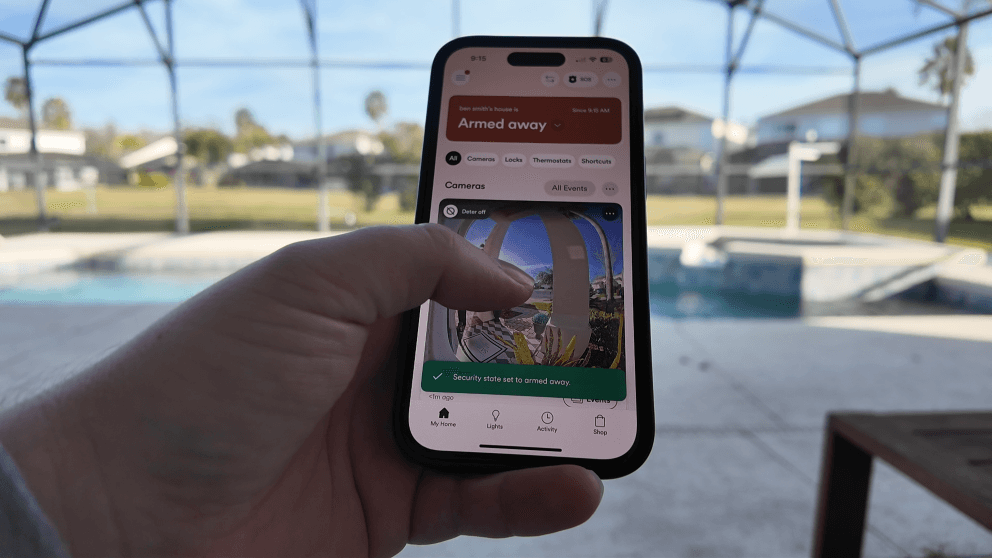
The good news is that when you activate an existing system, you won’t have a contract. You’ll also save good amount of money since you don’t have the buy the equipment too.
Due to security reasons, Vivint will not give out the old pin code from the previous account owner.
If you don’t want to use the system, but still need the pin code then your best bet will be to reach out to the previous owners. Otherwise, you’ll need to call Vivint or visit their website here to activate the service to get the pin. Since it is month to month, you can always cancel the service after getting your pin if you really don’t see yourself using it.
How much is the monthly price to just activate it?
Vivint home security has three different pricing plans.
| Plan | Monitoring w/ App | Monitoring + Smart Home | Monitoring + Smart Home + Cameras |
| Pricing | $29.99 | $39.99 | 49.99 |
They are $29.99, $39.99, and $49.99 per month. The $29.99 covers basic monitoring to police, fire, and medical. This will also cover the app on your phone. For $39.99 per month, you can have everything that $29.99 covers, but also control any smart home items left behind from the app too.
If you’d like to do an account upgrade to a higher tier later, that’s easy just call Vivint support at any time.
This means that if they have an automatic door lock or thermostat, then you can now control that from the app on your phone. Finally for $49.99, you can control everything including the cameras. This will give you access to monitor the cameras from your smartphone wherever you are at as long as you have cell phone service.
I do want to point out that their service is month to month. Most companies require a 3 year contract or make you pay hundreds of dollars upfront. If you have Vivint in your home already then you can cancel the service anytime without penalty. This makes it the best deal in the security industry assuming that all the equipment is in there.
You can see all vivint pricing plans here.
What features are included in the system?
Vivint comes standard with 24/7 monitoring to police, fire, and medical regardless of what plan you choose. Every system also comes with the panel and Vivint sensors.
Below is a quick breakdown of the different types of sensors.
- Door/window sensors
- Motion Sensors
- Glass Break Sensors
- Garage door Sensors
- Flood Sensors
- Smoke Detectors
In addition to the sensors, there are three different cameras that they offer which are the outdoor camera, indoor camera, and doorbell camera. These cameras are professionally installed by a technician. So if you if you are wanting to add more cameras you can call 833-606-2573.
Lastly there is the smart home devices. Here is a broken down list.
- Thermostat
- Automatic Doorlock
- Light Switches
- Smart Plugs
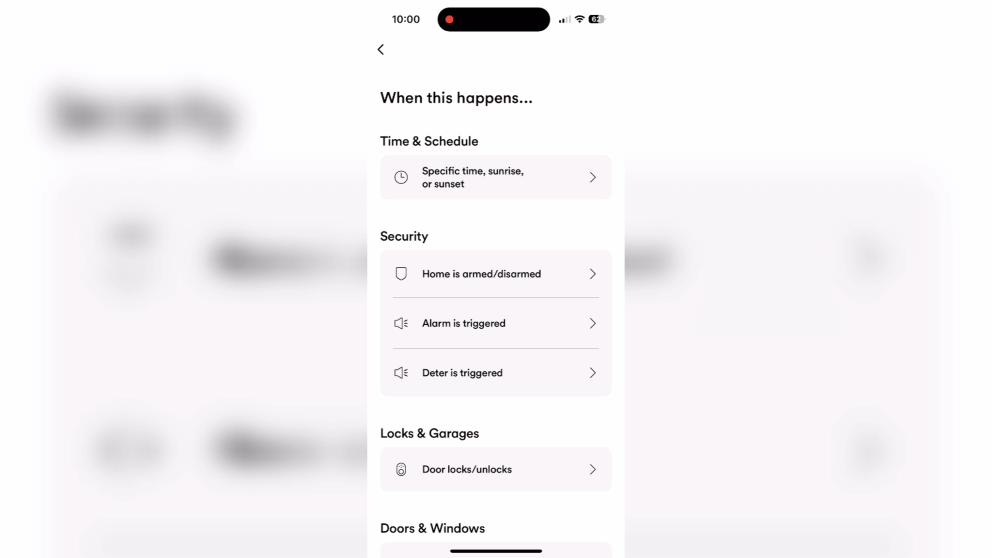
All of those devices connect to the system and can be controlled by the app. Their software also gives you the ability to be able to set up different automations throughout the house. For example, you can set up a bed time automation where every night at 10PM the system locks the door, arms the alarm system, and turns off the lights.
Can I use Vivint equipment without Monitoring?

Yes, you can use Vivint equipment without monitoring.
However, you cannot use the app or account view on your phone and there will be no monitoring. You can still arm and disarm the alarm, and have it set up to automate things such as a door lock or thermostat whenever you leave.
If someone were to try and break in while the system is armed, it will sound the siren but will not call the police.
You will need the 4 digit pin code to arm and disarm the alarm. You can call the previous home owners to ask them what it was. However, if you call Vivint they will not give that info away for obvious reasons. So if you can’t get in contact with the previous home owners, you can call Vivint to activate the system for one month, get a new pin code, and then just cancel the service after that.
Their monitoring service is month to month so they will have to give you a pin code once it’s activated, but you can just cancel it after that and the pin code will still work.
Is the equipment mine to keep?
If you bought the house and the equipment is still in there, then it is yours to keep. If the previous customer failed to move the equipment with them and still owes money on it then they will have to settle it with Vivint. Vivint does not go back for it’s equipment if a person defaults on their payment.
If the customer had notified Vivint before, they would have asked them to move the panel to their new house along with some of the smart home items. Normally they give them new Vivint sensors at the new place.
Can I add on extra equipment to my house like cameras?
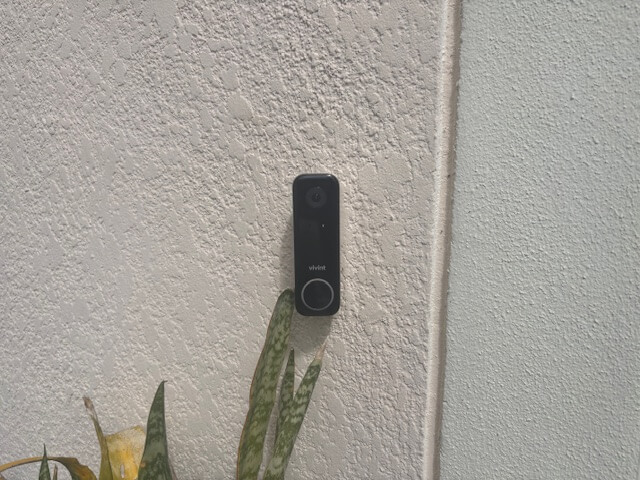
Yes, you can add on any extra equipment that Vivint offers after the service is activated. They will have you pay upfront for the item and then send a tech out for professional installation. If you want over $600 worth of equipment, then you can finance that amount at 0% APR if you qualify. Then they will just roll the monthly bill into your payment kinda of like a cell phone plan.
I accidentally triggered the alarm, how do I turn it off?
If you accidentally set the alarm off and you don’t have the pin code there isn’t too much you can do. The only thing you can do is to remove the panel from the wall and then remove the back battery. This will get the panel to turn off and shut the siren down. If the system is not being monitored then you don’t have to worry about the police coming.
Here is a guide to removing the panel and taking out the battery
You can sometimes try the code 1234, 2468, or 2580 to turn the system off because lots of times that is what people leave their code as. It is not a guarantee that it will work though!
If you want to active the service and get support, you can contact vivint using this number 833-606-2573 or visit their website.
Vivint vs. Other Home Security Systems
Vivint is top of the line in terms of both hardware and software. It comes with all the bells and whistles that you would hope for in a system and just simply works out of the box exactly like you would expect it too.
However, if you don’t want Vivint then I’d either recommend Cove or ADT.
Cove is a newer company with affordable equipment and monitoring services. However, their price point for both equipment and monthly pricing is a great value. The equipment is really affordable, but still good quality and the same goes for their monitoring. The only catch is that it’s all DIY. So there is no professional installation. Pricing for the equipment is around $300 and their monthly cost is around $30 per month.
ADT is Vivint’s top competitor. They offer similar services and equipment quality. Their monthly starts at around $49.99 per month if you pay for the equipment up front similar buying costs.
About the author
