
ADT DIY Home Security Review 2026
My hands-on ADT DIY home security review. Here is everything you need to know before making a decision.

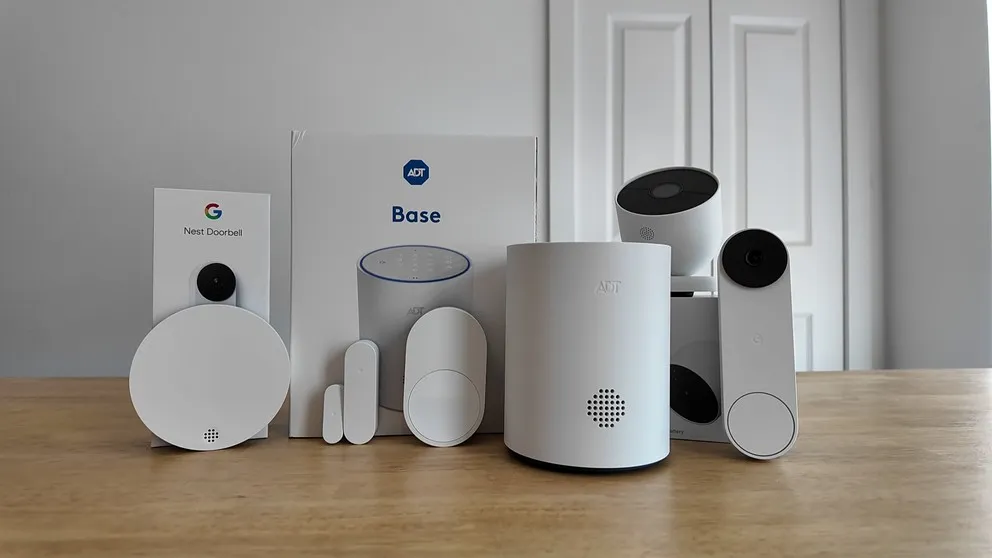
I’ve had the ADT DIY home security system installed in my house for a while now, and I’ve been using it every day, putting it through the different tests. This is my complete review of the system. I’ll cover the equipment, the self setup process, the Nest cameras, home automation, the ADT+ app, and pricing.
By the end of this review, you’ll know everything you need to know about the ADT DIY system.
Quick Look at the Pros and Cons
Before I get into the details, an overview of the pros and cons of this system.
Pros
- Easy DIY Installation. Takes less than 2 hours.
- Backed by ADT's 6 Monitoring stations.
- Most robust home automation for DIY system
- Cameras still work even if you cancel the service
- Easy to use app
- Can add more cameras without increasing the monthly bill
Cons
- Very basic panel
- Phone support only. Will not send a tech
- Cameras only record for one hour without wifi
- No power over Ethernet option for cameras
- You have to use two apps to download videos
- More expensive than other DIY systems
What Is the ADT DIY System?
ADT has been in the home security business longer than just about anyone. They’re the largest home security provider in the country with six monitoring stations. But for a long time, ADT was strictly a professionally installed system. You’d call in, schedule an appointment, and a technician would come set everything up.
That changed when they launched the self setup option. Now when you call ADT, you have two choices: get the system professionally installed (which is a different system with different pricing, and I’ve reviewed that separately), or order the DIY version and install it yourself.
The DIY system also uses Google Nest cameras, which I think is actually a smart move. Nest makes really solid cameras. The security sensors (door/window, motion, glass break) are ADT’s own hardware and connect through the ADT+ app. The whole system is monitored 24/7 through Wi-Fi with cellular backup, so if your internet goes out, the monitoring stays connected.
What Came in My System
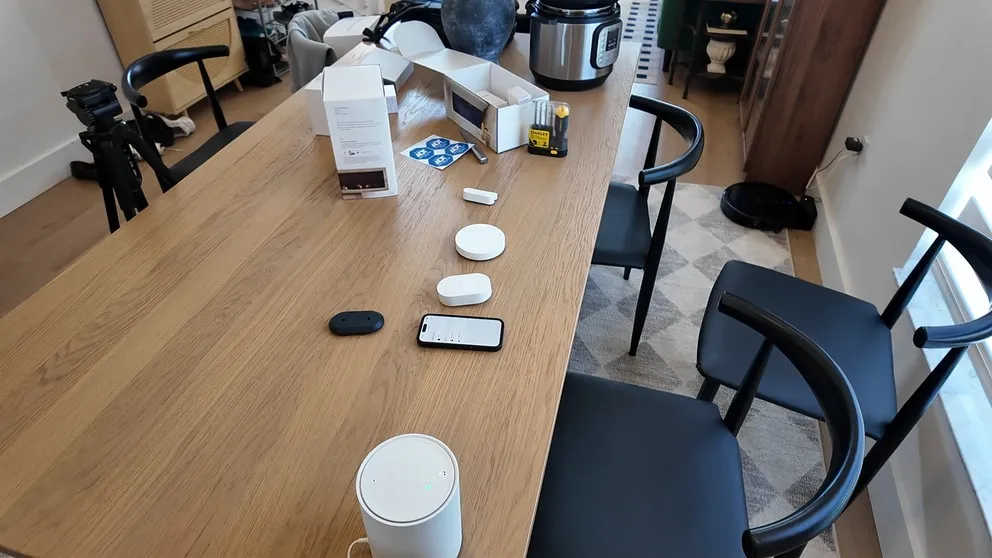
My system came bundled together and included the base station (which has the keypad built into it), door and window sensors, a motion sensor, a glass break sensor, the Nest outdoor camera, and the Nest doorbell camera. I was able to get the two cameras for free as part of a promotion, so I only paid $350 for the whole setup.
This is a proprietary equipment for ADT aside from the cameras.
That pricing will vary depending on how much equipment you need. My house is about 2,100 square feet and this was enough to cover everything. ADT also sells pre-configured packages starting at $269 for a Build Your Own kit (base station plus one entry sensor), and they go up from there.
> > ADT Promo: Nest Doorbell + Nest Camera — FREE or call (833) 224-7221
The ADT Self Setup Process
One of the biggest pros of this system is how easy it is to install. The whole thing took me about two hours, and I’m not exaggerating when I say it was hard to mess up. If doing a home security system on your own sounds intimidating, don’t worry. This one is genuinely simple.
Here’s how it works: plug in the base station, download the ADT+ app, connect the base station to Wi-Fi, then use the app to sync up all the sensors. The app walks you through every step.
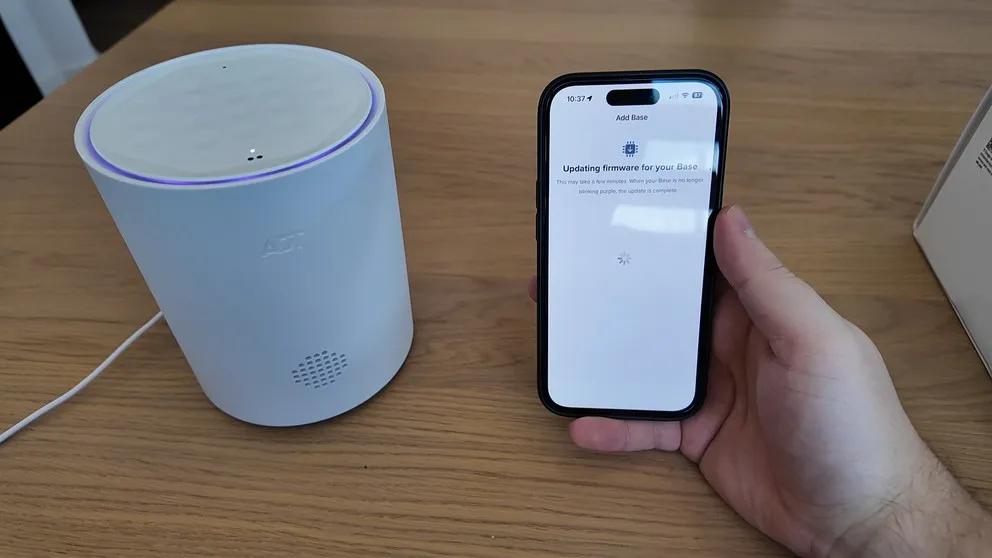
The whole setup is done through the app after connecting it to the hub.
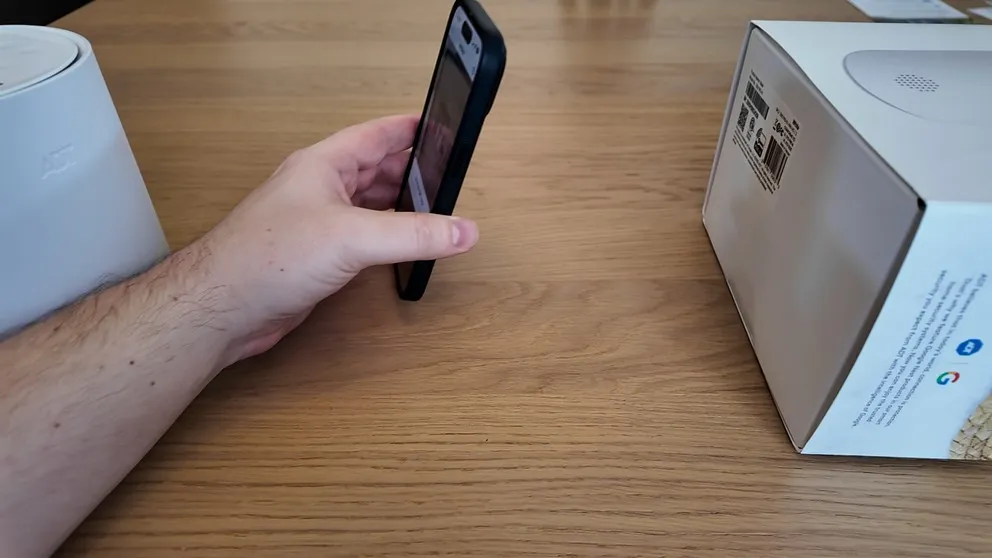
All the equipment as QR codes, so you simply scan it using the app to connect it.
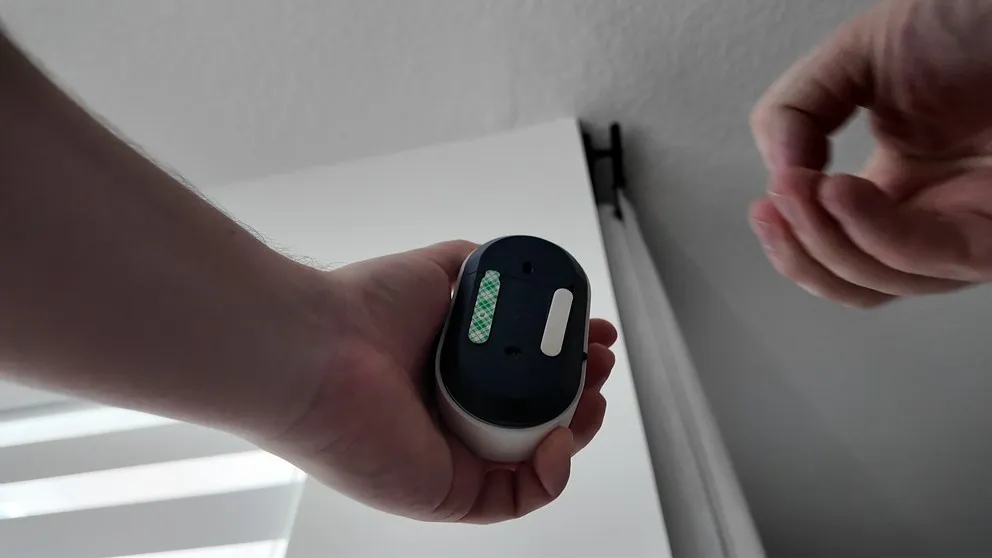
Simply peel of the the back and stick on the wall to install.
To install the sensors, you literally peel off the adhesive backing and stick them on. Walk up to your door, stick the sensor on. Walk up to the wall where you want your motion sensor, peel off the sticky, press it on. That’s it. No drilling, no tools, no screws. It really does come as advertised.
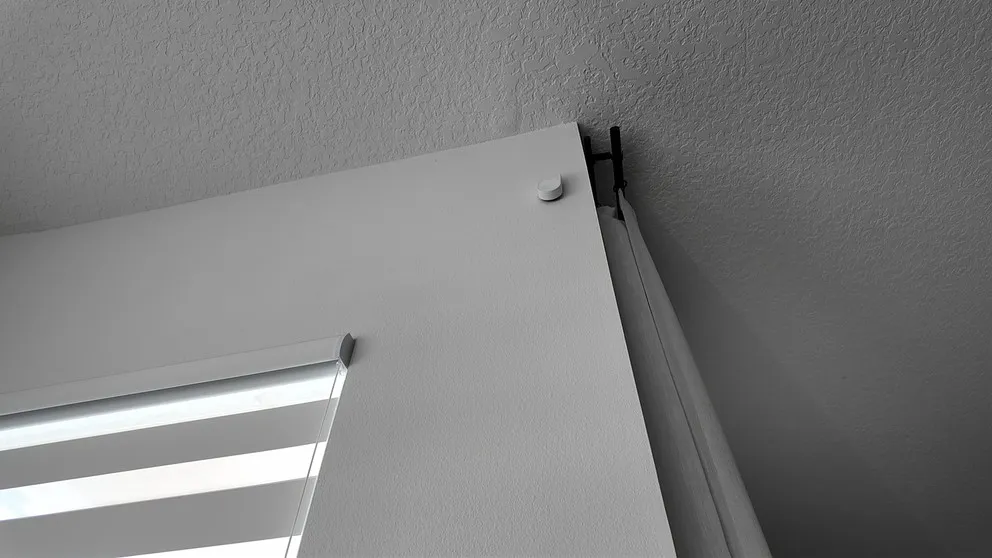
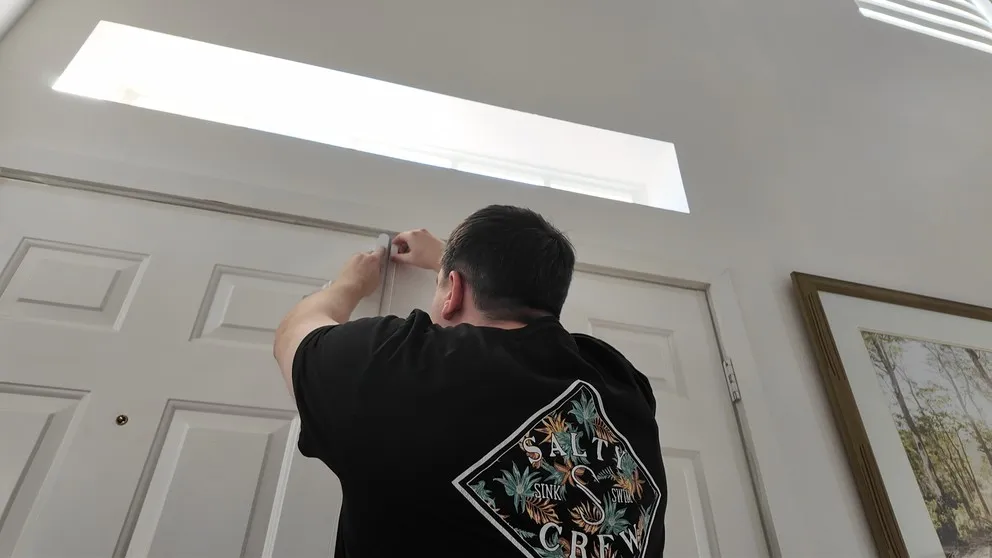
Sticking the door sensor above the frame. Peel the adhesive and press it on. Takes about 10 seconds per sensor.
The ADT Base Station
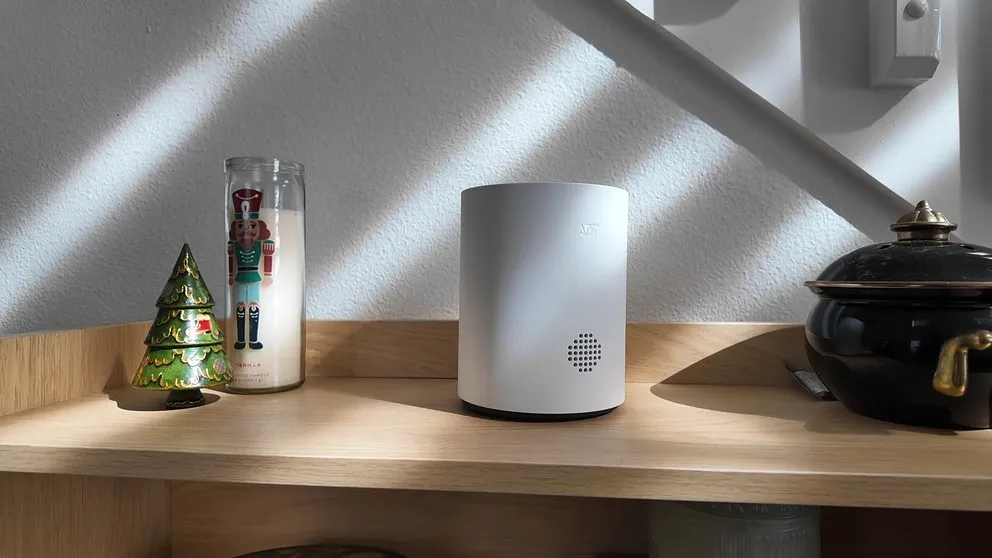
One thing I appreciate about this system: the base station and keypad are combined into one unit. A lot of DIY systems have a separate keypad and a separate hub that plugs into your router. This one has everything in one box, which keeps things cleaner.
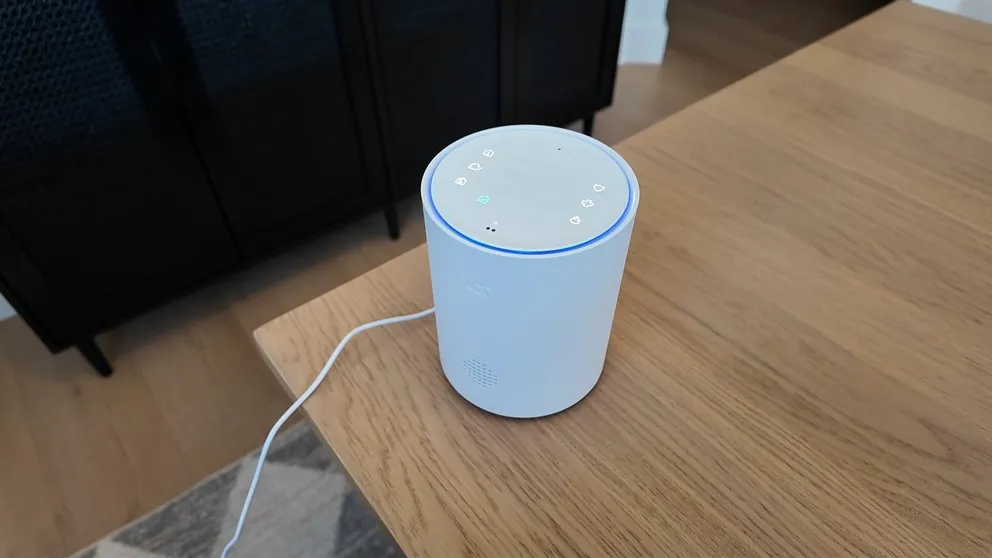
The base station changes colors so you know if it’s armed or not.
The base station is the brain of the whole system. It connects to your Wi-Fi, communicates with all the sensors, and has a built-in siren. It also has a 24-hour backup battery and cellular backup, so the system stays connected during outages.
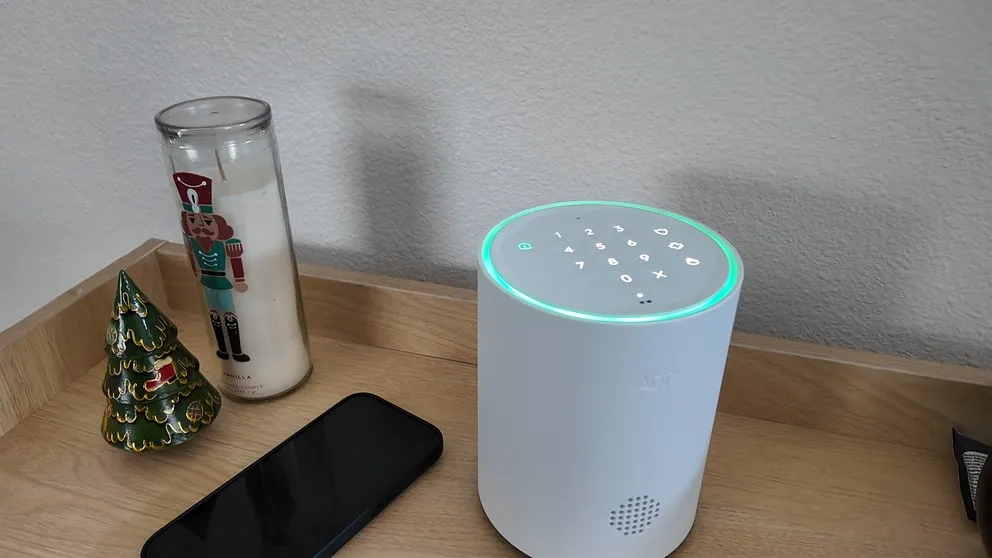
I do like the LED ring that changes color based on system status. Blue when it’s online, green when it’s armed. It’s a nice touch.
Now, the con. There’s no touchscreen. The keypad is a push-button style built into the base station, and it does this thing that kind of annoys me. The buttons are completely invisible until you tap the surface to wake it up. Then the buttons light up and you can enter your code. Maybe it’s petty, but I find it annoying that I have to tap it first and wait for the buttons to appear before I can arm or disarm. I’d rather them just be visible all the time.
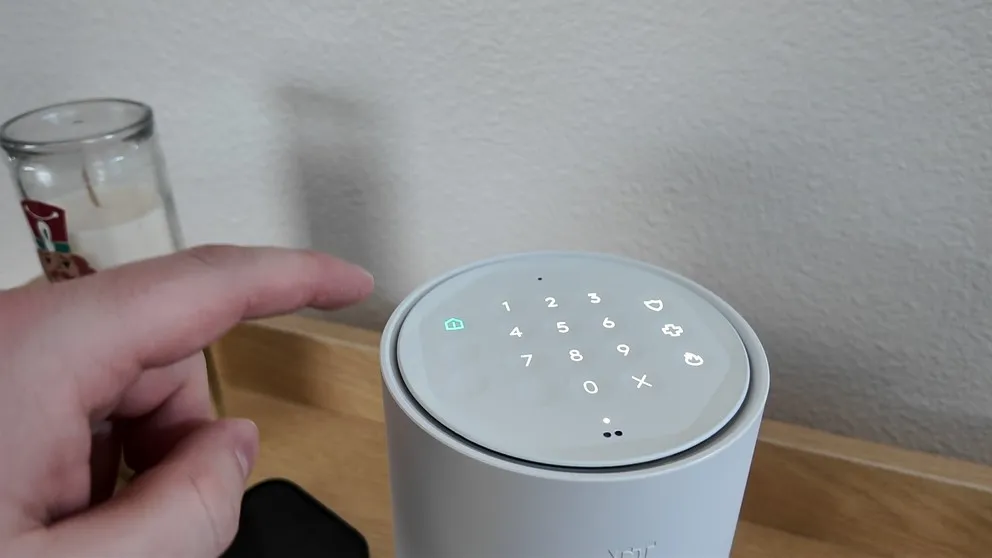
I don’t like how you have to tap on the keypad to see the numbers. But that in minor.
If you’ve used a Vivint panel or the ADT professionally installed touchscreen, this feels like a step down. But it works. It’s just not as enjoyable to interact with.
> > ADT Promo: Nest Doorbell + Nest Camera — FREE or call (833) 224-7221
The Nest Cameras
This is where the ADT DIY system gets interesting. Instead of using their own cameras, ADT partnered with Google and uses Nest cameras across the board. My system came with the Nest outdoor camera and the Nest doorbell camera.
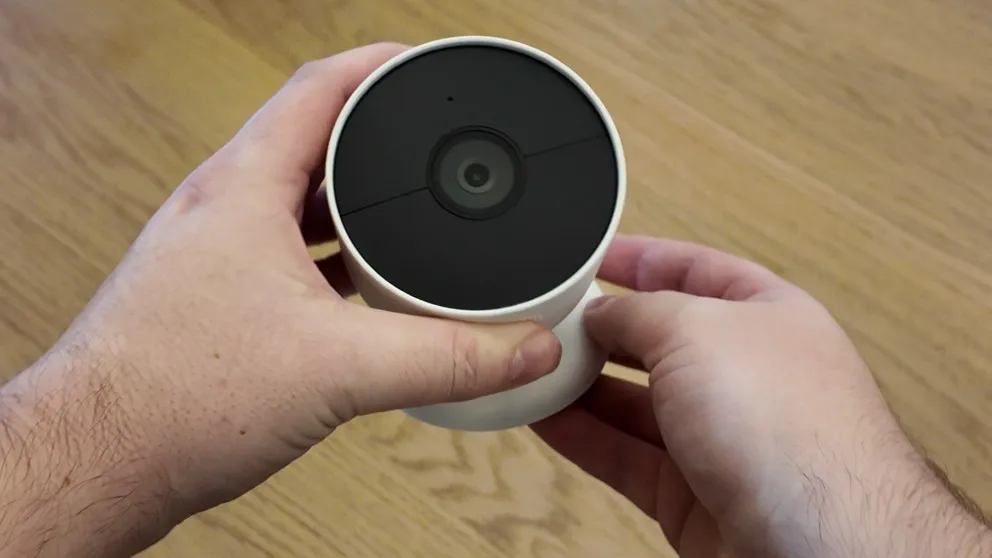
The Nest outdoor camera. Clean design and solid build quality.
Both cameras are high definition with night vision and two-way talk. When there’s activity in front of the camera, it sends an alert to your phone. You can pull up the live feed, watch what’s happening, and talk to whoever’s there through the camera. Both the doorbell and the outdoor camera support this.
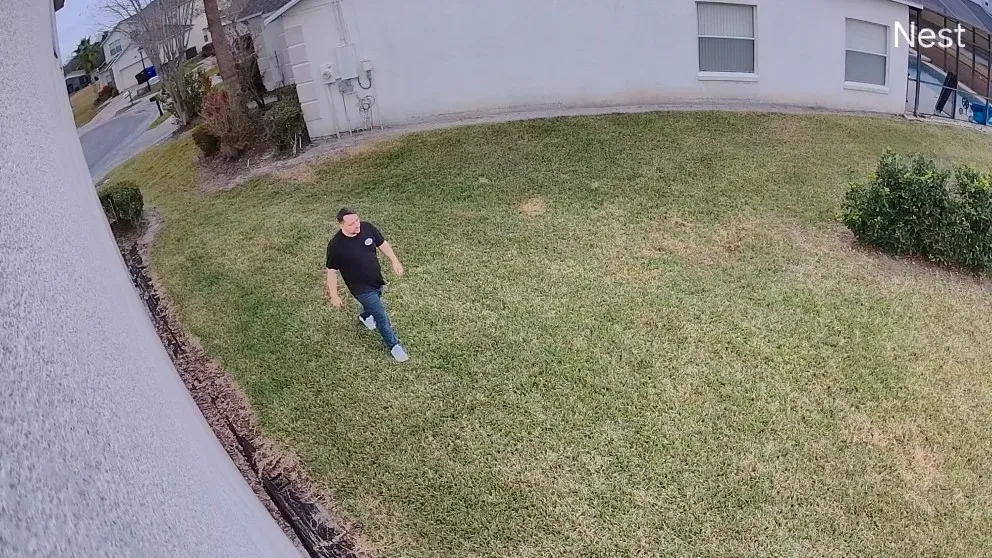
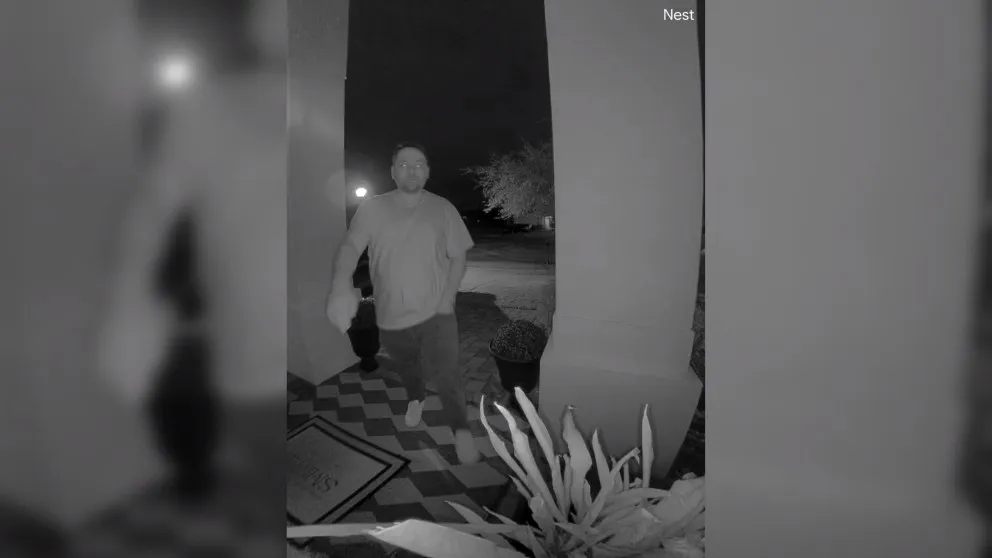
Both cameras in my house are wired in, so I don’t have to worry about recharging batteries. But you can run them completely wireless on battery power if you prefer. The cameras record based on activity (motion clips) and store those clips for up to 30 days. The Nest Aware subscription that normally costs extra is bundled into your ADT monitoring plan, so you don’t pay separately for that.
If you want 24/7 continuous recording instead of just motion clips, that’s an extra $10 per month. It’s available if you want it.
Pros
- You can still use the cameras without ADT service
- Add more cameras without your monthly bill going up
- Buy Nest cameras from anywhere such as Amazon, Walmart, FaceBook Marketplace
Cons
- Cameras stop recording after one hour without Wi-Fi
- No Power over Ethernet
- Downloading clips requires the Google Home app, not the ADT+ app
Home Automation
This is where the ADT DIY system surprised me. Most DIY systems are pretty weak on home automation. The ADT DIY system has legitimate, robust home automation features that are almost on par with Vivint.
The system connects to anything that’s Z-Wave compatible. That includes door locks, thermostats, light switches, and garage door openers. You can control all of that remotely from the ADT+ app. Lock and unlock your door, adjust the temperature, turn lights on and off, all from your phone.
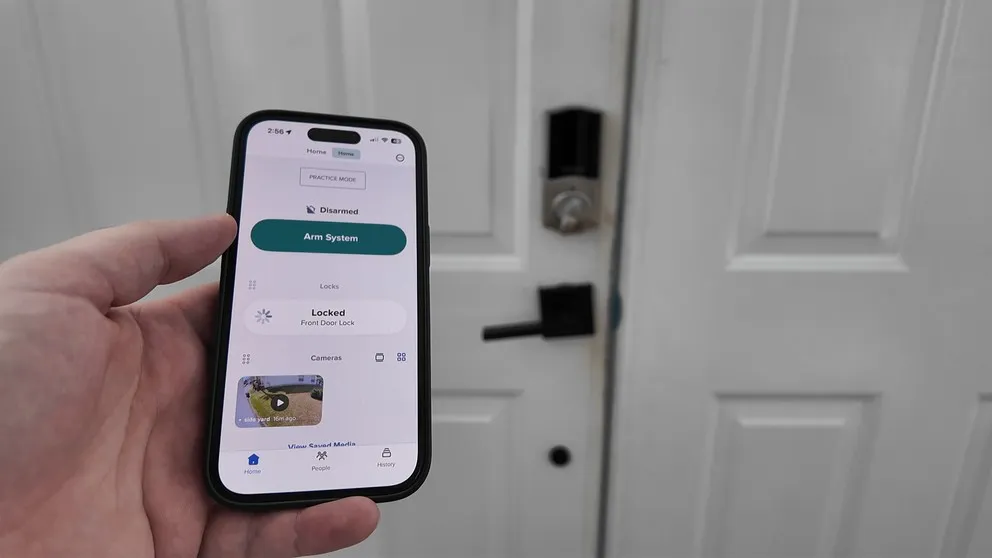
What really sets it apart is the rules and automations. You can set up triggers like “when I arm the system, also lock the front door.” But you can get more specific than that. Want it to only lock the door Monday through Friday between 8 AM and 9 PM? You can set that up. Want the lights to turn on when a sensor is tripped between sunset and sunrise? Done.
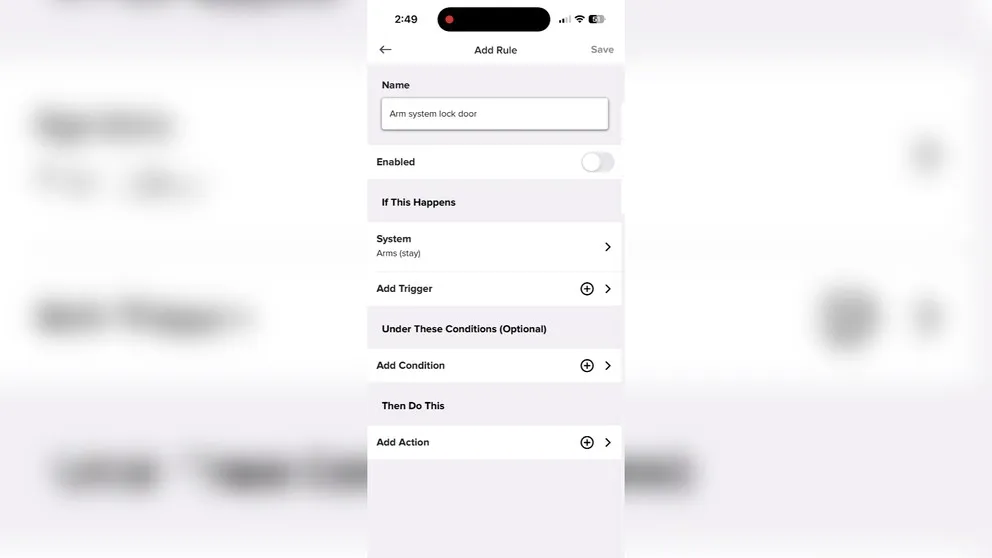
Setting up an automation rule in the ADT+ app. Pick a trigger, set conditions, and define what actions happen.
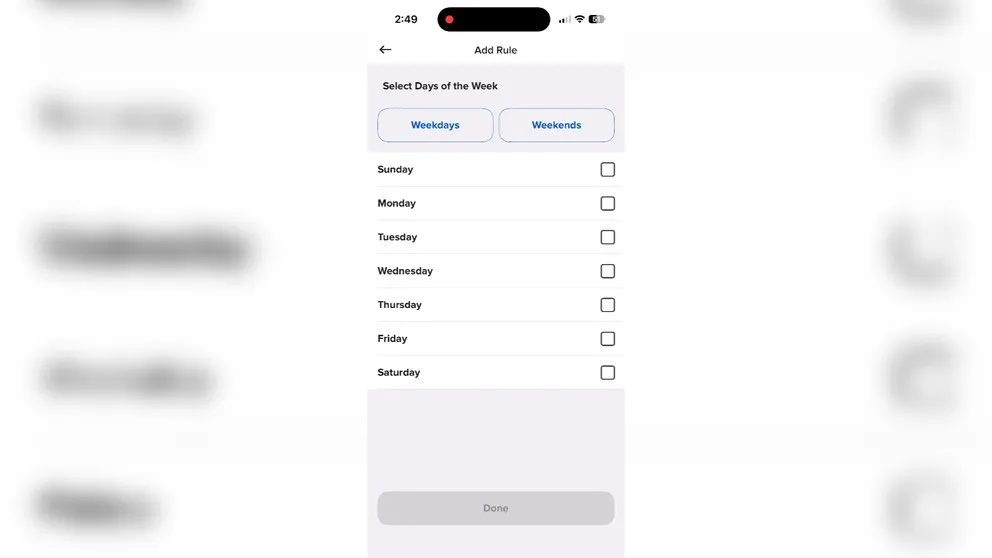
You can schedule automations to run on specific days. This level of customization is rare for a DIY system.
Vivint is still the best I’ve seen for home automation in terms of how intuitive the setup is and how granular you can get. But ADT’s DIY system is closer to that experience than any other DIY option I’ve tested. If you want smart home features without paying Vivint prices, this is worth a look.
The ADT+ Mobile App
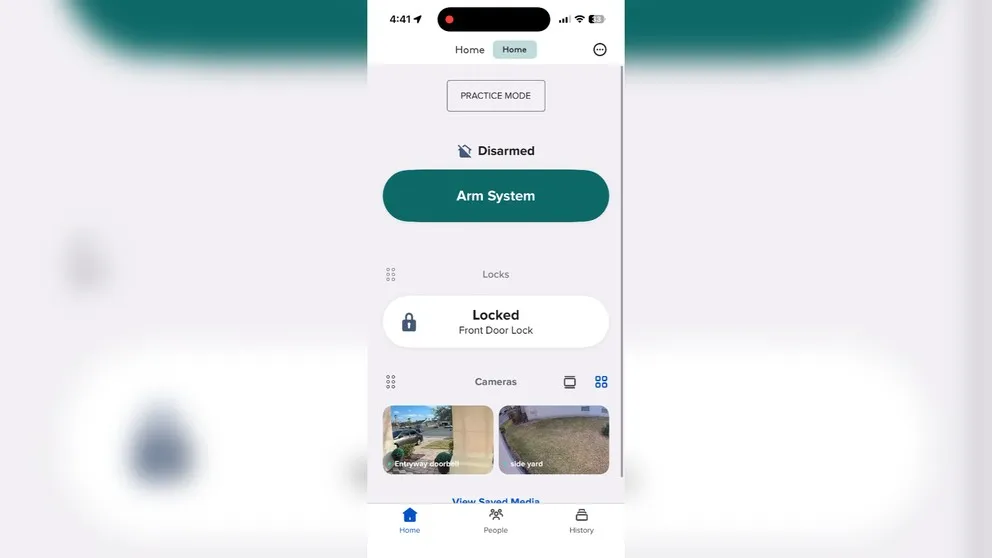
The ADT+ app home screen has a clean layout with everything accessible from one screen.
The mobile app is excellent. It’s snappy, well designed, and the user experience is smooth. You use the app as the hub for everything: setting up the system, arming and disarming, viewing cameras, controlling smart home devices, setting up automations. It all lives in one app.
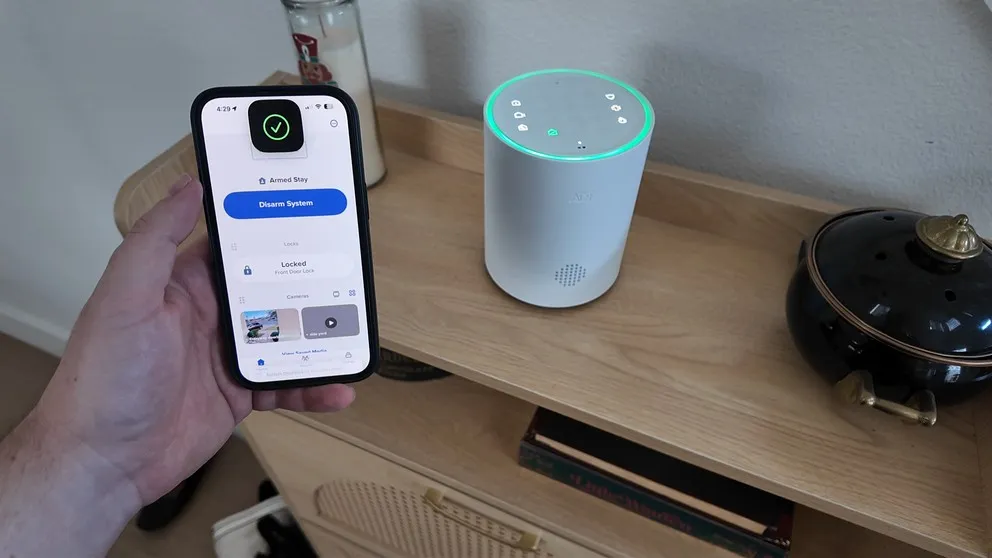
Putting the system in arm stay mode. The app gives you a clear status indicator so you always know where things stand.
The camera integration is solid. You can pull up live feeds, review recordings, and use two-way talk all from inside the ADT+ app. The only issue (as I mentioned) is that downloading clips requires the Google Home app. Everything else works perfectly from the ADT+ app alone.
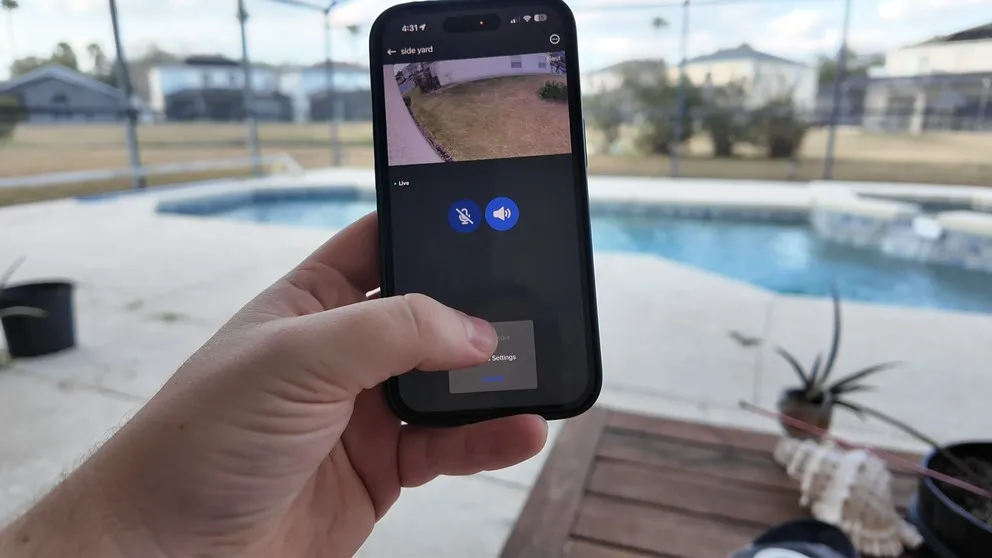
The live view from the outdoor camera. Loads quickly and the image quality is solid.
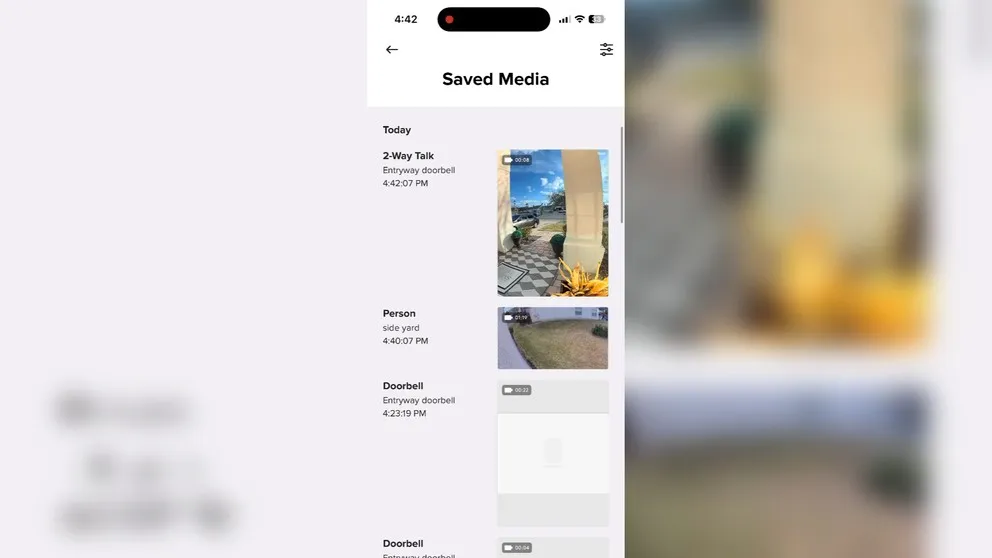
ADT will record clips, but you can upgrade to 24/7 recording for an extra $10 per month.
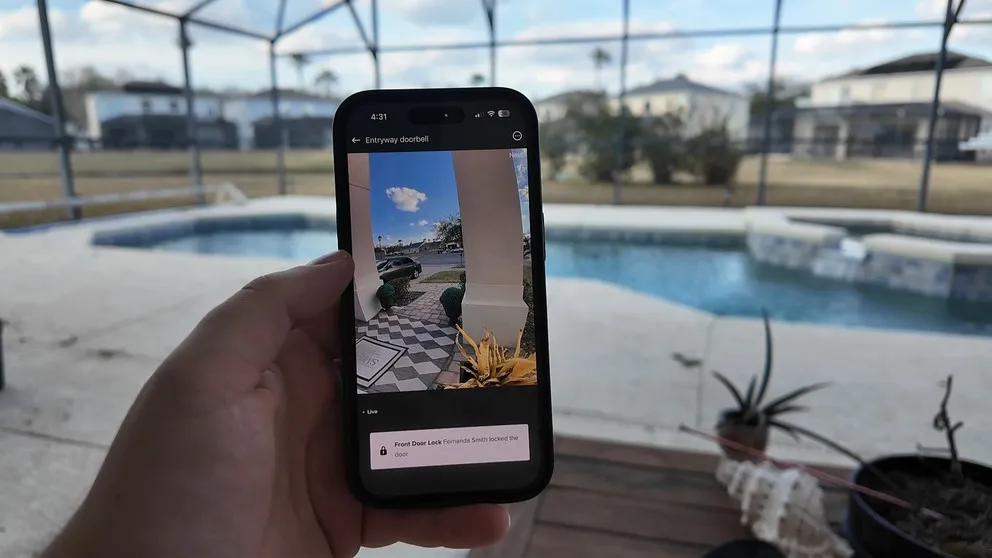
Live view from the doorbell camera. Two-way talk works smoothly with minimal delay.
I don’t really have complaints about the app. The flow is well thought out, it’s responsive, and it makes managing the system easy. One of the better security apps I’ve used.
ADT DIY Pricing and Monitoring Plans
Equipment Cost
For everything you see in my system, I paid $350. That covers the base station, door/window sensors, motion sensor, glass break sensor, and I got the two Nest cameras for free as part of a deal. If you were to buy those two Nest cameras separately at Walmart or Amazon, they’d run about $330 on their own. So for about $20 more than just the cameras, I got the entire security system included. When you can find a deal like that, the upfront cost is hard to argue with.
ADT’s Build Your Own option starts at $269. Pre-configured packages run from $349 to over $1,500 depending on what you need. They frequently run sales during major shopping periods.
Monthly Monitoring
| Plan | Price | What’s Included |
|---|---|---|
| Base (no cameras) | $24.99/month | 24/7 professional monitoring, cellular backup, ADT+ app, text alerts |
| With Cameras | $39.99/month | Everything in base + Nest Aware video storage, smart home automation, video verification |
| 24/7 Continuous Recording | +$10/month | Continuous recording add-on (instead of motion clips only) |
Since this is a DIY system and you pay for equipment upfront, there’s no contract. It’s month-to-month. Cancel whenever you want with no penalty.
For the monitoring itself, there are two main tiers:
My total monthly bill is $39.99. That’s a few dollars more than Cove ($29.99) or Ring ($20), but I’m also getting home automation features that neither of those systems offer.
> > ADT Promo: Nest Doorbell + Nest Camera — FREE or call (833) 224-7221
Is the ADT DIY System Worth It?
I think it is, but it depends on what you’re looking for.
The monthly cost is higher than Cove or Ring. If pure budget is your main concern, those systems will save you a few dollars. But the ADT DIY system gives you things they don’t: real home automation, ADT’s six monitoring stations backing you up, Nest cameras that work independently if you cancel, and an app that manages everything in one place.
The equipment cost, if you can catch a deal, is actually a no-brainer. I paid $350 for a complete system with two cameras that would have cost $330 on their own. That’s $20 difference for a whole home security system.
The cons are real, though. No touchscreen panel. Cameras stop recording after an hour without Wi-Fi. You need two apps to download video clips. And if you run into technical issues, ADT will help you over the phone, but they’re not sending a technician to your house. You’re on your own for troubleshooting.
Who Is the ADT DIY System Best For?
- People who want home automation in a DIY system. ADT has the most robust home automation of any DIY system I’ve tested. If you want smart locks, thermostat control, light switches, and custom automations without paying for a professionally installed system, this is your best option.
- People who value ADT’s monitoring legacy. ADT is the largest and longest-running home security provider. Six monitoring stations. If having that level of backing matters to you, this gets you there at a fraction of the cost of their professionally installed system.
- Existing Nest camera owners. If you already have Nest cameras, they’ll integrate right into this system. Your monthly bill won’t go up for additional cameras.
- DIYers who want quality equipment. Despite being a self setup system, the equipment is high quality. The Nest cameras are excellent, the sensors are solid, and the install process is genuinely easy.
If you want the cheapest possible monthly rate, look at Ring ($20/month) or Cove ($19.99/month). If you want a full touchscreen panel and premium professional installation, look at the ADT professionally installed system or Vivint.
ADT DIY Frequently Asked Questions
How much does ADT DIY cost per month?
The base monitoring plan without cameras is $24.99/month. With cameras, it's $39.99/month, which includes the Nest Aware subscription for video storage, smart home automation, and video verification. Optional 24/7 continuous recording is an extra $10/month.
Does the ADT DIY system require a contract?
No. The DIY system is month-to-month with no contract. You pay for equipment upfront and can cancel the service anytime with no penalty. This is different from the professionally installed ADT system, which does require a contract.
How long does ADT self setup take?
About two hours for a full system including cameras. The sensors and base station take about 30 minutes. The cameras take a bit longer, especially if you're wiring them in rather than using battery power.
Do ADT cameras work without Wi-Fi?
The cameras will record up to one hour without Wi-Fi, then they stop. After your internet comes back, recording resumes. The alarm system itself stays connected through cellular backup, but the cameras are dependent on Wi-Fi for ongoing recording.
Can I keep the cameras if I cancel ADT?
Yes. The Nest cameras are not locked to ADT. If you cancel the service, you can switch to the Nest app and keep using the cameras without any monitoring subscription.
Is ADT DIY different from the ADT professionally installed system?
Yes. They're different systems with different equipment and different pricing. The DIY system uses Nest cameras, has no contract, and starts at $24.99/month. The professionally installed system has its own cameras, requires a contract, and starts at $34.99/month.
Does ADT DIY have home automation?
Yes. The ADT DIY system connects to Z-Wave devices including door locks, thermostats, light switches, and garage door openers. You can set up custom rules and automations through the ADT+ app. It's the most robust home automation available in a DIY security system.
Why is ADT more expensive than Ring or Cove?
ADT's monthly cost is higher ($24.99-$39.99) compared to Ring ($20) or Cove ($19.99-$29.99). The extra cost gets you ADT's six monitoring stations, real home automation with Z-Wave support, smart home scheduling and rules, and video verification where agents can view camera footage during alarm events.
About the author
