
ADT Home Security Review 2026
My hands-on ADT review covering the equipment, Nest cameras, smart home features, monitoring, pricing, contracts, and whether ADT is worth it.

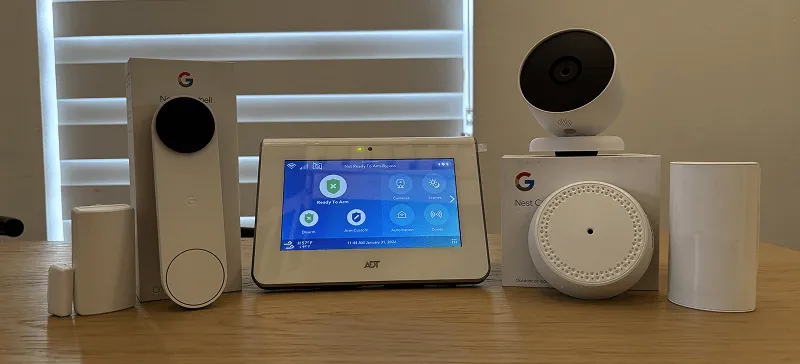
I’ve had the ADT home security system installed in my home for a while now, and I’ve been testing things out. This is my full, honest review of the system. I’ll cover the equipment, cameras, monitoring, smart home features, pricing, and all the things I think you should know before signing up.
If you’re reading ADT reviews trying to figure out if this system is a good fit for you, then this article will give you all the details you need.
Quick Look at the Pros and Cons
Before I get into all the details, here’s a quick overview of the pros and cons of ADT.
Pros
- Top-of-line equipment
- Largest and longest running security company
- Cameras still work if you cancel service
- Excellent mobile app
- Touchscreen keypad
Cons
- Higher monthly cost
- Minimum 12 month agreement
- Equipment can be expensive upfront
What Is ADT?
ADT is one of the oldest and most recognizable names in home security. The company has been around for over 100 years (ADT stands for American District Telegraph in case you were wondering). They offer professionally installed home security systems with 24/7 monitoring, and they’ve recently partnered with Google to use Nest cameras and smart home products across their lineup.
They also now offer a DIY self-setup option, but this review covers the professionally installed system. That’s the version with the touchscreen command panel, and in my opinion, it’s the better experience.
What sets ADT apart from a lot of the DIY competitors is the monitoring infrastructure. They have six monitoring stations spread across the country, so if one goes down, your system is still covered. For a company that’s been doing this as long as they have, they clearly know how to keep things running.
The ADT Command Panel
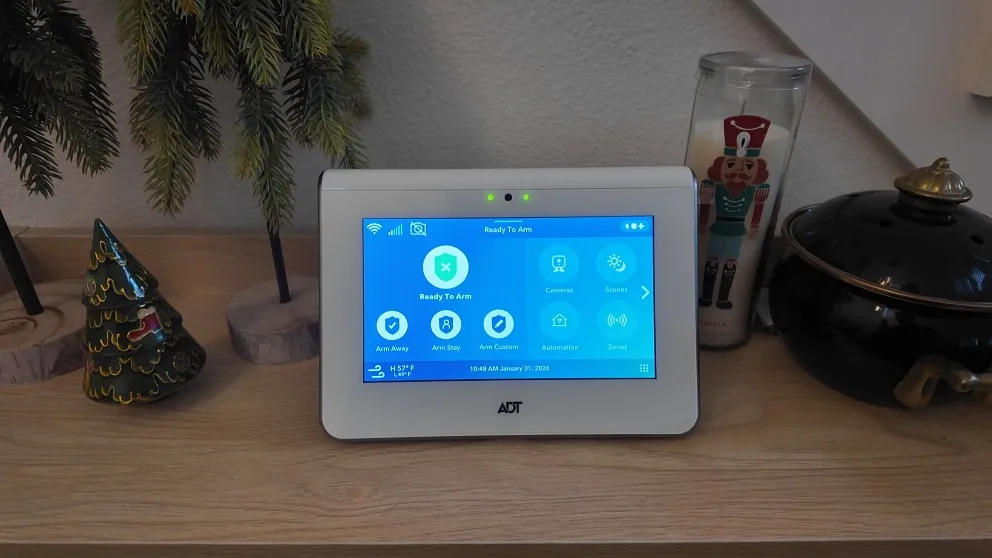
The command panel is the centerpiece of the ADT system. It’s a touchscreen that sits on a table or shelf (mine is near the front door), and you use it to arm and disarm the system, change settings, add user PINs, and manage your sensors.
I really like the touchscreen. It’s way more intuitive than the old-school keypads. You can tap through menus, check the status of all your zones, and adjust things without pulling out your phone. The touchscreen makes things a lot more intuitive to use.
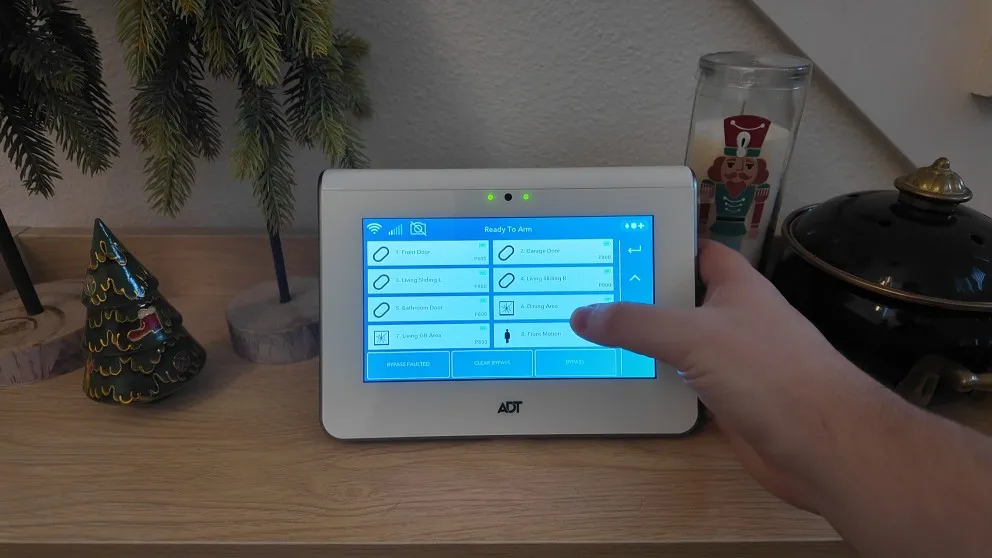
Easily flip through the menu and adjust the settings using the touchscreen.
One thing worth knowing: if you go the DIY route with ADT, you don’t get this panel. You get the ADT Base instead, which is a smaller cylindrical hub with a touch keypad on top but no screen. It works fine for arming and disarming, but you lose the ability to browse settings, view camera feeds, or manage the system visually. That was a big pro the professionally installed version.
> > Vivint Promo: Nest Doorbell + Nest Camera — FREE or call (833) 224-7221
ADT’s Security Monitoring
The system is monitored 24/7 for police, fire, and medical emergencies. It all runs through a cellular connection, so there’s no need for a landline. If your Wi-Fi goes out or even if you lose power, the system stays connected and keeps working. That was one of the first things that sold me on it.
ADT has six monitoring stations across the country. That’s more than most competitors. Having that many stations means there’s built-in redundancy. If one center goes offline for any reason, the others pick up the slack. This is what separates ADT from the competition.
I know ADT gets some complaints online. But when you look at the sheer number of customers they have compared to the number of complaints, they’re clearly doing something right. They wouldn’t still be in business after 100+ years if the monitoring didn’t work.
ADT Monitoring Plans
ADT offers two main tiers for the professionally installed system:
| Plan | Price | Features |
|---|---|---|
| Standard | $42.99/month | 24/7 monitoring, ADT mobile app, smart home controls. |
| With Cameras | $48.99/month | Everything in Standard + Cameras |
If you’re getting cameras with your system, you’ll want the $48.99 plan. The Nest Aware subscription alone is $10/month if you buy it separately from Google, so having it baked into the ADT price is a nice bonus.
Pro Tip: If you plan on getting a lot of cameras then ADT has a strong offering. Not only will they be professionally installed, but your monthly doesn’t increase depending on the number of cameras. So you can have 2 cameras or 8 cameras and the monthly stays the same if you pay upfront for the cameras.
Sensors and Security Equipment
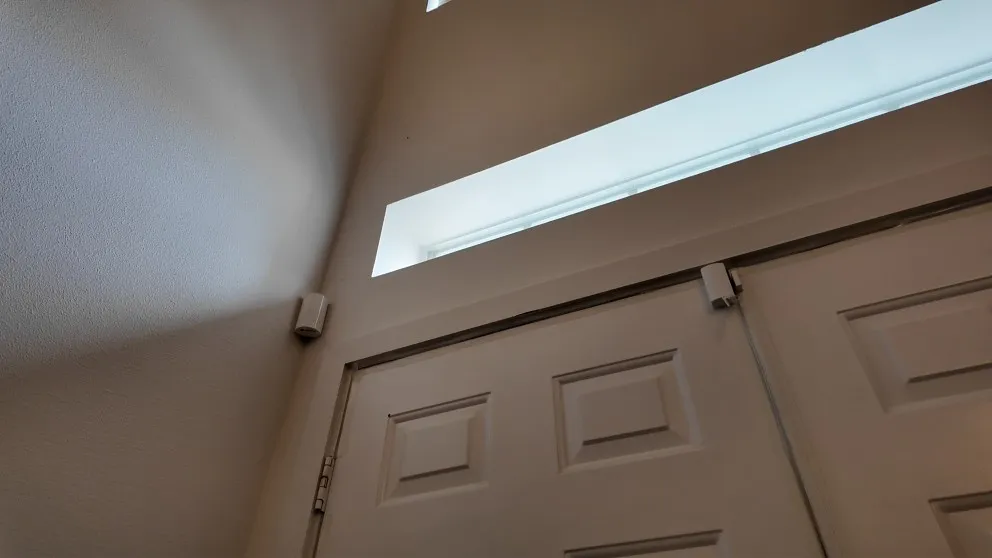
My system came with door/window sensors, glass break sensors, and a motion detector. The sensors connect wirelessly to the command panel. If you have an older hardwired system in your home, ADT can actually take over those existing sensors too, which saves you money since you don’t have to buy all new ones.
They stick on with adhesive and I havn’t had any issues with them peeling off. Open a door or window while the system is armed and you’ll get an alert. The glass break sensor is an acoustic sensor that listens for the sound of breaking glass. The technician placed mine facing my sliding glass doors, which is where it works best.
The motion sensor uses passive infrared to detect movement. If you have pets, you’ll want to adjust the sensitivity. ADT says theirs can ignore pets up to 85 pounds.
One thing I appreciate about the professional install is that the technician knows where to place everything for the best coverage. They assessed my home, figured out the vulnerable points, and placed the sensors accordingly.
> > Vivint Promo: Nest Doorbell + Nest Camera — FREE or call (833) 224-7221
ADT’s Cameras (Google Nest)
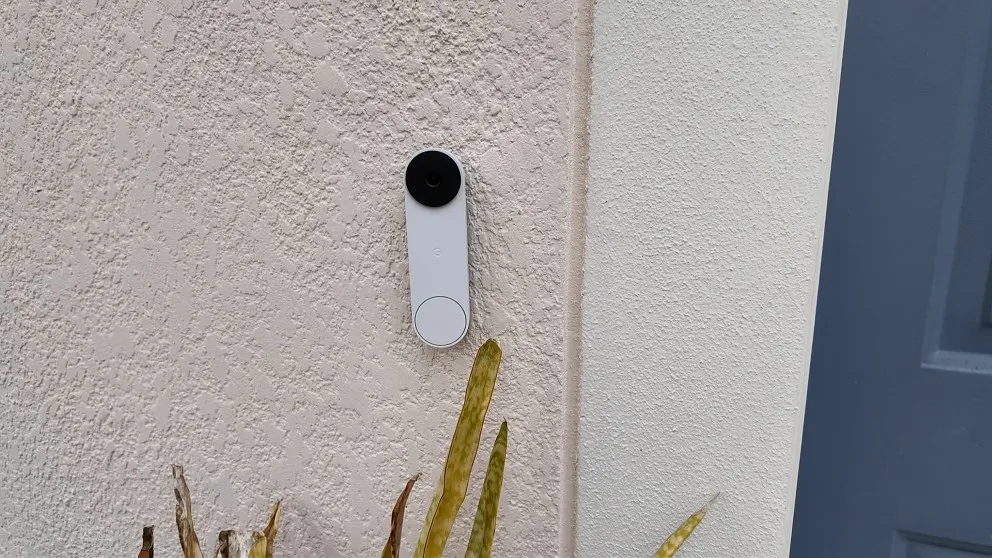
For a while, ADT was using their own proprietary cameras. There was even a period where they partnered with Ring. But now, whether you go with the pro install or the DIY system, you’re getting Google Nest cameras. And honestly, I’m really happy with them.
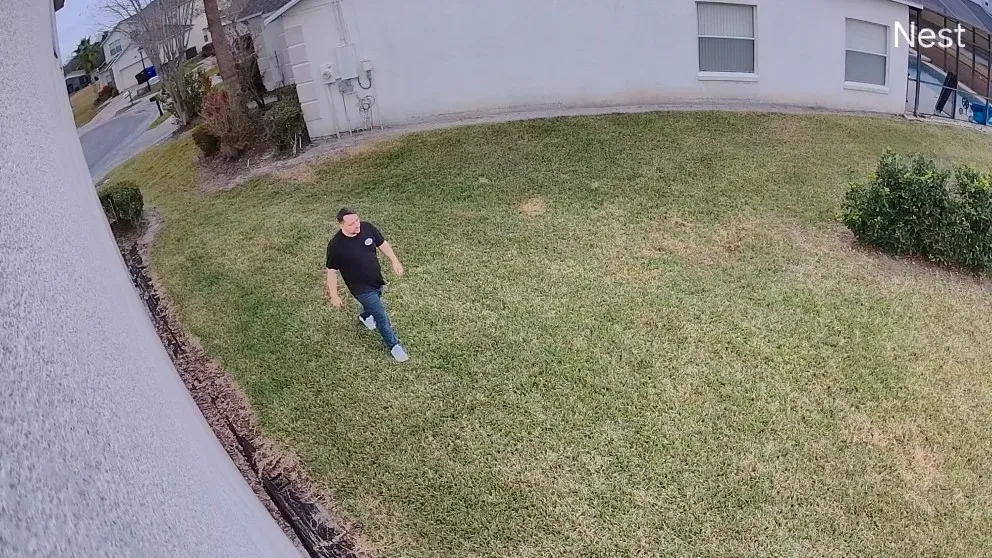
My setup includes the Nest Doorbell camera and a Nest outdoor camera. Both are high definition with night vision and built-in motion detection. Anytime someone walks up to my door or moves around in the camera’s field of view, I get an alert on my phone and can pull up the live feed right then and there.
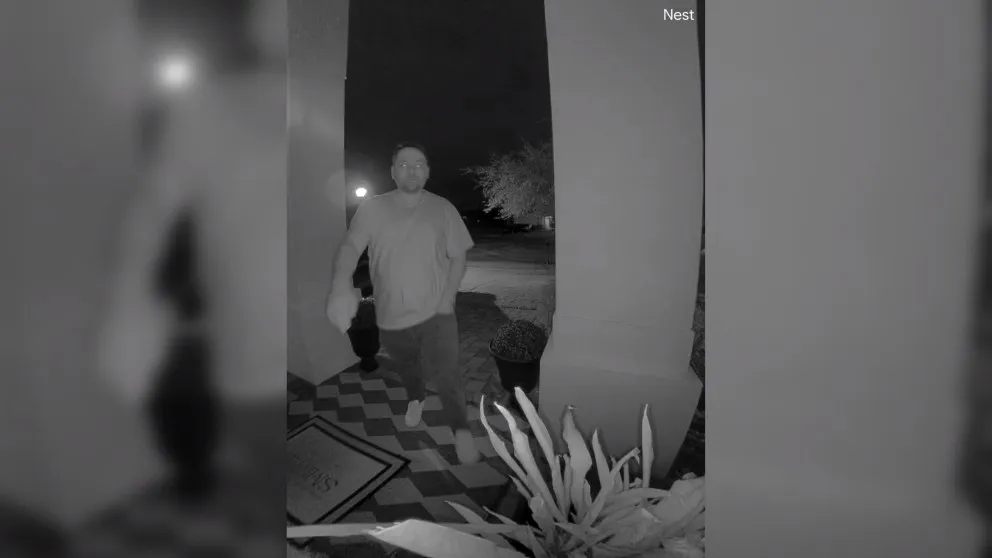
Both cameras have two-way talk, so I can communicate with whoever is outside through the app. It’s useful for delivery drivers, telling solicitors to go away, or just checking in when someone rings the bell and I’m not home.
The Nest Aware subscription is included with ADT’s camera plan, which gives you 30 days of cloud video storage. You can save recordings to your phone, share clips with family members, and review footage anytime. If you want 24/7 continuous recording, that’s available for an extra $10/month.
Adding More Cameras Later
This is one of the best parts about ADT using Nest cameras. After your initial setup, you can buy additional Nest cameras from anywhere (Walmart, Amazon, Facebook Marketplace, wherever) and add them to your system yourself. Your monthly price stays the same regardless of how many cameras you have. Two cameras, four cameras, eight cameras and it’s still the same price.
A Few Camera Cons to Know About
No camera is perfect, and these have a few drawbacks worth mentioning.
There’s no native Power over Ethernet (PoE) option. The cameras rely on Wi-Fi, so if your internet connection isn’t great, the video quality can suffer. A wired ethernet connection would make things more stable, but that’s not available with these models.
The cameras can technically record without Wi-Fi, but only up to one hour of footage. There are other cameras on the market that can record locally without any Wi-Fi at all, so one hour feels a bit limited.
And then there’s the app situation, which I’ll get into next.
The ADT Mobile App
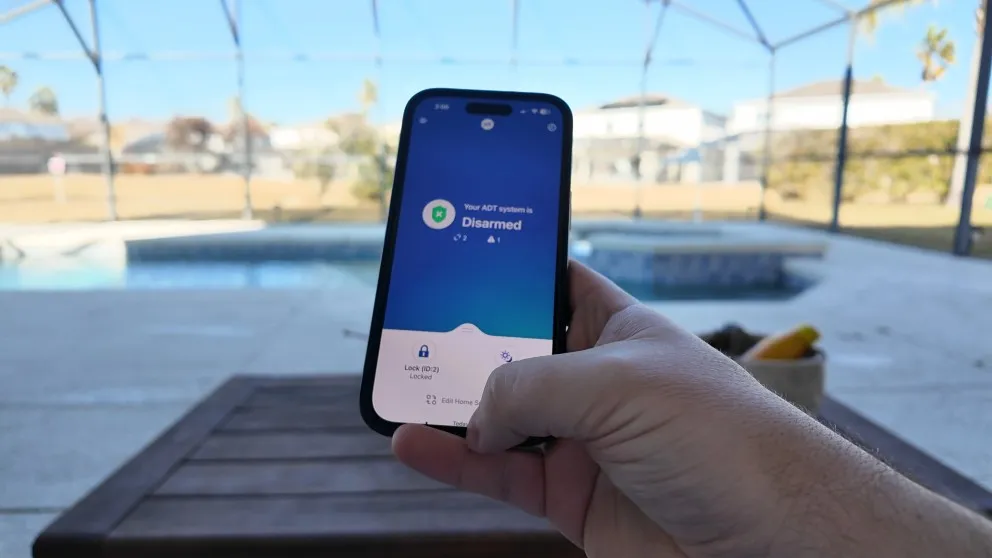
The ADT app allows you to control the system anywhere as long as you have cell service.
The ADT app does everything you’d expect. Arm and disarm the system, control your smart home devices, lock and unlock your door, update PIN codes, add new users. Basically anything you can do at the panel, you can do remotely from the app. I haven’t had any issues with it and the interface is clean and straightforward.
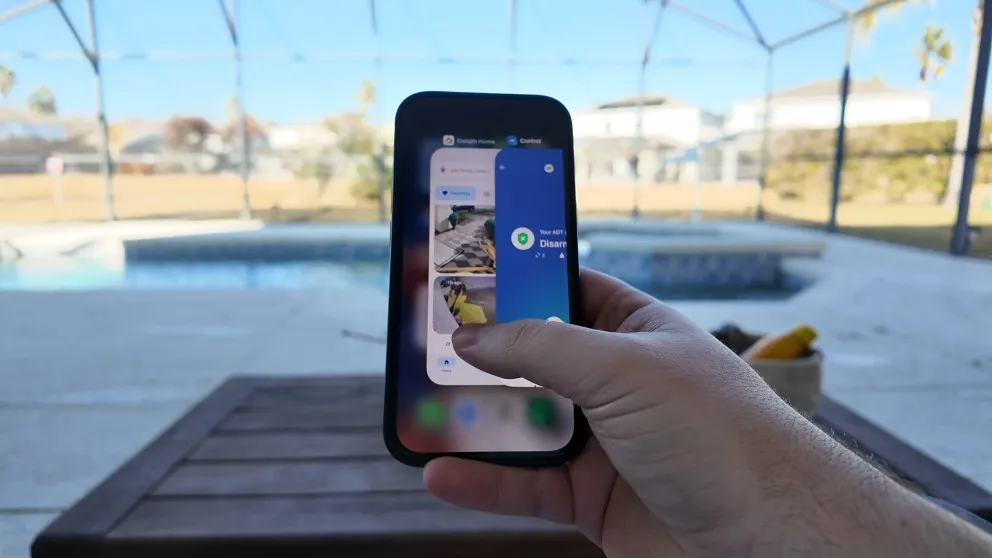
My biggest gripe with the app situation is that you currently need two apps. The ADT app handles the alarm system, smart home controls, and device management. But to view your Nest camera feeds, you need the Google Home app. It’s not a dealbreaker, but switching between two apps to manage one system is a little annoying.
From what I’ve heard, ADT is working on combining everything into the ADT+ app. But for now, you’re stuck toggling between the two.
The other minor annoyance is that you can’t watch the Nest camera feeds on the command panel. There’s a camera icon on the panel, but it only works with ADT’s older proprietary cameras. It got grandfathered in. If you want to watch live video, you need to use the Google Home app on your phone or a Google Home Hub.
> > Vivint Promo: Nest Doorbell + Nest Camera — FREE or call (833) 224-7221
Home Automation and Smart Home Features
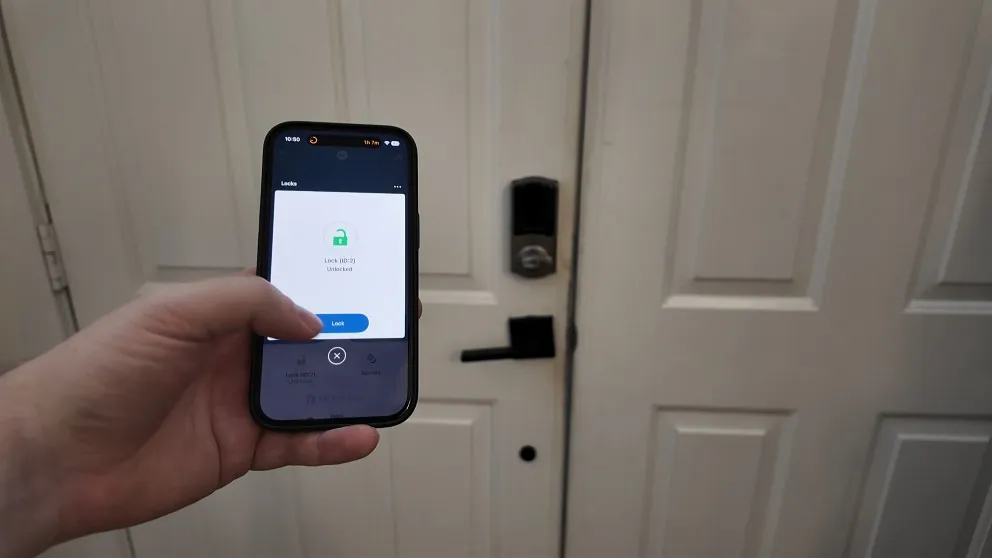
You can control any z-wave compatible device using the app.
ADT supports Z-Wave compatible devices, so anything that uses Z-Wave (door locks, light switches, thermostats, garage door openers) can connect to the system and show up in the ADT app.
My setup is fairly simple on the automation side. I have a smart lock on the front door and a Nest thermostat. But if you’re someone who wants to go all-in on the smart home experience, you can tie everything together under one system.
ADT has two types of automations:
Scenes are like one-tap presets. I have one set up so that when I arm the system, it also locks the front door and turns off the lights. One button press and it all happens at once.
Automations are more flexible. You set a trigger and an action with specific time frames. For example, you can have the system lock your door every morning at 5 AM, or turn the lights off Monday through Friday at 8 PM. It works with anything Z-Wave compatible, and the setup is pretty intuitive through the app.
> > Vivint Promo: Nest Doorbell + Nest Camera — FREE or call (833) 224-7221
ADT Pricing and Contracts
Here’s where things get a little more complicated. The pricing for the professionally installed system isn’t listed on ADT’s website the way the DIY system is, so it takes a phone call to get an actual quote.
For my setup (touchscreen panel, Nest doorbell camera, Nest outdoor camera, five door sensors, two glass break sensors, and two motion sensors), I’m paying $48.99/month and I’m on a 12-month agreement. I paid around $900 upfront for all the equipment.
| Features | Cost |
|---|---|
| Equipment (my setup) | ~$900 upfront |
| Standard monitoring | $42.99/month |
| With cameras & smart home | $48.99/month |
| 24/7 continuous recording | +$10/month |
My receipt showed a $12/month discount from $60 down to $48. I’m honestly not sure if that was a genuine deal or just how they present the pricing, because I didn’t see it advertised when I initially called in. Either way, if you call and ask for the same setup, I’d expect a similar price.
How the Contracts Work Now
ADT used to lock everyone into a 36-month contract. That’s changed. Here’s how it works now:
- Pay for equipment upfront: 12-month minimum agreement
- Finance the equipment (no interest): 36-month or 60-month agreement, with the equipment cost rolled into your monthly bill
I paid for everything upfront because I don’t like long contracts. Twelve months is still more than I’d prefer, but I know I’ll still want security a year from now, so it doesn’t bother me much. It’s a big improvement over the old three-year contracts.
If you finance the equipment, you’re locked in for 36 or 60 months. Pay upfront to keep the commitment to just 12 months.
Is ADT Worth It?
I think ADT is worth it if you’re the type of person who wants a reliable, professionally installed system and doesn’t want to deal with the DIY side of things. If you want good cameras, solid monitoring, and the peace of mind that comes with a company that’s been doing this for over a century, it’s a strong option.
The upfront cost is the biggest hurdle. Paying $900+ for equipment and then $48/month on top of that isn’t cheap. But you’re getting professional installation, a technician who knows where to place everything, and a system that works if someone breaks, they’ll come fix it. You don’t have to troubleshoot it yourself.
If you’re really price-conscious and don’t mind setting things up on your own, there are good DIY systems out there. ADT even has their own DIY version. But for the full experience with the touchscreen panel and professional install, this is what you’re looking at.
Who Should Get ADT?
I don’t think ADT is for everybody. But here’s who I’d recommend it to:
- People who want things simple. The system is easy to use. The panel is intuitive, the app works well, and the monitoring just runs in the background. You arm it when you leave, disarm it when you come home.
- People who want a lot of cameras. The Nest camera integration is excellent, and you can add cameras without your monthly price going up. If cameras are a priority, ADT makes that easy.
- People who don’t drill holes themselves to install. If you’re like me and you’d rather not drill holes in your house and run wires for outdoor cameras, the professional install handles all of that.
- People who want proven reliability. Six monitoring stations, over 100 years in business, cellular backup. The infrastructure is there.
If you’re someone who wants the cheapest possible option or you enjoy the DIY process, this might not be the best fit. But for the set-it-and-forget-it crowd who values reliability, ADT is hard to beat.
ADT Frequently Asked Questions
Is ADT expensive?
Compared to DIY systems like SimpliSafe or Ring, yes, ADT costs more. But compared to other professionally installed systems like Vivint, ADT's pricing is competitive. The monitoring starts at $42.99/month for the standard plan and goes up to $48.99/month with cameras and smart home features.
Does ADT require a contract?
If you pay for the equipment upfront, you're looking at a 12-month minimum agreement. If you finance the equipment, the contract extends to 36 or 60 months depending on the plan you choose.
What cameras does ADT use?
ADT now uses Google Nest cameras across their entire lineup. This includes the Nest Doorbell (battery and wired), Nest Cam Indoor, Nest Cam Outdoor, and Nest Cam with Floodlight. The Nest Aware cloud storage subscription is included with ADT's camera monitoring plan.
Can I add more cameras to ADT without paying more per month?
Yes. After your initial setup, you can buy additional Nest cameras from any retailer and add them to your system. Your monthly monitoring price stays the same regardless of how many cameras you have.
Does ADT work without Wi-Fi?
The alarm system itself uses a cellular connection, so it works during Wi-Fi and power outages. The cameras are a different story. They rely on Wi-Fi to stream and record. During an outage, the cameras can save up to one hour of footage locally, but that's it.
What is the difference between ADT's DIY and pro install systems?
The biggest difference is the equipment. The professionally installed system comes with a touchscreen command panel, while the DIY system gets the ADT Base (a smaller hub with a keypad but no screen). The pro install also includes a technician placing everything in the optimal spots and walking you through the system.
What does ADT stand for?
ADT stands for American District Telegraph. The company was originally founded as a telegraph-based alarm service and has evolved into one of the largest home security providers in the country.
About the author
