
Cove Home Security Review 2026
A complete hands-on review of the Cove home security system. I cover everything you need to know before making a decision.

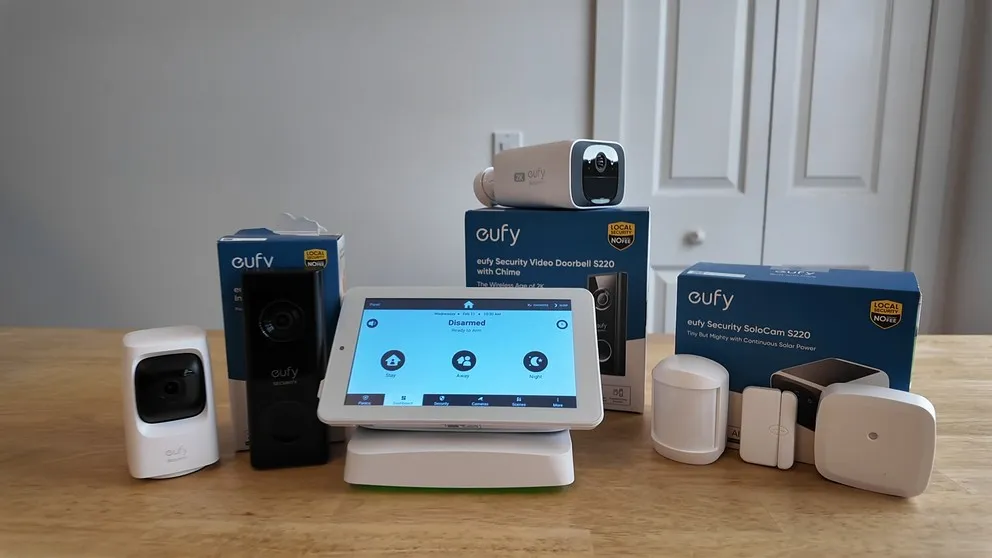
I’ve had the Cove home security system installed in my house for a while now, and I’ve been putting it through the tests. This is my full, honest review. I paid for all the equipment out of my own pocket, so there’s no sponsorship or bias here. I’ll cover the equipment, cameras, sensors, the DIY installation process, monitoring, pricing, and all the things I think you should know before buying.
This is my complete review of the Cove home security system. I’ve had it in my house for a while now and I’ve been putting it through all the different tests. So, in this review I’ll cover all the different features, pros + cons, pricing, and finally I give my opinion on the system as a whole.
If you’ve been reading Cove security reviews trying to figure out if this system is actually any good, then this article will defintily help you decide.
Pros and Cons
Here is a quick overview all the pros and cons of the system as a whole.
Pros
- Best Value. High Quality Equipment for the Price
- Touchscreen keypad panel
- Super easy DIY installation
- Two-way voice built into the panel for emergency communication
- Cameras record locally via SD card even without Wi-Fi
- Cameras can still be used if you cancel the service
- Add unlimited cameras without increasing monthly bill
- Renter-friendly, wireless sensors remove cleanly with no residue
Cons
- No home automation
- Connecting the cameras on install is frustrating
- No 24/7 video recording recording
- No power over Ethernet option for cameras
- Mobile app not quite as polished
What Is Cove?
Cove is a DIY home security system that launched in 2018. They are very budget friendly without sacrificing on quality. They don’t have all the bells and whistles (i.e. no home automation), but cover the core home security features that you would expect from your security provider.
You order everything online (there’s a quiz that recommends a system based on your home, or you can just build your own), they ship it to your door, and you install it yourself. There’s no professional installation option from Cove directly, though you can hire HelloTech to do it for around $129 if you’d rather not deal with it.
The system covers police, fire, and medical monitoring through a Wi-Fi connection with cellular backup. So if your Wi-Fi goes out or you lose power, the system stays connected. That’s the same kind of redundancy you’d see with ADT or Vivint, just at a lower price point.
The Cove Touchscreen Panel
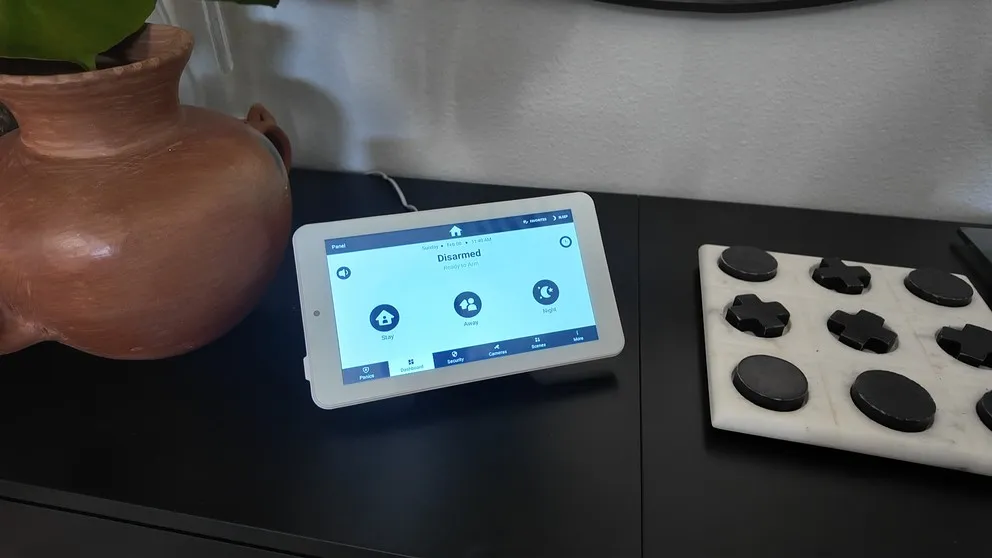
The Cove is the only DIY option that offers a touchscreen keypad.
The touchscreen panel is one of my favorite parts of this system. If you’ve watched any of my other reviews, you know I prefer a touchscreen keypad over the traditional push-button style. It’s just easier to use. You can navigate menus, change settings, watch your cameras, arm and disarm the system, all by tapping around on the screen.
The panel also has built-in two-way voice. So if there’s a break-in and you can’t get to your phone, the monitoring station can communicate with you directly through the panel. That’s a nice safety feature that you don’t always see at this price point.
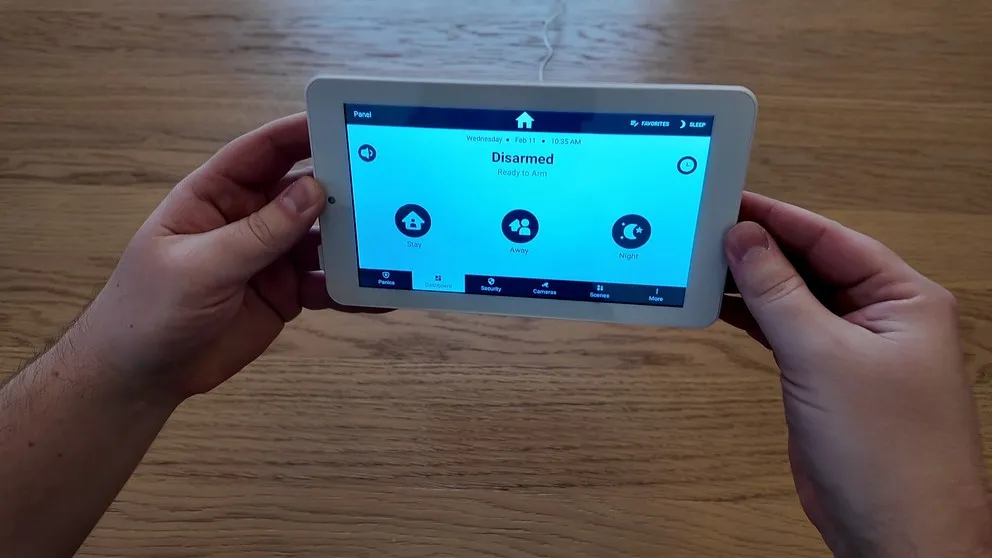
The panel doesn’t need to be wall mounted which makes it a great option for renters.
The panel can mount to the wall or sit on a flat surface using the included stand. It has a 24-hour backup battery, so it keeps working during power outages. This means that if your power goes out, your wifi goes out, then you’ll still have monitoring.
> > Cove Promo Get: 70% OFF + Free Indoor CameraThe Cove Hub
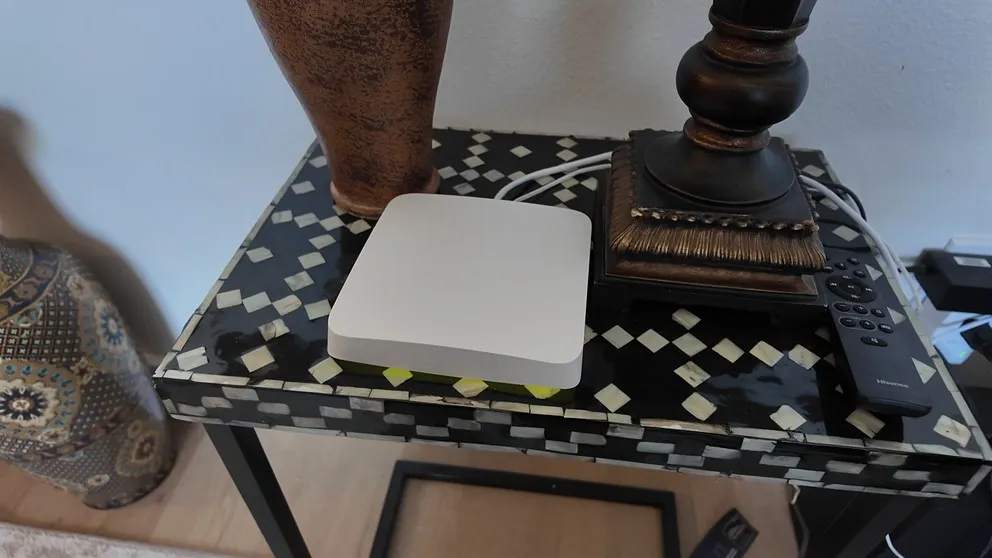
The Cove hub plugged into the router. It’s connected to the monitoring station via wifi with a cell backup.
The hub is a separate piece that plugs into your internet router. It’s the thing that actually connects all your sensors and devices together. You don’t interact with it much after setup.
I’ll be honest, the hub isn’t winning any design awards. It’s a flat white box that takes up more space than I’d like. But it works, and that’s really all that matters here.
DIY Installation
This is a DIY system, so there’s no technician coming to your house. Cove ships everything in a box and you handle the rest.
The good news: the security portion (panel, hub, sensors) was incredibly easy to set up. You plug the hub into your router, plug in the panel, and the panel walks you through an onboarding flow to sync all your sensors. The sensors are peel-and-stick. Pull off the adhesive backing, stick them on your doors and windows, and that’s it. This whole part took me about 30 minutes.

The sensors use 3M adhesive strips. They hold firm but come off clean when you need to remove them.
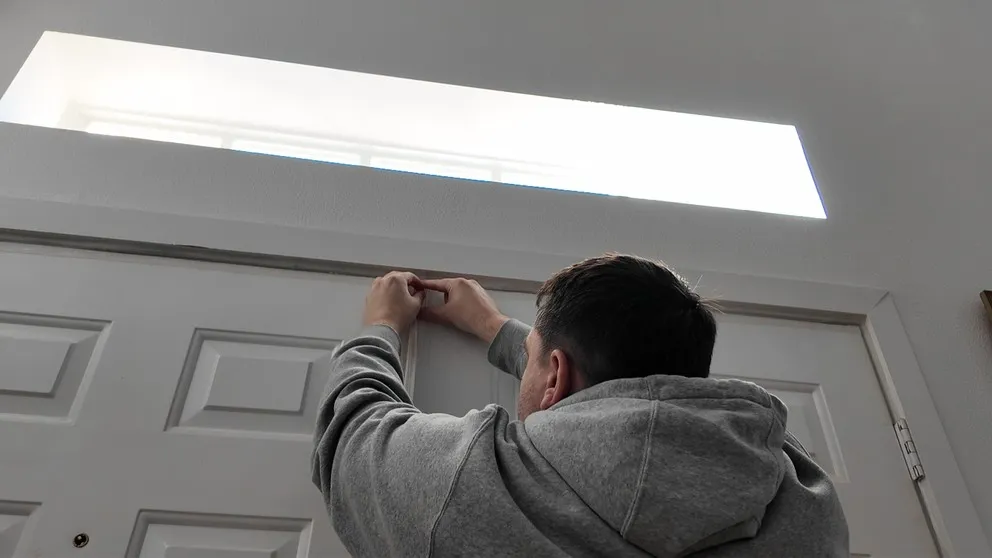
Instal the door sensor by peeling off the adhesive and stick it on. It really is that simple.
The cameras, on the other hand, that part was frustrating. The entire installation took me about three hours total, and the cameras were responsible for most of that time. The issue was getting them to sync to the panel. Two things tripped me up:
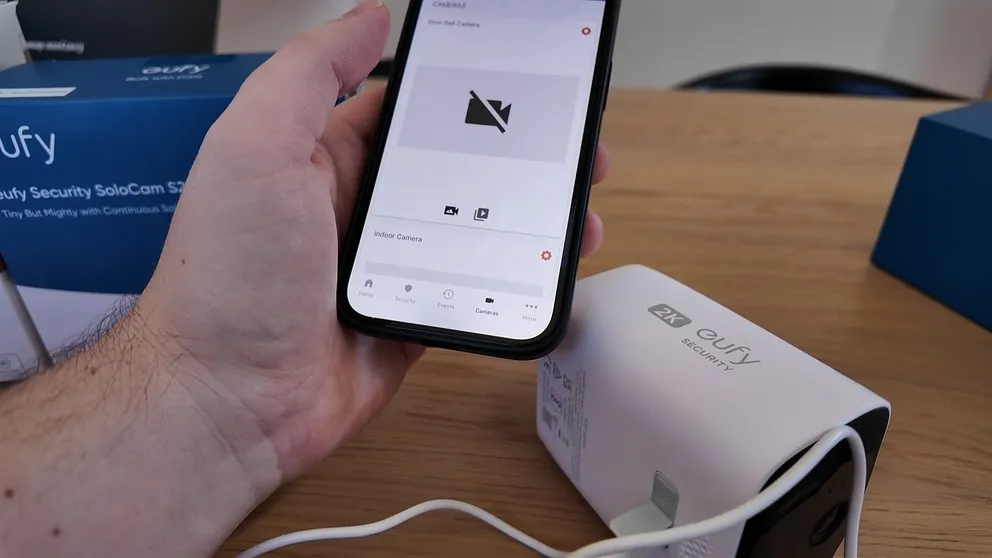
The cameras were a little tricky to get connected. After that I didn’t have any issues.
First, your phone has to be connected to 2.4 GHz Wi-Fi when you scan the QR code to set up the cameras. If your router broadcasts both 2.4 and 5 GHz, you need to make sure you’re on 2.4. The cameras won’t connect on 5 GHz.
Second, the cameras have to be charged to 100% before the initial setup. Not 95%, not 30%. Full charge. And it takes about eight hours to get there. The annoying part is that the error message just says “failed to connect.” It doesn’t tell you it’s a battery issue or a Wi-Fi band issue. That would have saved me a lot of headaches.
After I got past those two hurdles, everything synced fine and the cameras have been working great since.
> > Cove Promo Get: 70% OFF + Free Indoor CameraRenter-Friendly
If you’re renting, this system is worth a look. Everything is wireless. The sensors stick on with adhesive and peel off cleanly. I tested removing the door sensor and motion sensor, and there was zero residue or damage. You’d never know they were there.
One small caveat: the glass break sensor did peel off a tiny bit of drywall when I removed it. You can’t really see it on the wall, but it’s something to keep in mind if your landlord is picky about that kind of thing.
Cove Sensors and Security Equipment
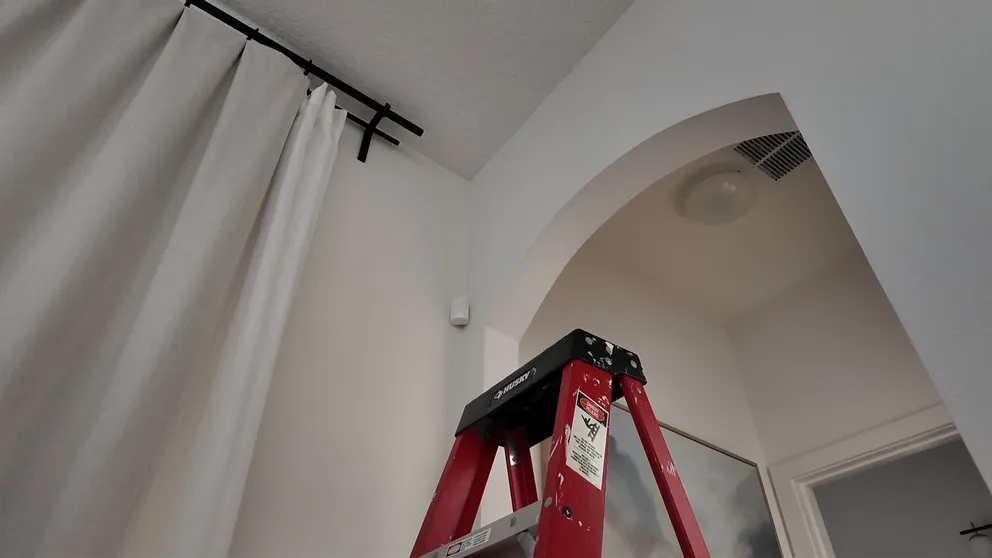
My system came with door/window sensors, a motion sensor, and a glass break sensor. They all connect to the panel wirelessly and the setup is pretty straightforward. The sensors are small and descreet.
The door and window sensors are magnetic. When the connection between the two pieces breaks (because someone opened the door or window), it sends a signal to the hub. If you’re home, you’ll hear a voice alert from the panel. If you’re away, you’ll get a notification on your phone.
The motion sensor works well. I haven’t had issues with false alarms. The glass break sensor listens for the frequency of breaking glass and triggers the alarm if it picks it up. You place it on the wall opposite your windows for the best results.
Cove’s Cameras
Cove uses Eufy cameras instead of making their own. Which is actually a positive in my mind because Eufy makes solid cameras. My system has three: the indoor camera, the doorbell camera, and the outdoor camera.
| Feature | Indoor | Doorbell | Outdoor |
|---|---|---|---|
| Video Quality | HD | HD | HD |
| Night Vision | Yes | Yes | Yes |
| Two-Way Talk | Yes | Yes | Yes |
| Power Source | Wired | Wired or Battery | Solar |
| Pan & Tilt | Yes | No | No |
| Motion Detection | Yes | Yes | Yes |
| Local SD Storage | Yes | Yes | Yes |
| Can Record Without wifi | Yes | Yes | Yes |
| Chime Included | No | Yes | No |
Indoor Camera
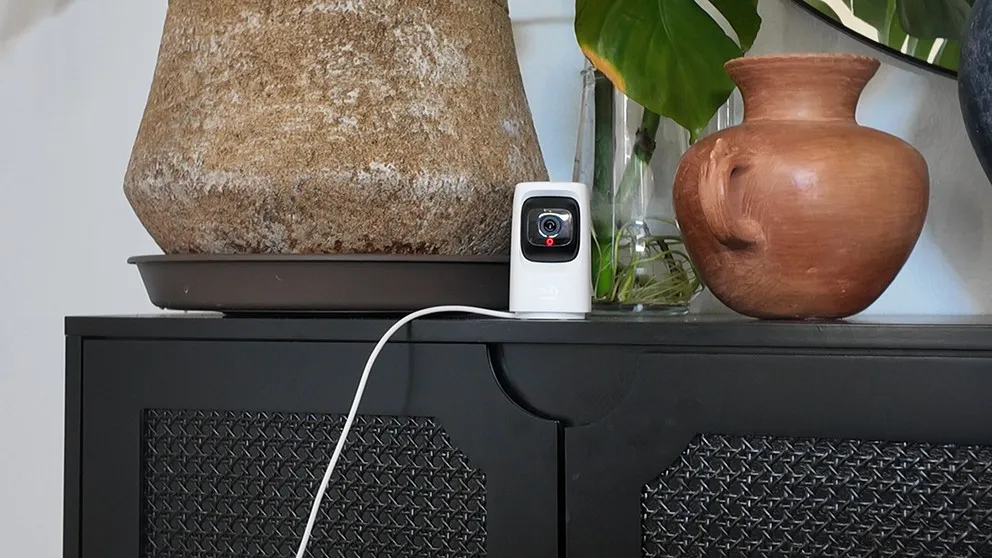
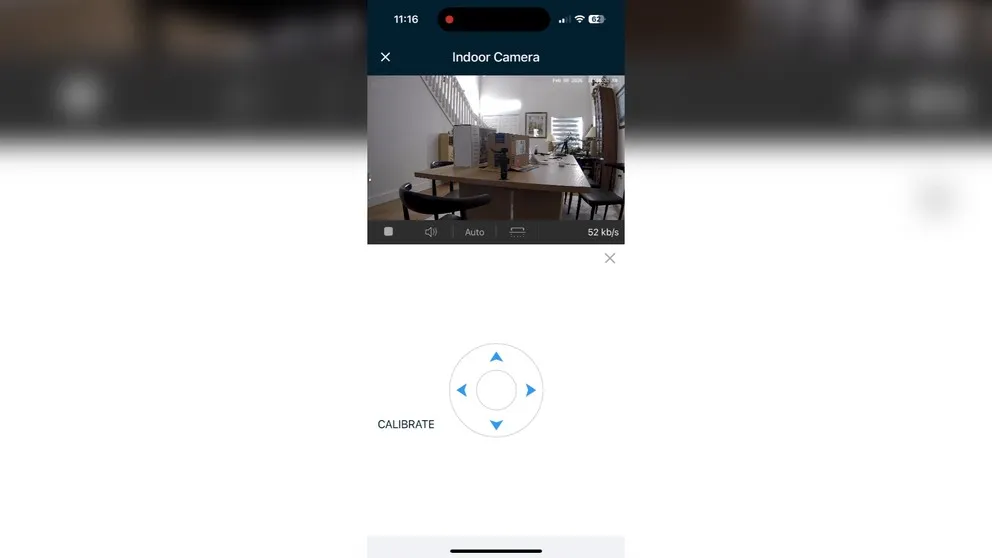
The pan and tilt feature on the inside camera is a nice touch.
The indoor camera is my favorite of the three. It does pan and tilt, meaning it rotates side to side and the lens moves up and down. So you can see around the entire room from one camera, which is a nice feature you don’t always get at this price range. It’s wired (plugs in), records in HD with night vision, and has two-way talk.
Doorbell Camera
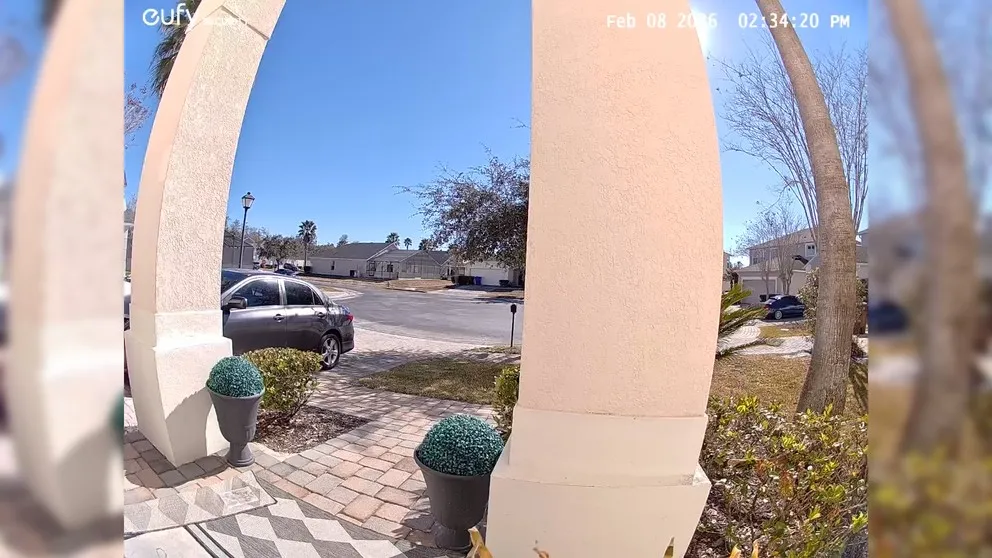
The doorbell camera records in HD with night vision and two-way talk. You can either wire it into your existing doorbell wiring or use the battery. It comes with its own chime, so you don’t need to buy anything extra. The flexibility there is nice. If you don’t have doorbell wiring, it still works right out of the box.
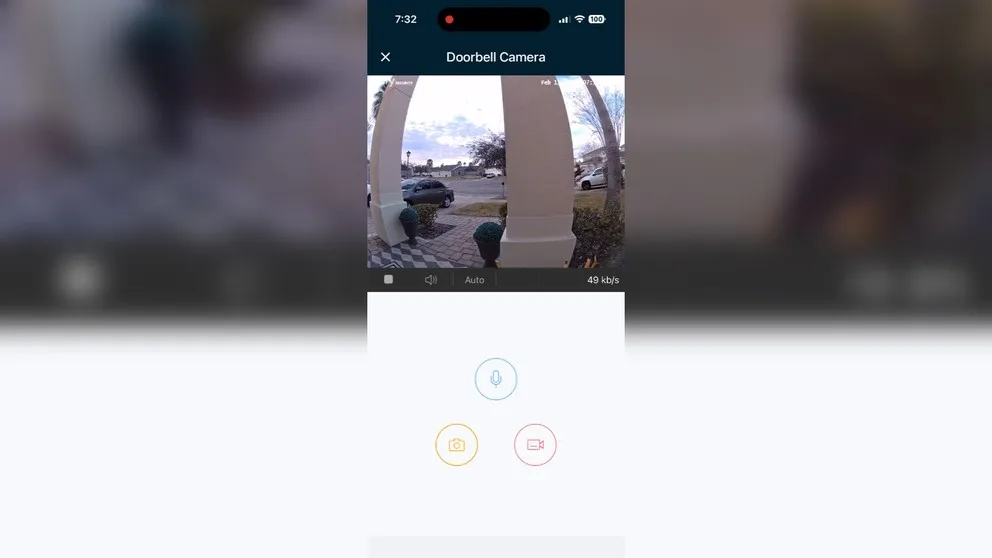
I was able to easily see, talk, and record everything at the front door.
Outdoor Camera
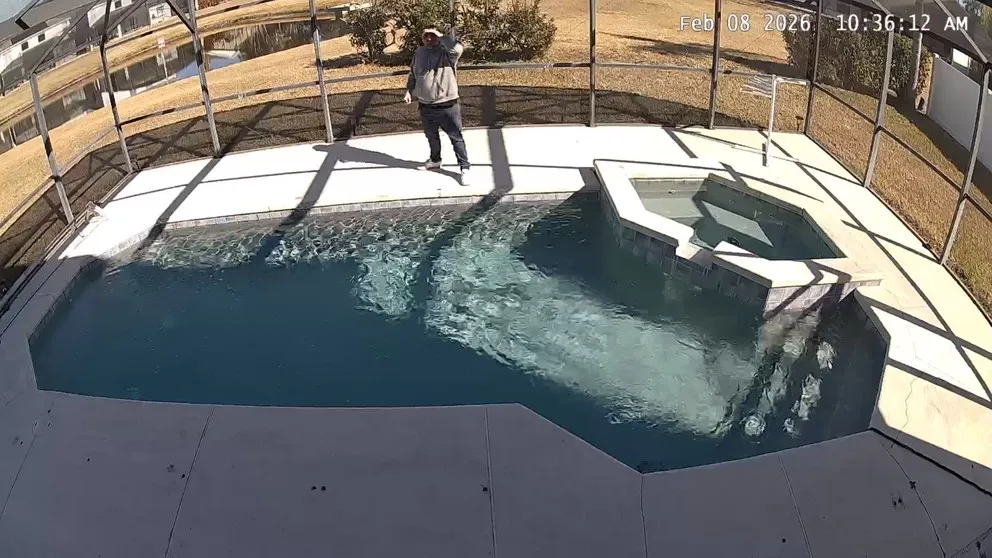
This camera runs on solar, so I never needed to charge it again
The outdoor camera is 100% wireless. There’s no way to plug it in. Instead, it recharges through a built-in solar panel. I live in central Florida and we get plenty of sun, so the camera has had no issues staying charged. If you live somewhere with limited sunlight during winter months, that might be something to consider.

Camera Pros and Cons
Pros
- Cameras record even without Wi-Fi
- Add unlimited cameras without increasing your monthly bill
- Cameras still work if you cancel Cove (just use the Eufy app)
- HD video with night vision, two-way talk, and motion detection on all three
Cons
- No 24/7 continuous recording
- No Power over Ethernet (PoE) option
- Initial camera setup is frustrating (2.4 GHz Wi-Fi and 100% charge required)
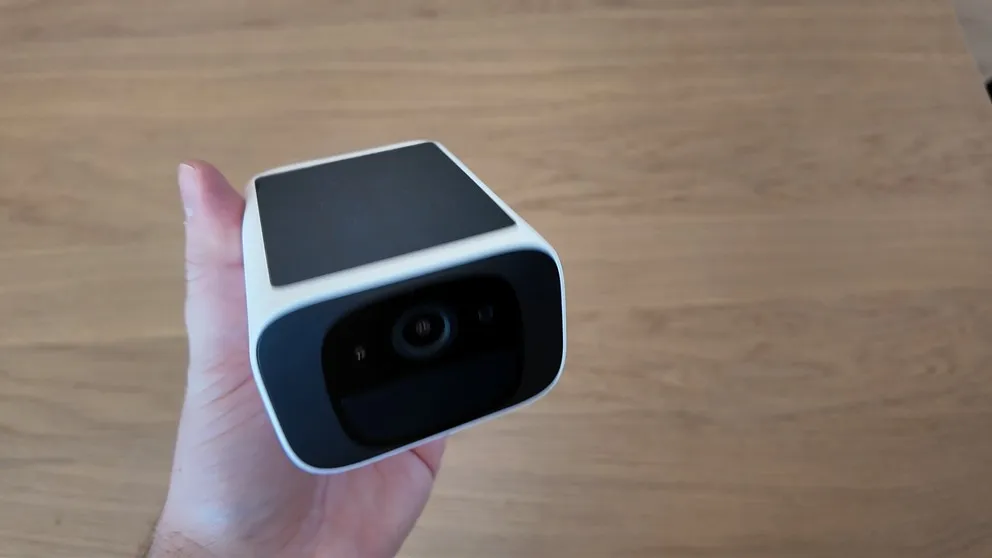
The outside camera is completly wireless and is charged using it’s solar panel
Camera Pros
All three cameras are HD with night vision, motion detection, and two-way talk. Anytime there’s activity, the camera records a clip and sends you an alert. You can pull up the live feed, talk to whoever’s there, and save clips to your phone.
The biggest camera pro is the local storage. Each camera has an SD card slot, so they record locally even without Wi-Fi. If your internet goes down, you don’t lose footage. That’s a feature you don’t get with a lot of competitors.
Another nice perk: you can add as many cameras as you want without your monthly bill going up. Three cameras, six cameras, doesn’t matter. Same monthly price.
And if you ever cancel Cove, the cameras aren’t locked to the service. They’re Eufy cameras, so you can just resync them to the Eufy app and keep using them. That’s a big advantage over systems where the cameras become paperweights if you cancel.
Camera Cons
No camera is perfect. Here are the downsides:
The cameras can’t do 24/7 continuous recording. They only record clips when motion is detected. If you want that DVR-style experience where it’s recording every second of every day, these won’t do that.
There’s no Power over Ethernet (PoE) option. The cameras connect wirelessly, so the video quality depends on your Wi-Fi connection. If your internet is spotty, the footage might not be as crisp. I’d like to see a PoE option for a more stable connection, similar to what you’d get with Vivint.
And as I mentioned, the initial camera setup was a headache. Once they’re connected, they work great. But getting there took patience.
The Cove Mobile App
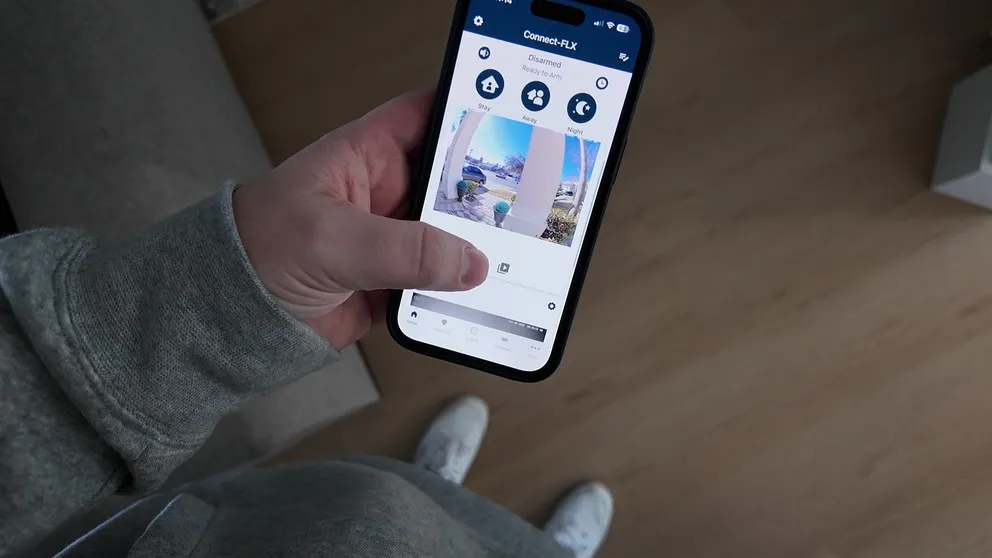
The mobile app works well. You can arm and disarm the system from anywhere, watch all the cameras, view recordings, and manage your settings. Everything lives under one app, which is a plus. With ADT, for example, you need two separate apps to manage everything. Cove keeps it all in one place.
That said, the app isn’t quite as polished as what you’d get with Vivint or ADT. There are little UI things that bug me. For example, when you want to scroll through your recordings by date, you can’t just keep swiping from today into yesterday into the day before. You have to manually select each day from a dropdown calendar. It’s a small thing, but after using Vivint’s app where that experience is smoother, you notice the difference.
But don’t get me wrong. The app does its job. If you don’t want to pay Vivint prices and still want a solid user experience, Cove’s app will get you there. It’s just not quite as refined.
Home Automation (or Lack Thereof)
The biggest limitation of Cove is that there is no home automation. It doesn’t sync up to anything that is z-wave compatible. This means that if can’t use your thermostat, doorlock, light switches etc. This system only does home security.
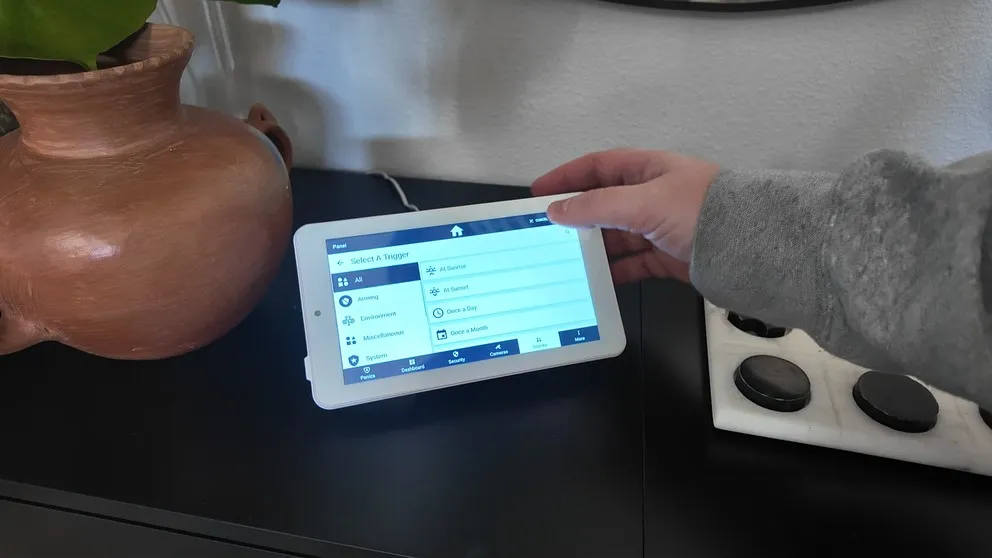
You can set up basic automations for the security system itself. Things like arming the system automatically at 8 AM on weekdays, or arming it every night at 9 PM. So there’s some flexibility for scheduling. But you won’t get the kind of experience where you arm the system and it also locks your doors, turns off the lights, and adjusts the temperature. For that, you’d need to look at ADT or Vivint.
Setting up an automation on the panel was pretty straight forward.
Cove does work with Amazon Alexa and Google Assistant for voice commands, but only on the Cove Plus plan. You can use voice commands to arm and disarm the system, which is convenient. But that’s about the extent of the smart home integration.
If you’re someone who really wants the full smart home experience under one roof, Cove isn’t going to be the right fit. But if you just want security and don’t care about controlling your thermostat from the alarm panel, this won’t bother you at all.
Cove Pricing and Monitoring Plans
Here’s where Cove really shines. This is, in my opinion, the best value in home security right now.
Equipment Cost
When I ordered my system, I was able to get 70% off with a free indoor camera. My total for the equipment was $250.48. That covered the touchscreen panel, the hub, three cameras (indoor, doorbell, outdoor), door and window sensors, a motion sensor, and a glass break sensor. Enough to cover my whole house at about 2,100 square feet.
You pay for the equipment upfront, and since there’s no contract, you own everything outright from day one.
> > Cove Promo Get: 70% OFF + Free Indoor CameraMonthly Monitoring
Cove requires professional monitoring. There’s no self-monitoring option. You pick one of two plans:
| Feature | Cove Basic ($19.99/mo) | Cove Plus ($29.99/mo) |
|---|---|---|
| 24/7 Monitoring | Yes | Yes |
| App Access | Yes | Yes |
| Alarm Verification via Text | Yes | Yes |
| 24-Hour Battery Backup | Yes | Yes |
| Cellular Backup | Yes | Yes |
| Camera Support | No | Yes |
| Alexa & Google Assistant | No | Yes |
| Lifetime Equipment Warranty | No | Yes |
| $5/mo Equipment Credit | No | Yes |
I’m on the Cove Plus plan since I have cameras. With the $5 monthly credit, my real cost is more like $25/month, and that credit accumulates over time so I can eventually use it to buy more sensors or another camera. My total bill comes to about $33/month.
If you just want the security portion without cameras, you’re looking at about $23/month. That’s hard to beat anywhere in the industry.
No Contract
There’s no contract with Cove. It’s month-to-month service. If you want to cancel, you cancel. No early termination fees, no penalties. They also give you a 60-day trial period, which is one of the longest in the industry. If you’re not happy, return the equipment within 60 days for a full refund.
Is Cove a Good Security System?
I think Cove is a really solid system, and I’d recommend it to the right person. The equipment is good quality for the price. The touchscreen panel is great. The cameras do their job. The monitoring is affordable. And there’s no contract, which removes a lot of the risk.
The biggest caveat is the lack of smart home integration. If you want a system that controls your entire house (locks, lights, thermostat, the whole thing), Cove isn’t going to do that. You’d want to look at ADT or Vivint for that kind of setup.
But if you’re someone who just wants home security without breaking the bank, and you don’t need all the smart home bells and whistles, Cove is hard to beat on value. The equipment is rock solid, the price is right, and you’re not locked into a long-term commitment.
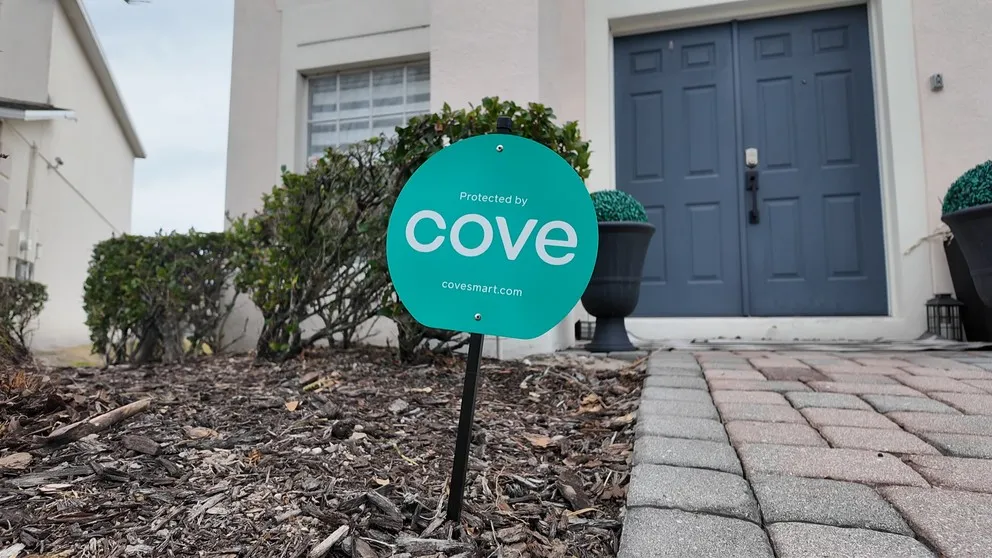
The Cove yard sign at my front entrance. Always put up the sign. Let people know the house is protected.
Who Is Cove Best For?
- Budget-conscious buyers. If you want real, monitored home security for the lowest possible monthly cost, Cove is probably your best option right now.
- Renters. Everything is wireless and removes cleanly. No holes drilled, no damage to the walls (mostly). Easy to take with you when you move.
- People who just want security. If you don’t care about smart locks or thermostat control and just want your doors, windows, and cameras monitored, Cove handles that well.
- DIYers. If you’re comfortable setting things up yourself, the installation (at least the sensor portion) is about as easy as it gets.
If you want the full smart home experience, a premium touchscreen with camera feeds, or professional installation, you’re better off looking at Vivint or ADT.
Cove Frequently Asked Questions
How much does Cove cost per month?
Cove Basic is $19.99/month for monitoring without camera support. Cove Plus is $29.99/month and includes camera support, Alexa/Google integration, lifetime warranty, and a $5/month equipment credit. There's no self-monitoring option.
Does Cove require a contract?
No. Cove is month-to-month with no contract. You can cancel anytime without penalty. They also offer a 60-day trial period with a full refund if you're not satisfied.
What cameras does Cove use?
Cove uses Eufy cameras for its indoor, outdoor, and doorbell cameras. They're HD with night vision, two-way talk, and local SD card storage. If you cancel Cove, you can resync the cameras to the Eufy app and keep using them.
Does Cove work with Alexa?
Yes, but only on the Cove Plus plan ($29.99/month). With Alexa or Google Assistant, you can use voice commands to arm and disarm the system. There's no deeper smart home integration beyond that.
Can I add more cameras without paying more per month?
Yes. Your monthly bill stays the same regardless of how many cameras you add. Three cameras or ten cameras, same price.
Do Cove cameras work without Wi-Fi?
Yes. Each camera has an SD card slot for local recording. If your Wi-Fi goes out, the cameras continue recording footage locally. You won't get live streaming or phone alerts until Wi-Fi is restored, but the recordings are still there.
Does Cove have home automation?
Not really. You can set up basic security automations like scheduling the system to arm and disarm at certain times. But there's no smart lock, thermostat, light switch, or garage door control. If you want full home automation, look at ADT or Vivint.
About the author
