
Cove vs Vivint Comparison 2026 - Hands-On Testing and Verdict
I bought both systems, installed them in my house, and used them for weeks. Here's my honest take on which one is the better fit.

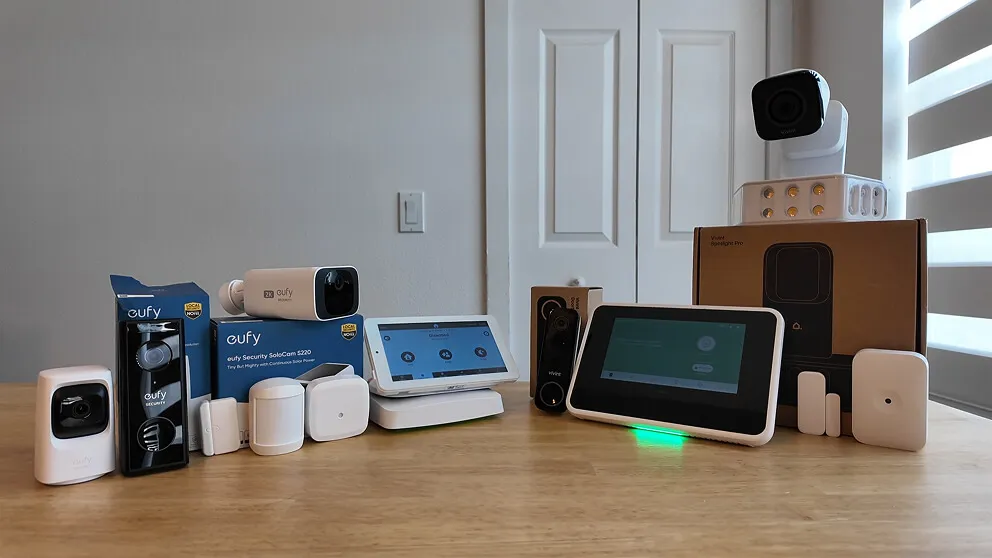
My Cove and Vivint security systems compared side by side.
I've done full reviews on both the Cove and Vivint home security systems, so here I'm putting them head to head. If you're on the fence about which one to get, this should help you decide.
They're built for very different people. Vivint is the premium, professionally installed smart home system with all the bells and whistles. Cove is the affordable DIY option that still covers the core security features well. I like both, and which one I'd tell you to buy depends mostly on your budget and whether you care about smart home stuff.
Cove vs Vivint At A Glance
| Feature | Cove | Vivint |
|---|---|---|
| Monthly monitoring | $23 - $33/mo | $24.99 - $49.99/mo |
| Upfront equipment cost (what I paid) | $250 (70% off) | $1,000+ (all equipment) |
| Touchscreen keypad | Yes | Yes |
| Cameras proprietary? | No (Eufy) | Yes |
| Home automation | No | Yes (Z-Wave) |
| Contract required | No | No (unless financing) |
| Installation | DIY | Professional |
| Cellular backup | Yes | Yes (primary connection) |
| Two-way voice on panel | Yes | Yes |
| 24/7 continuous recording | No | Yes ($7/mo add-on) |
What Both Of My Systems Came With
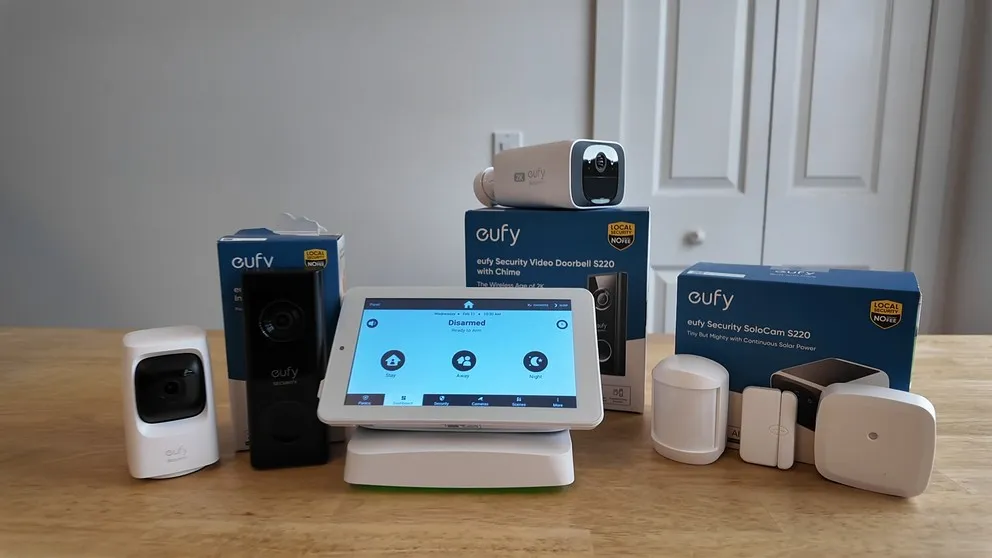
My Cove system came with the base station, touchscreen keypad, door and window sensors, a motion sensor, glass break sensor, a Eufy doorbell camera, an indoor camera, and an outdoor camera.
My Vivint system came with the touchscreen keypad, door and window sensors, a motion sensor, glass break sensor, a doorbell camera, an outdoor camera with the floodlight attachment, a Nest thermostat, and an automatic door lock. I went all out with Vivint and got pretty much everything they offer.
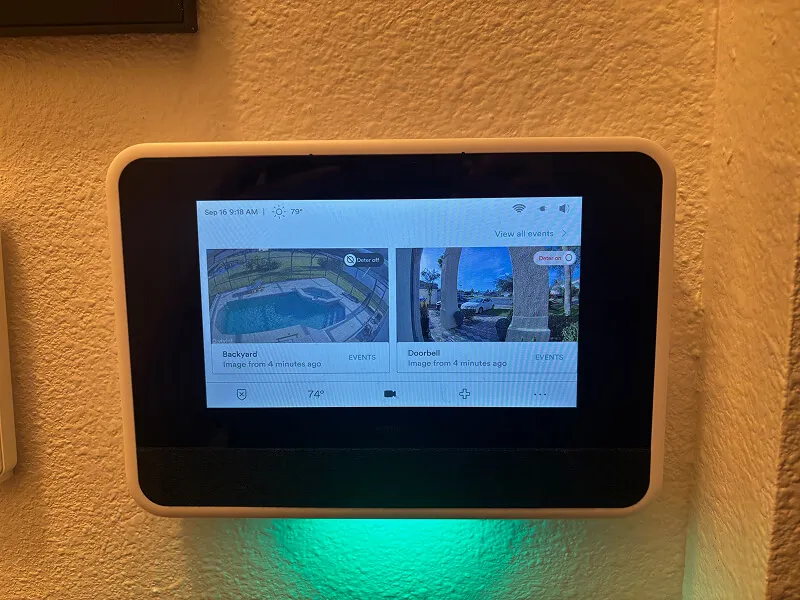
Both security systems are monitored 24/7 for police, fire, and medical. Both have touchscreen keypads that make it easy to arm and disarm, change settings, update pin codes, and even watch camera feeds right from the panel. I'm a big fan of touchscreen panels on both sides. They feel more intuitive than the traditional push-button keypads you get with systems like SimpliSafe.
Both panels also have two-way voice built in, so a monitoring agent can communicate with you through the keypad during an emergency. If there's a break-in happening and you can't reach your phone, the agent can still talk to you through the panel or hear what's going on in the house and make a judgment call about dispatching. That's a feature you typically don't see with DIY security systems, and I'm glad Cove includes it alongside Vivint.
In terms of sensors, both systems offer the standard lineup: door and window sensors, motion sensors, and glass break sensors. Both also sell smoke detectors, carbon monoxide detectors, flood sensors, and panic buttons as add-ons. The Cove sensors are slightly smaller, but both brands use wireless adhesive-mounted sensors that peel off cleanly when you move, which makes either system easy for renters.
Both Cove and Vivint currently have deals running. Cove has 70% off plus a free indoor camera, and Vivint is offering free installation with a $100 Visa gift card. I'll include links throughout this article so you can grab those deals.
How Cove And Vivint Handle Monitoring
Both systems connect to professional monitoring centers that dispatch police, fire, and medical 24/7. Where they differ is how each one talks to the monitoring center.
Cove connects through your home Wi-Fi and uses cellular as a backup. So if your internet goes down, it'll fall back to cellular and you'll still have service. Vivint goes straight to cellular as the primary connection. That means if your power goes out and your internet drops, Vivint is already on cellular without needing to switch over.
I didn't have any issues with either system during my testing, but the Vivint approach gives me a little more confidence. If there's ever a break-in and your internet connection is spotty, Cove has to try Wi-Fi first, fail, then switch to cellular, while Vivint calls out immediately. In a real emergency, I'd rather not wait on that switch.
Both systems also have backup batteries in the base station, so if the power goes out, your system stays active for up to 24 hours.
Vivint can also take over existing hardwired sensors from other security companies. If you moved into a house that already has sensors installed from a previous system, Vivint's technician can often integrate those into your new system. They can also use some wireless sensors from other brands in certain situations. That can save you a decent amount of money on equipment since you're not buying a whole new set of sensors from scratch. Cove only works with Cove sensors, so you'd be starting fresh regardless.
I lean slightly toward Vivint on monitoring because the cellular-first approach feels more reliable, and reusing existing sensors is a nice bonus. Cove still beats other DIY systems like SimpliSafe and Ring here, mostly because of that two-way voice on the panel.
Cove And Vivint Camera Comparison
Both camera systems come with HD video, night vision, two-way talk, motion alerts, and video clip recording. You can pull up live feeds from either app and get push notifications when activity is detected.
Cove Cameras
Cove partners with Eufy for their cameras. You get a doorbell camera, indoor camera, and an outdoor camera with a solar panel built in. The outdoor camera is completely wireless, which is great if you don't have an outlet nearby. I live in central Florida, so we get plenty of sun, and I had no issues keeping the solar panel charged.
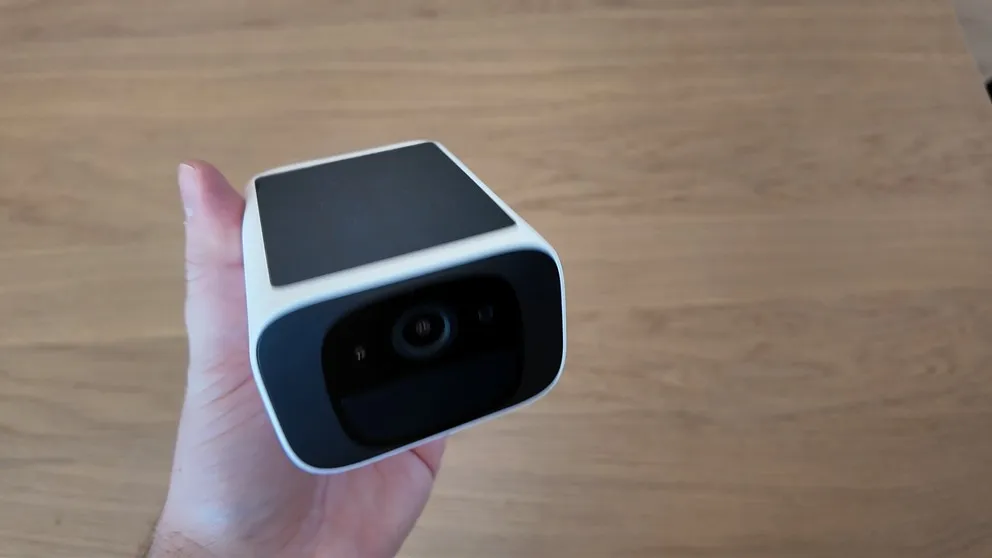
Cove's outdoor camera is made by Eufy and charges via solar panel.
The biggest advantage with Cove's cameras is that they're non-proprietary. Since they're Eufy cameras, if you ever cancel your Cove monitoring service, you can download the Eufy app and keep using your cameras for free. If you're not sure you'll stick with a monitoring company for years, that matters a lot.
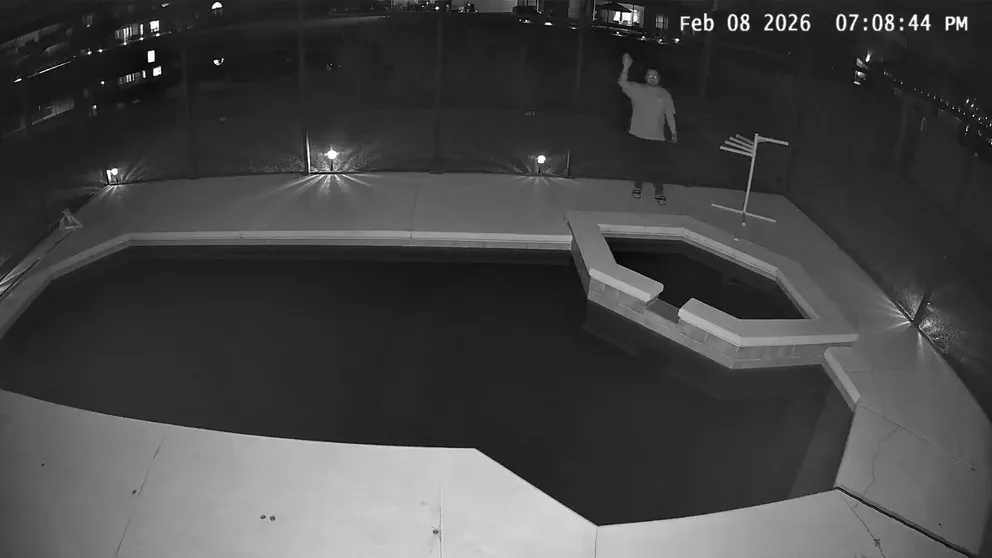
Night vision on the Cove outdoor camera looking at my pool area.
The downside is that Cove only records video clips triggered by motion. There's no 24/7 continuous recording option. And the video quality, while solid for the price, isn't as sharp as what you get with Vivint's cameras. The indoor camera in particular can't distinguish between people and objects, so if a curtain blows in the breeze or your cat walks by, it triggers a recording. That can make it tedious to sort through clips when you're looking for something specific.
I also had trouble getting the outdoor camera to connect during setup (more on that in the installation section), though it stayed connected once it was working.
Vivint Cameras
Vivint's video quality is noticeably better. Recordings are clearer and higher resolution, and you can see the difference right away when you compare footage side by side. Vivint's cameras also use AI to distinguish between people, animals, packages, and vehicles. That means you get fewer false alerts and more relevant notifications. When someone walks up to your front door, the camera knows it's a person and tells you. When your neighbor's cat wanders through your yard, it doesn't blow up your phone.
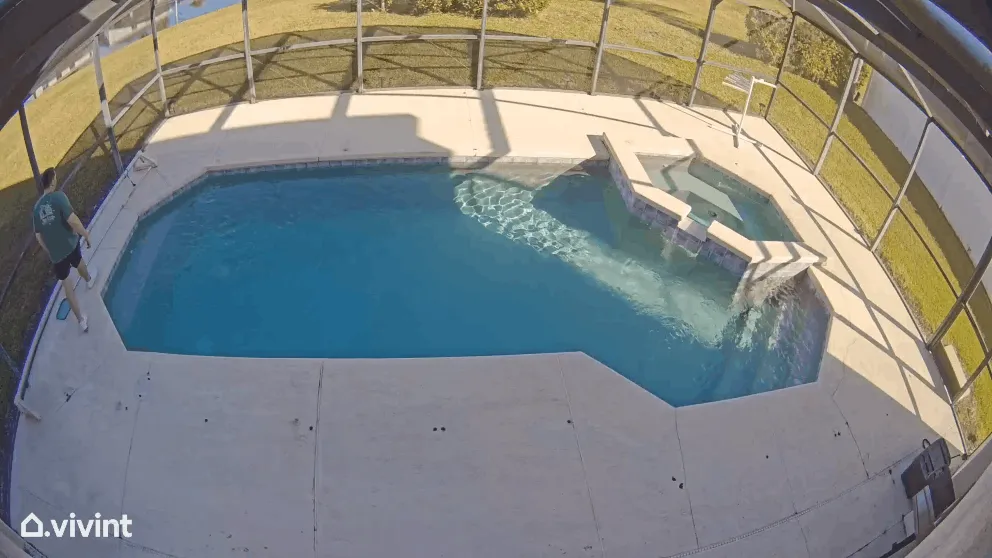
The Vivint outdoor camera mounted on the side of my house.
Vivint cameras are always plugged in, and the technician handles all the wiring during installation. You don't have to worry about climbing a ladder or drilling holes through your exterior wall. The trade-off is that if you want a camera somewhere without an outlet (like a shed in the backyard), Vivint's cameras aren't going to work for that.
The cameras also support Power over Ethernet, which means you can plug them directly into your router for a more stable connection and even better video quality. If you've ever dealt with wireless security cameras that keep disconnecting, that feature alone might be worth the upgrade.
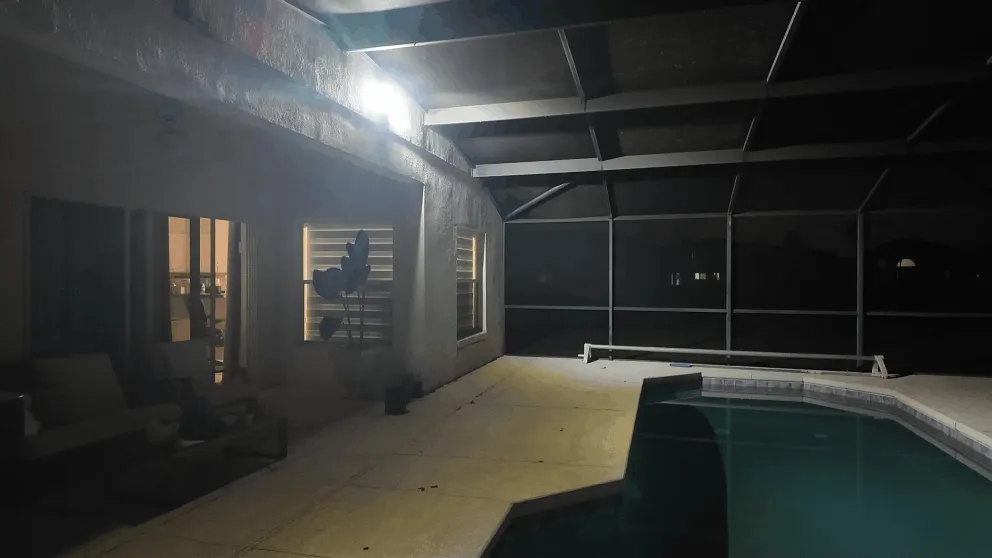
The Vivint floodlight fully lit up. This thing is bright.
And then there's Vivint's deter mode, which is probably my favorite camera feature of any system I've tested. When the cameras detect motion in deter mode, they play a whistling sound to grab the person's attention. The LED ring around the camera lens lights up. And if you have the outdoor camera with the floodlight attachment, the floodlight blasts on and illuminates your entire yard. It's enough to make anyone think twice about sticking around. The goal is to scare someone off before they try anything, and I haven't seen another company do that as well as Vivint.
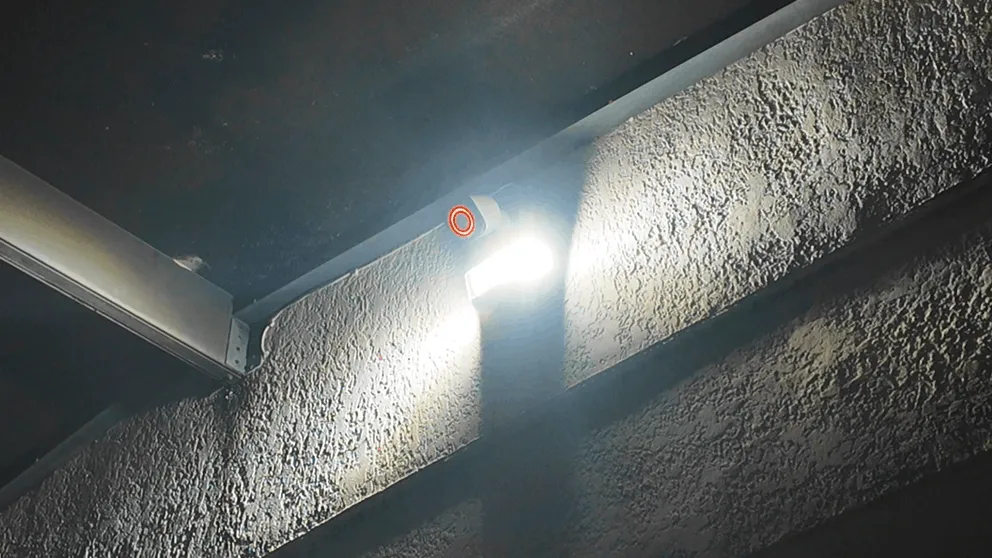
Deter mode in action at night. The floodlight and LED ring make it obvious you're being watched.
If you want 24/7 continuous recording (not just clips), Vivint offers that as an add-on for $7 per month. Cove doesn't have that option at all.
The downside with Vivint's cameras: they're proprietary. If you cancel Vivint monitoring, you lose access to the Vivint app and can't view your cameras remotely anymore. You can still view them from the keypad in your home, but that's it. That's a real consideration if you think there's any chance you might switch systems down the road. Cove's cameras, by comparison, keep working through the free Eufy app.
Vivint also offers local storage options. They sell a DVR that can store up to 10 days of 24/7 video recording, and most cameras have SD card slots as well. Cloud storage keeps video clips and photos for up to 30 days. Cove's cameras also support local storage via microSD cards (up to 128GB, which gets you roughly 120 hours of footage), and cloud storage is available through the Eufy ecosystem.
Camera Price Comparison
| Camera | Cove | Vivint |
|---|---|---|
| Indoor | Free (first one), $59.99 after | $149.99 - $249.99 |
| Outdoor | $129.99 (solar/wireless) | $399.99 (Outdoor Camera Pro) |
| Doorbell | $99.99 | Included with system |
| Floodlight + outdoor | N/A | $649.98 (Spotlight Pro + Outdoor Camera Pro) |
Cove's cameras are significantly cheaper. If you're on a budget, they cover all the core security features you need. But if you want the best video quality, deter mode, Power over Ethernet, and continuous recording, Vivint's cameras are worth the premium.
DIY vs Professional Installation
One of the biggest differences between the two is that Cove is completely DIY, while Vivint is professionally installed.
Installing Cove
Cove's installation is about as easy as it gets. You plug in the base station and the keypad, connect them, and then the panel walks you through a series of prompts to pair up your sensors and cameras. The sensors use 3M adhesive strips, so you're just peeling off the backing and sticking them on your doors and windows. You don't need any tools.
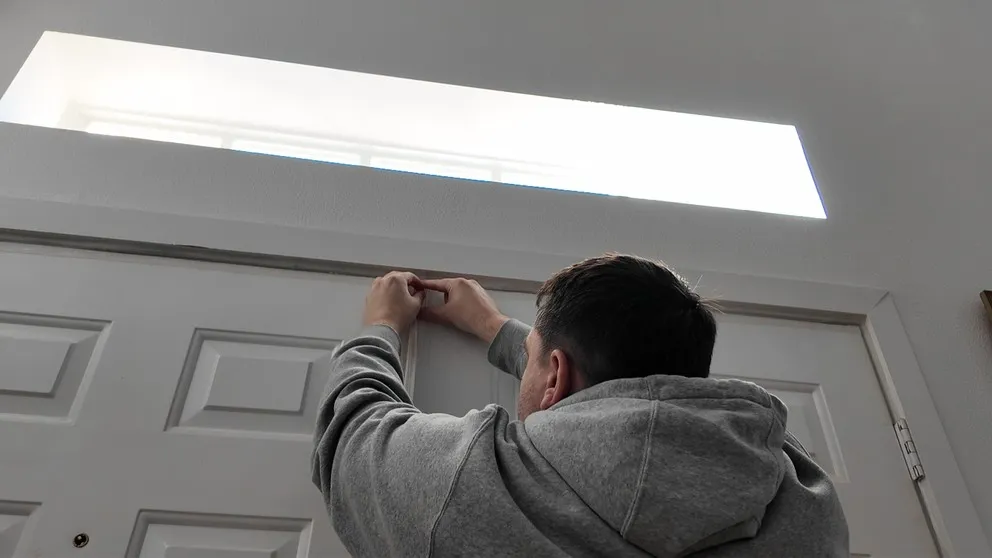
Installing a Cove door sensor. Peel off the adhesive, stick it on, done.
I did have some frustration getting the outdoor camera connected. It took me longer than expected, and I go into more detail about that in my full Cove review. But once everything was connected, I had no issues with things disconnecting.
If installing a security system on your own sounds intimidating, don't overthink it. Cove makes the process pretty hard to mess up. And since everything is wireless and uses adhesive, the whole system works well for renters. When you move out, you peel the sensors off and take them with you without leaving holes in the walls or damaging the door frames.
Cove also offers professional installation starting at $129 if you really don't want to do it yourself. But honestly, save the money. If you can use a smartphone, you can install Cove.
Installing Vivint
Vivint sends a technician to your house, and they handle everything. They install the panel, mount the cameras, run the wiring, set up the door lock and thermostat, and integrate any existing sensors you might already have in your home. Once they're done, they walk you through how to use everything.
My installation took about three to four hours. The technician was thorough, and I got a lot of peace of mind knowing the cameras were installed correctly. These cameras need to be plugged in, so someone has to drill through exterior walls, route the cables, and seal everything up against the weather. That's not a DIY-friendly project for most people, and I wouldn't want to do it myself.
The technician also set up my Nest thermostat, programmed the smart lock, connected everything to the Vivint app, and showed me how to use it all before leaving. Having someone walk you through the system in person helps a lot, especially if you've never owned a home security system before. They answer questions, make sure your sensors are placed in the right spots, and test everything before they leave.
If you plan on using existing hardwired sensors from a previous security system, I'd definitely recommend having a professional do it. Taking over a hardwired system can get technical, and Vivint's technicians know what they're doing.
Vivint currently offers free professional installation. That's normally a $200+ charge, so it's a solid deal if you're thinking about going with them. Check Vivint's current offers here.
Vivint Smart Home Automation
This is where Vivint pulls way ahead. Cove doesn't do home automation at all. It's core security only: monitoring, sensors, cameras, and that's it.
Vivint is a full smart home system. Anything that's Z-Wave compatible can connect to Vivint. That means door locks, light switches, thermostats, garage door openers, and more. You can control all of them from the Vivint app alongside your security system and cameras.
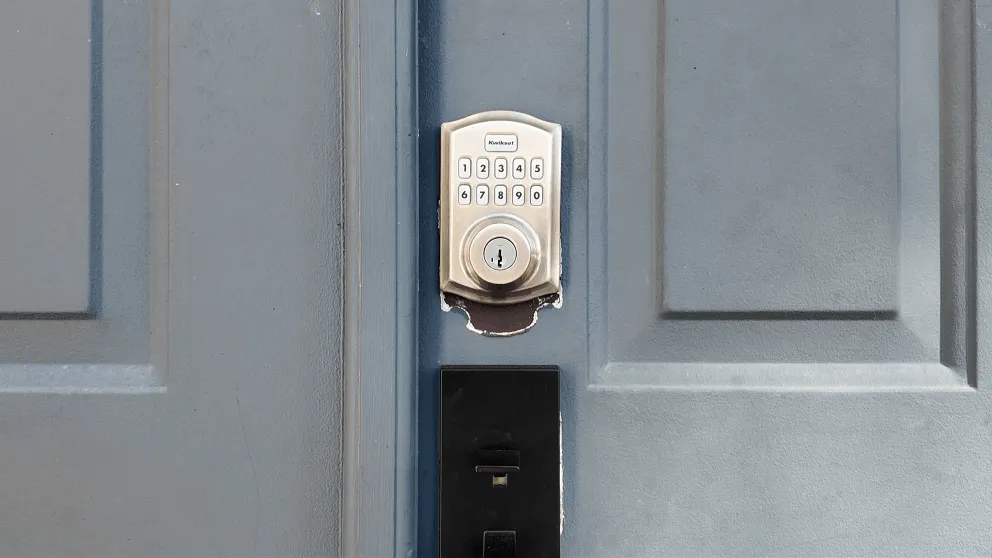
The Vivint smart lock on my front door. I can lock and unlock it from the app.
What I really like is the automation engine. You can set up custom rules based on time, triggers, or events. For example, Monday through Friday at 9 PM, my system automatically locks the front door, arms the alarm, and turns off the lights. I set that up once and haven't thought about it since.
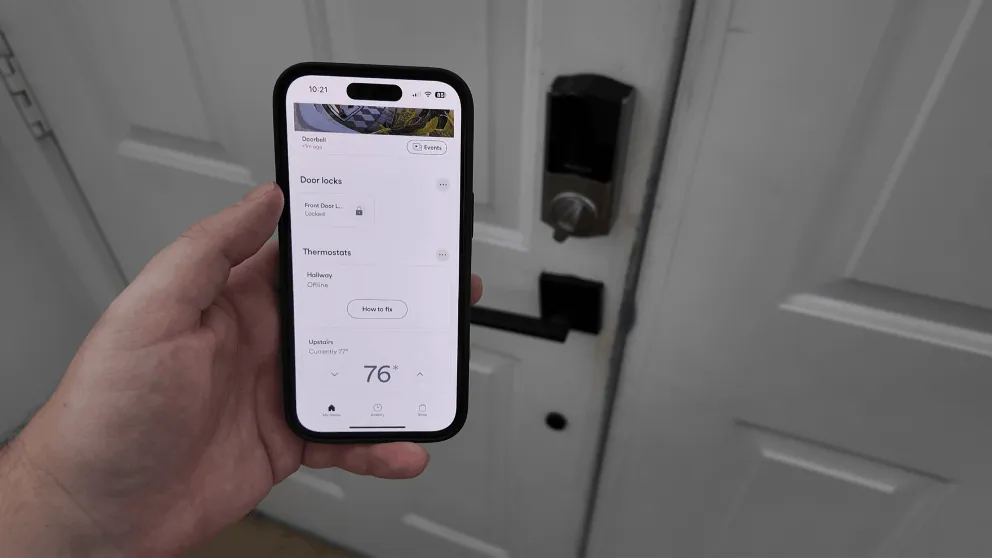
Locking the front door from the Vivint app while I'm in bed.
You can also do things like: when the alarm is armed to Away mode, automatically lock all doors and set the thermostat to an energy-saving temperature. Or when someone unlocks the front door, disarm the alarm and turn on the hallway lights. There's a lot of flexibility, and it turns your house into a real smart home without having to Frankenstein together a bunch of different apps and devices. If smart home features matter to you at all, Vivint is the one to get.
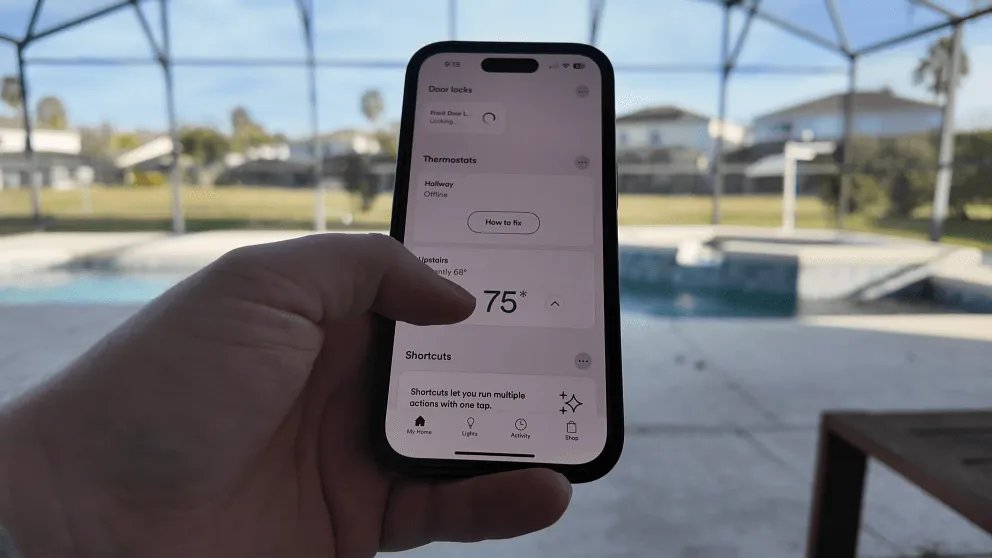
Adjusting the thermostat from the Vivint app. No separate Nest app needed.
Comparing The Mobile Apps
The Cove app handles the basics well. You can arm and disarm the system, watch camera feeds, download video clips, get alerts, and manage your sensors. It works, and I never had issues with reliability. The design is functional but nothing fancy.
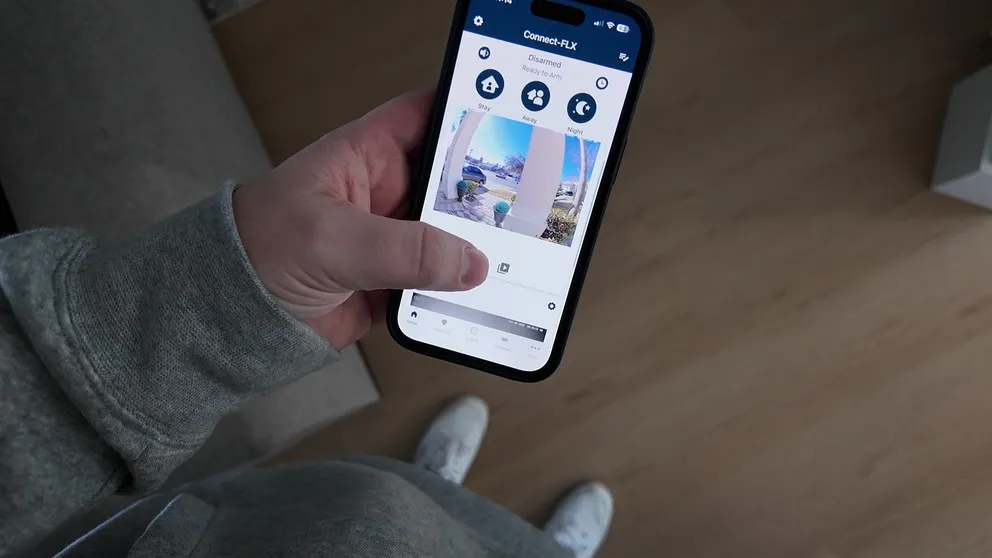
The Cove app. Gets the job done, but the design is pretty standard.
The Vivint app is more polished, and everything feels snappy. Since Vivint also handles smart home devices, the app becomes a single hub for everything: cameras, alarm, door locks, thermostat, lights. You're not bouncing between three or four different apps.
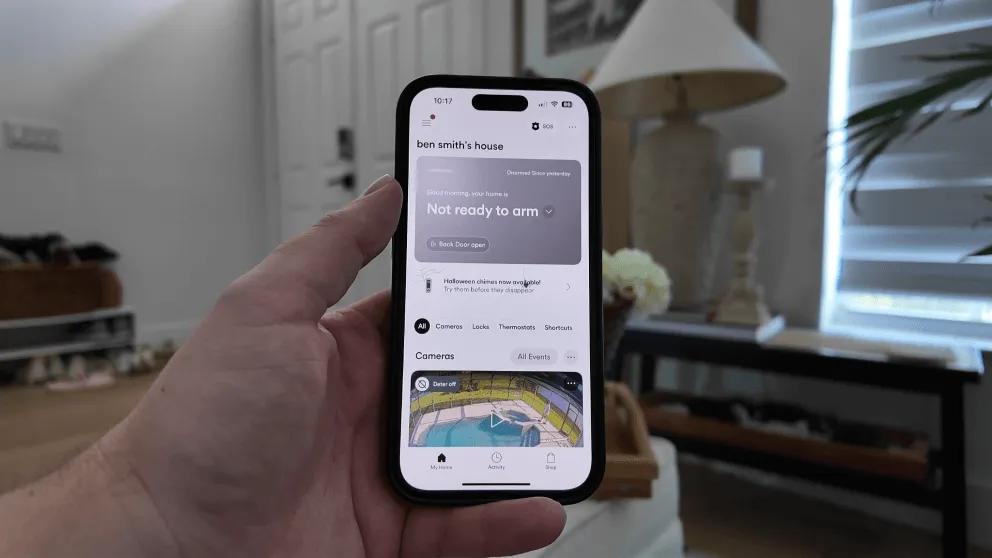
The Vivint app. Clean design and everything under one roof.
I found myself using the Vivint app far more than the Cove app, and that has a lot to do with the smart home integration. I can check cameras, lock the door, adjust the thermostat, and arm the system from one place, so most of the time I skip the keypad entirely.
Both apps support Alexa and Google Assistant for voice commands. With Cove, you'll need the Plus monitoring plan ($33/mo) to use voice control. With Vivint, voice control is included with the smart home monitoring tier.
Vivint also has a smartwatch app, which is a nice touch. You can receive alerts and even unlock your front door with a tap on your wrist as you walk up to the house. Cove doesn't offer anything like that.
I also appreciate that neither app requires you to be on your home Wi-Fi to operate the system. Whether you're sitting on your couch or on vacation across the country, you have full access to your cameras, alarm controls, and notifications. That's table stakes for a modern security system, but it's worth confirming since some cheaper systems restrict remote access behind higher-tier plans.
How They Handle Emergencies
Both Cove and Vivint use professional monitoring centers that respond to security, fire, and medical alerts around the clock. When an alarm triggers, the monitoring center gets notified and attempts to contact you through the panel's two-way voice and by calling your phone. If you don't respond or confirm it's a real emergency, they dispatch the appropriate first responders.
Cove uses RapidSOS technology, which sends precise location data and alarm details directly to 911 dispatchers. That cuts response time because the monitoring agents don't have to verbally relay your address and situation over the phone. Cove also has three monitoring centers across the U.S. for redundancy, so even if one center goes down, another picks up the slack.
Vivint's monitoring center sends text alerts to you and your listed contacts. That's useful if you're on vacation and have someone housesitting. They'll get the alerts too and can check on things. During my testing, Vivint's team responded quickly when an alarm was triggered, calling to confirm the situation before taking action.
Both companies have solid customer service as well. Phone support is responsive (I got through to someone within a few minutes with both companies), and both offer web chat with a real person on the other end. I didn't have any complaints with either company's support team.
Cove vs Vivint Pricing And Contracts
Upfront Equipment Costs
Cove is significantly cheaper upfront. I got the 70% off deal with a free indoor camera and paid $250.48 for my entire system, which included three cameras, the panel, sensors, motion sensor, and glass break sensor.
Vivint costs more, but it starts lower than you might expect. A basic security setup with the panel, sensors, and a camera can start around $200. I went all out and bought everything: cameras, panel, door lock, thermostat, floodlight. My total was a little over $1,000, but that's definitely not the norm. Most people will land somewhere in the $400-$600 range depending on how many cameras and smart home devices they add. If you want the full smart home experience, expect to pay more than you would with Cove.
Vivint does offer 0% APR financing for 42 or 60 months, which spreads out that upfront cost into your monthly bill. That makes it a lot more manageable. Just know that if you finance the equipment, you're obligated to keep the monitoring service until the equipment balance is paid off. If you want to cancel early, you just pay the remaining balance on the equipment and you're free to go.
Monthly Monitoring Costs
| Plan | Cove | Vivint |
|---|---|---|
| Core security only | $23/mo | $24.99/mo |
| Security + cameras | $33/mo ($28 effective) | $39/mo + $5/camera |
| Full smart home + cameras | N/A | $49/mo (what I pay) |
Cove keeps it simple. $23 per month covers core security monitoring. $33 per month adds camera access, voice control, a lifetime warranty, and a $5 per month equipment credit that accumulates on your account. So your real out-of-pocket cost is about $28 per month for the full plan.
Vivint starts at $24.99 for core security. If you want smart home features, that goes up to $39 per month. Each camera is an additional $5 per month. I have the security system with smart home and two cameras, so I'm paying $49 per month.
Contracts
Both companies technically offer month-to-month service. With Cove, there's no contract, period. You can cancel whenever you want with no penalty.
With Vivint, it's month-to-month if you pay for the equipment upfront. But if you choose to finance the equipment (which most people do), you're committed to paying for monitoring as long as you have a balance. The financing can run up to 60 months, so that's potentially a five-year commitment. The silver lining is that Vivint locks in your monthly price for the life of the agreement. So even if they raise prices for new customers, your rate stays the same. That's a nice buffer if you're planning to keep the system for years.
If you ever want to cancel entirely, you pay off the remaining equipment balance and that's it, with no separate cancellation fee on top.
> > Cove Promo: 70% OFF + Free Indoor CameraSo Which Security System Should You Get?
Get Cove If You Want Affordable Core Security
Pros
- Best Value. High Quality Equipment for the Price
- Touchscreen keypad panel
- Super easy DIY installation
- Two-way voice built into the panel for emergency communication
- Cameras record locally via SD card even without Wi-Fi
- Cameras can still be used if you cancel the service
- Add unlimited cameras without increasing monthly bill
- Renter-friendly, wireless sensors remove cleanly with no residue
Cons
- No home automation
- Connecting the cameras on install is frustrating
- No 24/7 video recording recording
- No power over Ethernet option for cameras
- Mobile app not quite as polished
Cove is the better pick if you want solid home security without spending a fortune. The upfront cost is dramatically lower, the monthly cost is lower, there's no contract, and the cameras aren't proprietary. If you ever cancel, you keep your Eufy cameras and just download the Eufy app.
If you're wondering whether Cove is a good security system, my answer is yes. The professional monitoring is reliable, the touchscreen keypad has two-way voice, the cameras record locally even without Wi-Fi, and you get everything you need to protect your home. It doesn't have smart home features or the premium camera quality that Vivint offers, but for the price, it's hard to beat.
If you're a renter, Cove is especially appealing. Everything is wireless, nothing requires drilling, and you can take the entire system with you when you move. The month-to-month plan with no contract means you're not locked into anything.
If you're someone who wants core security with cameras and doesn't care about controlling your door locks and thermostat from the same app, check out Cove here.
Get Vivint If You Want A Smart Home Security System
Pros
- Month-to-month contract option
- Professional Installation
- Advanced Equipment & Feature Set
- Excellent mobile app
- Touchscreen keypad
Cons
- Higher monthly cost
- Financing locks you into a service agreement
- Equipment can be expensive upfront
- Cameras are proprietary and stop working if you cancel
Vivint is the better pick if you want the best cameras and a fully integrated smart home. Deter mode alone makes it worth a look. The video is sharper, the app is better, and Cove can't automate your house at all.
The trade-off is cost. You're paying more upfront, more per month, and if you finance, you're committed until the equipment is paid off. But if you value having the latest security technology and want your home to actually feel smart, Vivint is what I'd recommend.
Vivint is also the better choice if you're a homeowner with an existing security system already installed. Their technicians can integrate your old sensors, saving you money on equipment. And since they handle all the installation, you don't have to worry about wiring cameras or mounting devices yourself. If you want a hands-off system that works from day one, Vivint is the easier choice.
Check Vivint's current offers here.
The Bottom Line
For budget-conscious buyers who want reliable security, Cove is the move. I paid about $250 for my whole system, monitoring starts at $23 a month, and there's no contract.
For people who want the full smart home experience with top-tier cameras and professional installation, Vivint is worth the investment. You'll pay more up front and every month, and in return you get better cameras, deter mode, and one app that runs your whole house.
Both companies offer legitimate 24/7 professional monitoring for police, fire, and medical, so you're not making a bad decision with either one. It really comes down to how much you want to spend and whether smart home automation matters to you.
Is Cove a good security system?
Yes. Cove is a reliable DIY home security system with 24/7 professional monitoring, a touchscreen keypad with two-way voice, and Eufy cameras that you can keep using even if you cancel the service. It's one of the best values in home security, especially with the 70% off equipment deals they frequently run.
How much does Cove monitoring cost per month?
Cove has two monitoring plans. The Basic plan is $23 per month for core security without camera access. The Plus plan is $33 per month and includes cameras, Alexa and Google voice control, a lifetime warranty, and a $5 per month equipment credit. Your effective cost on the Plus plan is about $28 per month.
Does Vivint require a contract?
Vivint's monitoring service is month-to-month if you pay for equipment upfront. However, if you finance the equipment at 0% APR (for 42 or 60 months), you're obligated to keep the monitoring service until the equipment balance is paid off. You can cancel early by paying off the remaining balance.
Can Vivint use existing sensors from another security company?
Yes. Vivint's technicians can often take over and integrate existing hardwired sensors from other security companies. They can also use some wireless sensors from other brands. This can save you money if you already have a system installed in your home.
Are Cove cameras proprietary?
No. Cove uses Eufy cameras. If you cancel Cove monitoring, you can download the Eufy app and keep using your cameras for free. Vivint's cameras are proprietary, so if you cancel Vivint, you lose remote access through the app (though you can still view cameras from the keypad).
Does Vivint offer 24/7 continuous recording?
Yes. Vivint offers 24/7 continuous recording as an add-on for $7 per month. Cove only records motion-triggered video clips and does not offer a continuous recording option.
What is Vivint deter mode?
Deter mode is a feature on Vivint cameras that activates when motion is detected. The camera plays a whistling sound, the LED ring around the lens lights up, and if you have the floodlight attachment, it fully illuminates the area. The combination is designed to deter potential intruders by making it obvious they're being watched and recorded.
Can Cove do home automation?
No. Cove is a core security system only. It does not support smart home devices like door locks, thermostats, or light switches. If home automation is important to you, Vivint is the better choice as it supports Z-Wave devices and custom automations.
About the author
