
Ring Alarm Review 2026
Here is my complete Ring Alarm Review after hands-on testing for several weeks. Is it worth your hard earned money?

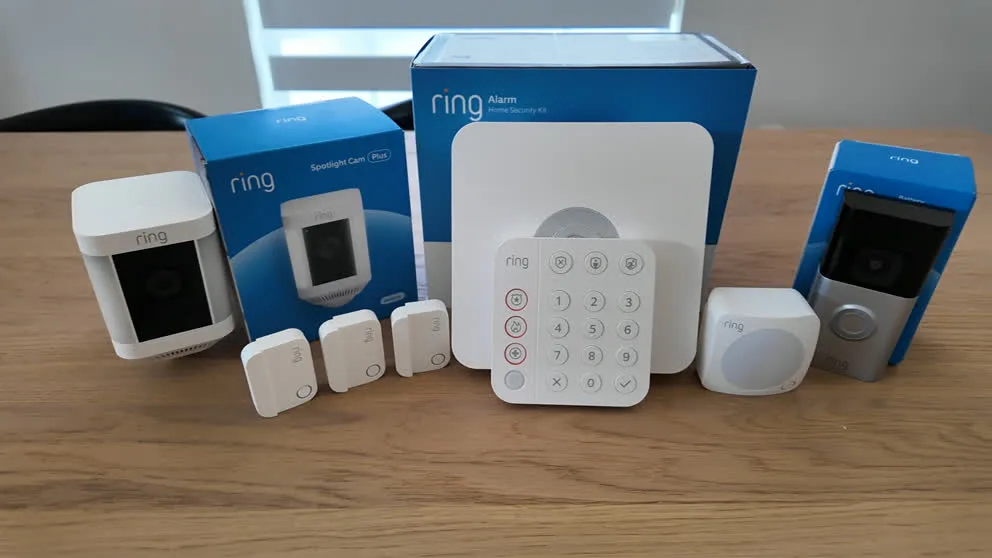
I’ve had the Ring Alarm system installed in my house for a while now, and I’ve been putting it through the tests. This is my full, honest review. I paid for all the equipment out of my own pocket, so there’s no sponsorship influencing anything you read here. I’ll cover the equipment, cameras, the Ring app, monitoring, home automation, pricing, and whether Ring is actually worth your money.
If you’ve been reading Ring alarm reviews and trying to figure out if this system is any good, hopefully this will help guide you.
Quick Look at the Pros and Cons
Here is a quick overview of the pros and cons after having used it for several weeks.
Pros
- Low Monthly Price
- Easy DIY Installation
- Excellent camera quality with night vision and two-way talk
- Video storage up to 180 days
- AI-powered notifications with descriptions
- Great mobile app — smooth, responsive, easy to use
Cons
- Camera Privacy Concerns Amongst Customers
- No touchscreen keypad
- No two-way talk through the panel
- Cameras don't record without Wi-Fi
- High equipment cost
- Limited Home Automation Features
- Not compatible with Nest thermostat
What Is Ring?
Ring is a DIY home security system owned by Amazon. They started with the video doorbell (you’ve probably seen the commercials) and eventually expanded into a full alarm system. The first Ring Alarm launched in 2018, and the second generation came out in 2020. That’s the version I’m reviewing here.
The offer is simple: buy a kit, install it yourself, and monitor your home through the Ring app. You can self-monitor for free or add professional monitoring for $20 a month. There’s no contract and the equipment is yours from day one.
The system connects through Wi-Fi with cellular backup. So if your internet goes out or the power cuts off, the system still has monitoring through the cellular connection and a 24-hour backup battery. That’s the same kind of redundancy you’d get with ADT or Vivint, just in a cheaper package.
What’s in the Box
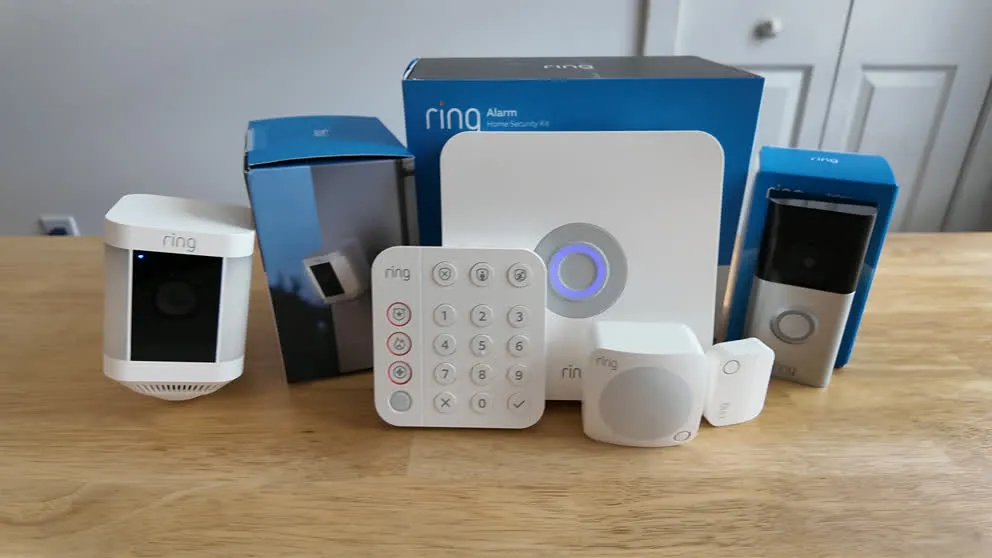
I went with the Whole Home Enhanced Package, which normally runs about $500. I caught it on sale and paid $376 with tax. Here’s exactly what came in the box:
| Equipment | Quantity |
|---|---|
| Base Station | 1 |
| Keypad | 1 |
| Door/Window Contact Sensors | 4 |
| Motion Sensor | 1 |
| Video Doorbell Camera | 1 |
| Outdoor Camera | 1 |
Ring sells a few different kit sizes depending on your needs. The 5-piece kit starts at $199.99 and goes up from there. You can also buy individual sensors and accessories to add on later.
The Ring Base Station
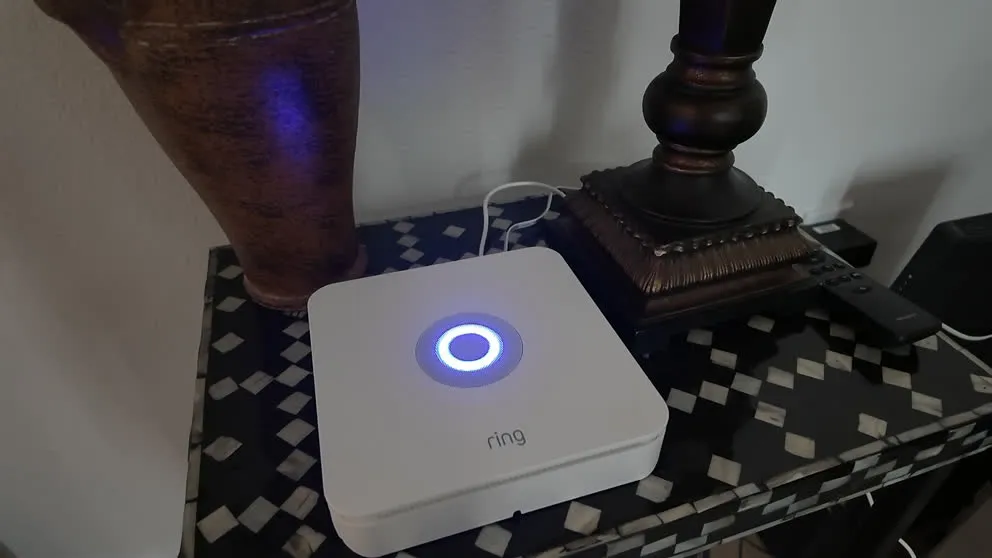
The base station is the brain of the system. It connects to your router (either via ethernet or Wi-Fi), and all your sensors communicate with it wirelessly.
The base station also has a 24-hour backup battery and cellular backup, so the system stays connected during power outages or internet drops. That’s reassuring. You plug it in, set it up through the app, and then you basically forget about it.
The Ring Keypad
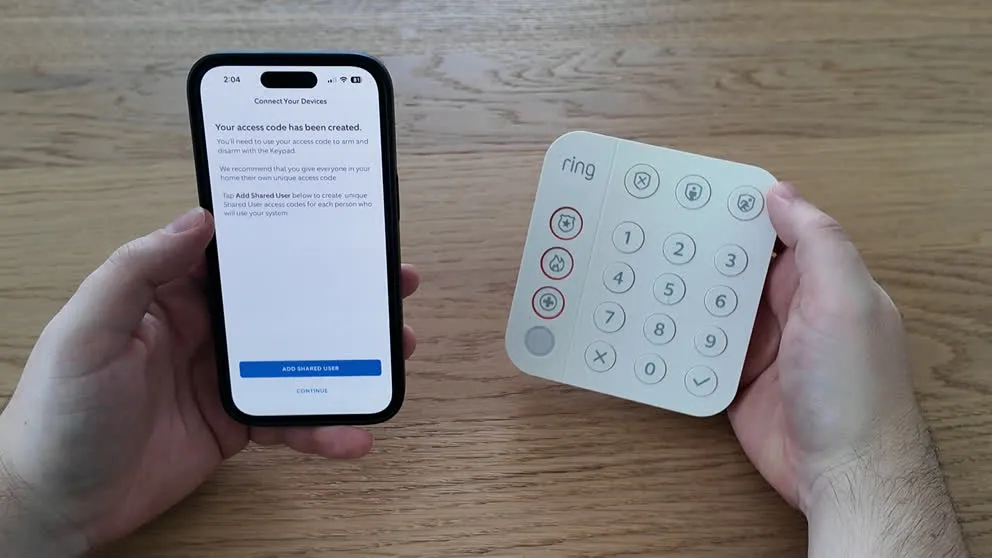
Setting up the access code for the keypad through the Ring app.
Here’s where I have my first real complaint. There’s no touchscreen. Ring gives you a push-button keypad, and that’s it. If you’ve used a Vivint or ADT panel with a full touchscreen where you can view cameras, change settings, and tap through menus, this feels like a step down.
The keypad does what it needs to do. You can arm and disarm the system, and it has dedicated buttons for police, fire, and medical emergencies (though those only work with a monitoring subscription). It runs on a rechargeable battery so you can mount it anywhere without worrying about wiring. But there’s no way to view camera feeds, adjust detection settings, or do anything beyond basic arm/disarm from the keypad.
The other thing that bugs me is there’s no two-way talk through the panel. With Vivint, ADT, and Cove, the monitoring agents can talk to you through the panel during a break-in. That’s a real safety feature because if someone is breaking in while you’re home, you probably aren’t in a position to answer your phone. Ring doesn’t have that. If the alarm goes off, the monitoring center calls your phone. That’s it.
For day-to-day use, I ended up just using the app on my phone for everything. The keypad is really just there for quick arm/disarm when I’m walking out the door.
DIY Installation
This is a DIY system, and Ring does a really good job making the installation easy. Everything took me about an hour and a half total, including the cameras.
You start by plugging in the base station and connecting it to your router. Then you download the Ring app and it walks you through syncing each piece of equipment. When I opened the app, all the equipment I purchased was already listed and waiting for me. All I had to do was pull the battery tab on each sensor and it would automatically sync up.
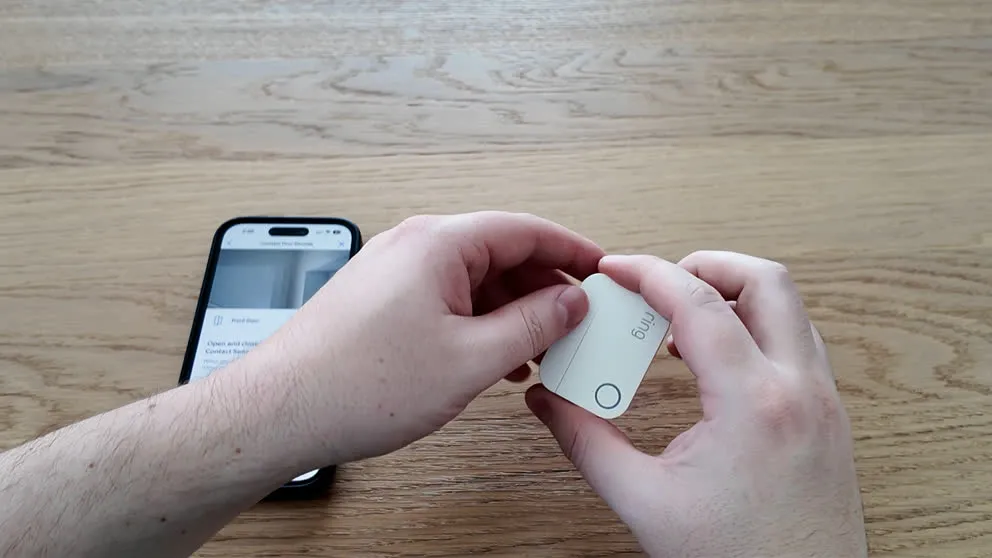
Installing the sensors is peel-and-stick. You pull off the adhesive backing and press them onto your doors, windows, or walls. It’s really hard to mess up. The motion sensor goes up on a wall where it can cover the most area. I stuck it in a corner of my hallway and it covers the entire space.
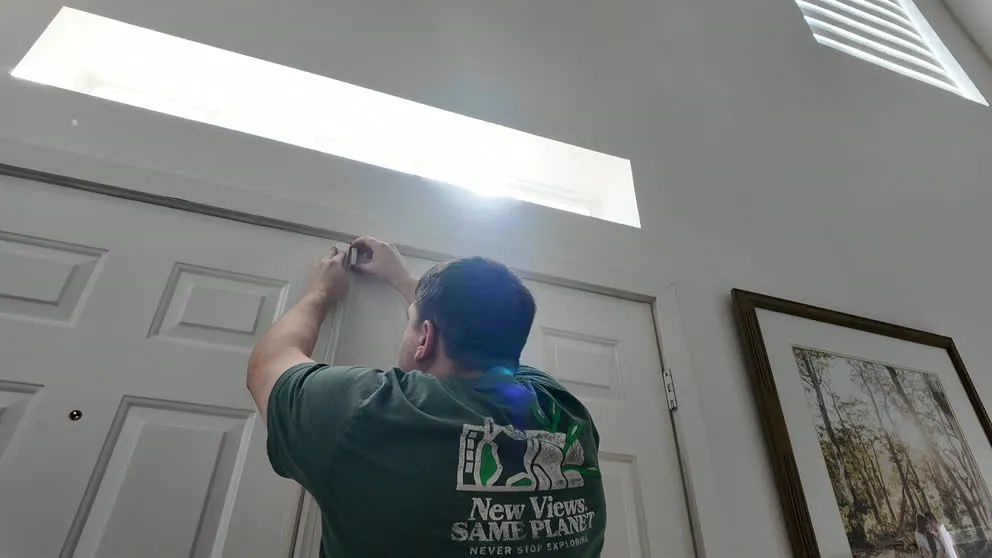
Installing the sensor is really simply. You just peel and stick.
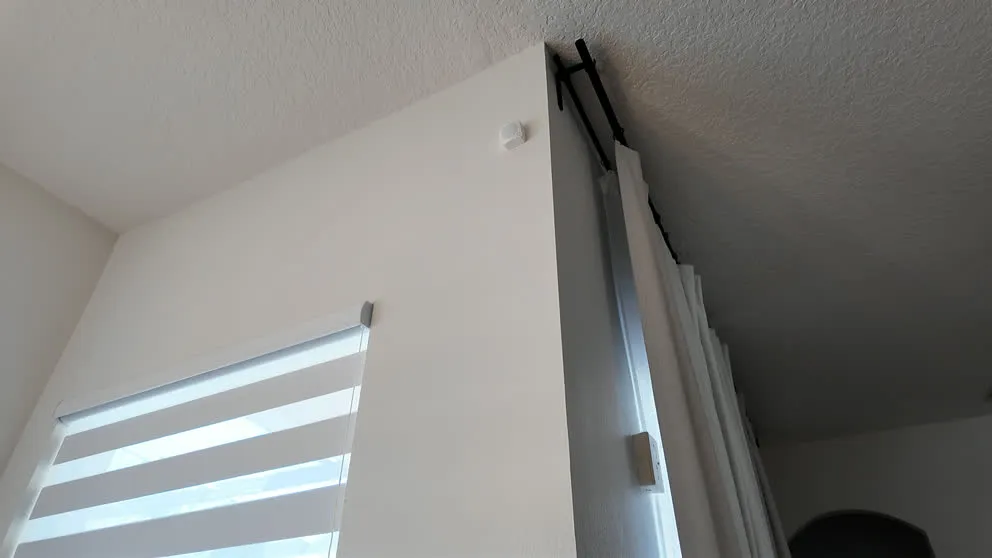
The motion sensor mounted in the corner of the dining room.
If you already have Ring cameras or a Ring doorbell, those integrate right into the same app. So adding the alarm system to an existing Ring setup is seamless. That’s one of Ring’s biggest selling points, and it really does deliver on that promise.
Sensors and Security Equipment
The sensor lineup is pretty basic compared to what you’d get with Vivint or ADT. My kit came with four contact sensors (for doors and windows), one motion sensor, and that’s about it for the security side. Ring does sell glass break sensors, outdoor contact sensors, flood sensors, and smoke/CO detectors as add-ons, but the out-of-the-box selection is thin.
The contact sensors work well. They’re magnetic, so when the two pieces separate (because someone opened the door or window), it triggers the system. The base station chimes when a door opens in disarmed mode, and the alarm goes off if you’re in armed mode.
The motion sensor has adjustable sensitivity through the app, which is nice if you have pets. I didn’t have any issues with false alarms from my dog, but I did set it to the lower sensitivity. One thing worth knowing: the motion sensor has a narrower field of view than I expected. It does leave some blind spots on the sides, so placement matters.
Ring Cameras
I was honestly impressed with both the doorbell camera and the outdoor camera. Ring really knows cameras. They were kind of the pioneer of the smart doorbell, and you can tell they’ve had years to refine these products.
| Feature | Doorbell Camera | Outdoor Camera |
|---|---|---|
| Resolution | 1536p HD | 1080p HD |
| Night Vision | Yes | Yes |
| Two-Way Talk | Yes | Yes |
| Weather Resistant | Yes | Yes |
| Motion Detection | Yes | Yes |
| AI Notifications | Yes | Yes |
| Package Detection | Yes | No |
| 24/7 Recording | Add-on ($3/mo) | Add-on ($3/mo) |
| Video Storage | Up to 180 days | Up to 180 days |
| Records Without Wi-Fi | No | No |
| Power | Battery or hardwired | Battery or wired |
Doorbell Camera
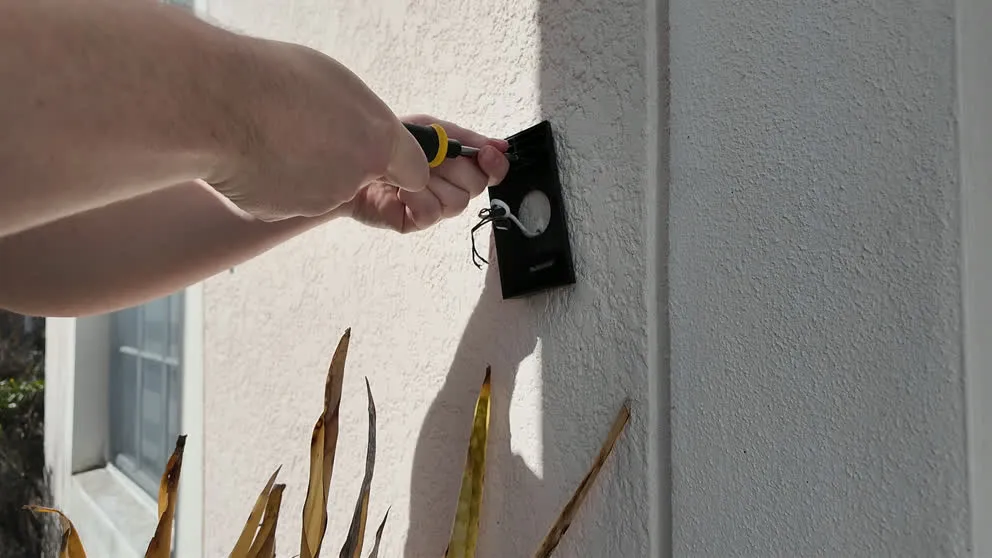
Installing the Ring doorbell camera. You can hardwire it or use the battery, but hardwiring means you never have to charge it.
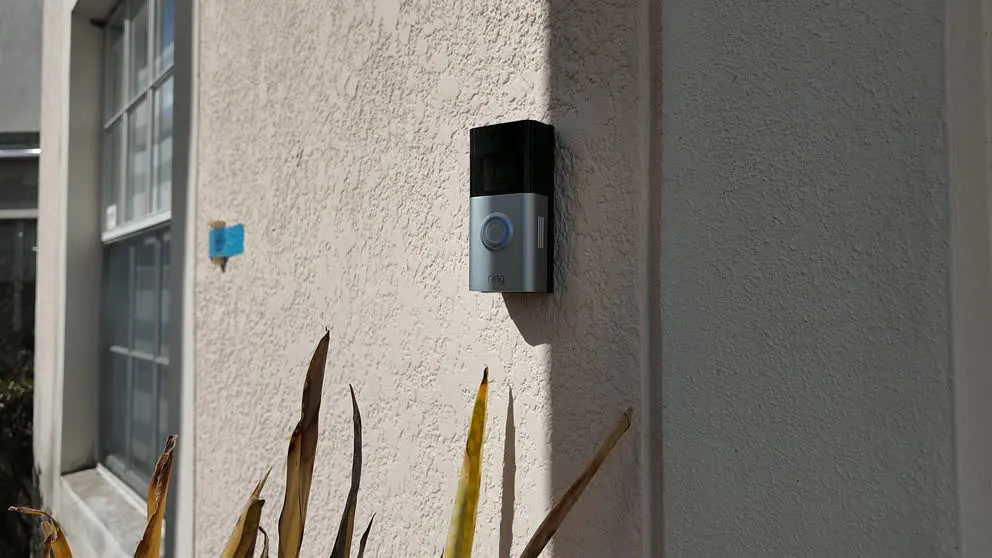
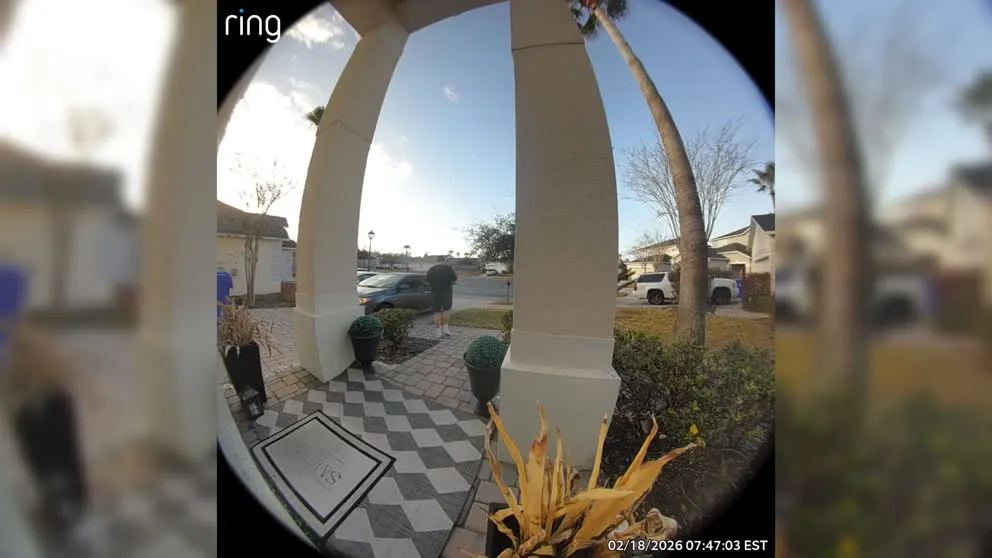
The doorbell camera has great image quality, night vision, and two-way talk. Anytime someone comes to the door, it records a clip and sends you a notification. You can pull up the live feed and talk to whoever’s there right from your phone.
Outdoor Camera
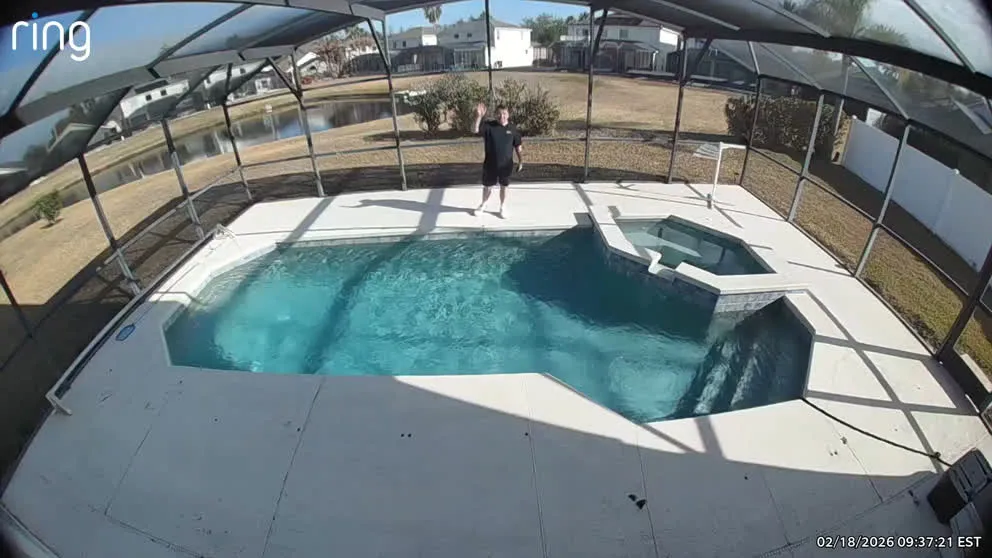
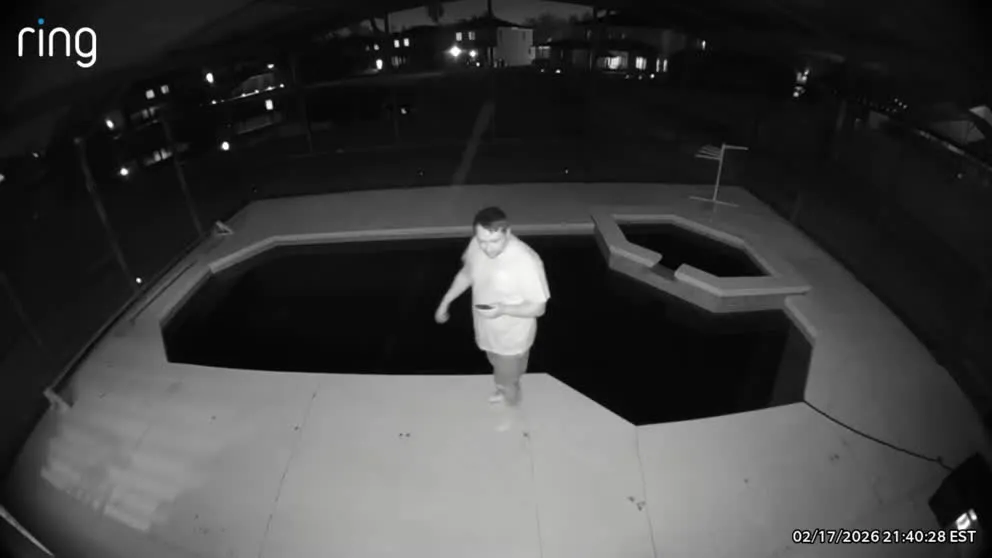
The outdoor camera also has solid image quality and night vision. I was particularly impressed with how clear the night vision footage is. Both cameras will record motion-triggered clips and store them for up to 180 days, which is way more than most competitors offer.
AI Notifications
One thing I thought was a nice touch: the AI-powered notifications. Instead of just getting a generic “motion detected” alert, Ring uses AI to describe what’s happening. So instead of “Ring doorbell detected motion,” it’ll say something like “Amazon delivery driver at front door” or “Person approaching porch.” It’s a small thing, but it makes a difference when you’re getting multiple alerts a day and want to quickly decide if something needs your attention.
Ring cameras Camera Pros vs Cons
Pros
- HD video quality on both cameras
- Night Vision
- Two-way talk on doorbell and outdoor camera
- AI notifications describe what's happening, not just 'motion detected'
- 24/7 continuous recording available for $3/month per camera
Cons
- Cameras don't record without Wi-Fi
- No local recording on the cameras themselves, only on the base station
The Ring Mobile App
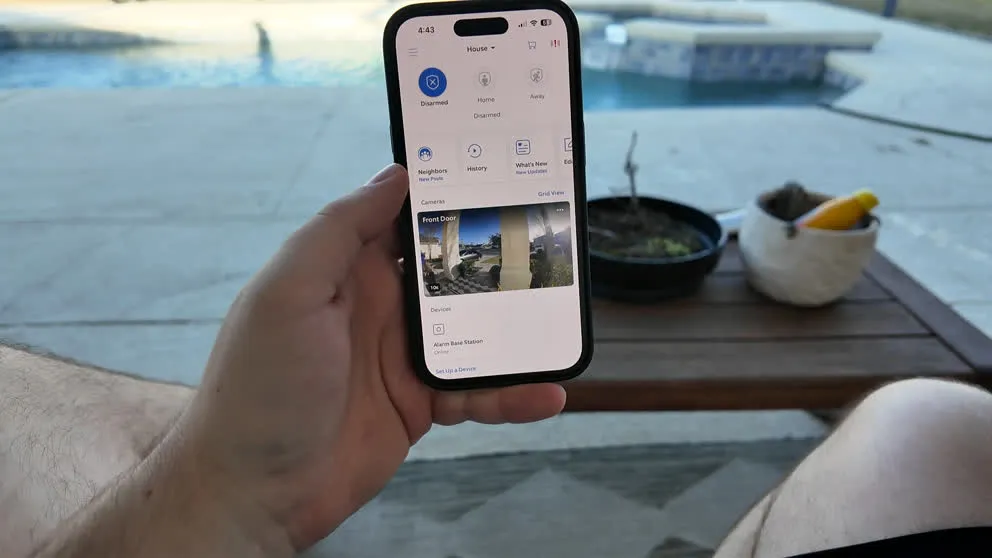
Control all your devices, cameras, and alarm controls are in a single app.
I had a really good experience with the Ring app. The user experience is smooth and responsive. Arming and disarming the system is quick, the camera feeds load fast, and navigating between devices is intuitive. Since there’s no touchscreen panel, this is where you’ll do everything. Fortunately, the app is up to the task.
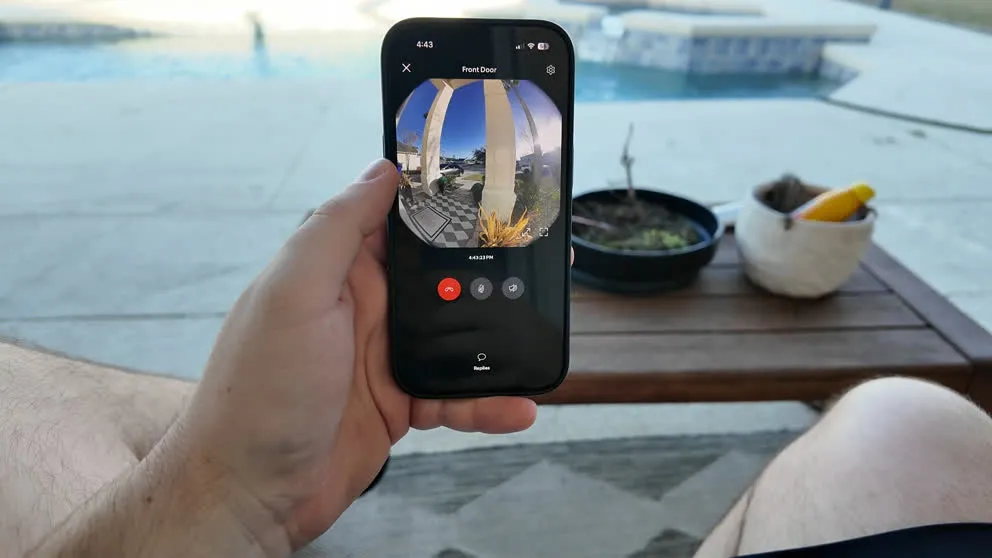
Pulling up the live view from the doorbell camera. The feed loads quickly and the quality is solid.
One of Ring’s advantages is that everything lives in a single app. If you have Ring cameras, Ring doorbell, and Ring Alarm, it’s all managed from one place. Compare that to ADT where you need two separate apps to manage your system, and Ring’s approach is way cleaner.
The app also has a “Neighbors” feature built in, which shows crime reports and alerts from other Ring users in your area. It’s like a neighborhood watch feed. I found it interesting to scroll through, though it can be a little anxiety-inducing depending on where you live.
Overall, the Ring app is one of the strongest parts of this system. No complaints.
Home Automation
This is where Ring falls short. There’s some home automation available, but it’s limited. You can sync the system with Z-Wave compatible door locks and thermostats, but the built-in automation features are basically nonexistent. There are no schedules or routines you can set up within the Ring app itself.
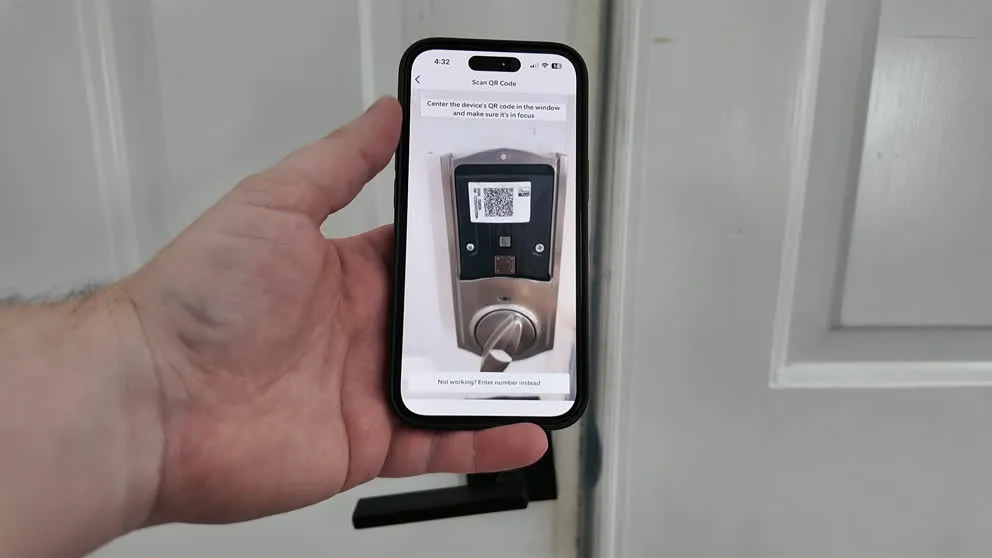
Ring kept giving me errors when trying to sync my z-wave doorlock to the app.
I tried to connect my Kwikset door lock and couldn’t get it to pair. The QR code wouldn’t scan, and manual pairing didn’t work either. I also have a Nest thermostat, and Ring isn’t compatible with Nest at all.
If you want to set up routines (like “lock the door and arm the system at 10 PM every night”), you’d need a third-party app like IFTTT or Apple Shortcuts. It’s doable, but it’s extra work compared to Vivint where all of that is built in.
Ring works with Alexa, which makes sense since they’re both Amazon products. You can use voice commands to arm and disarm the system, which is convenient. But beyond that, the home automation side is pretty bare.
If home automation is important to you, Ring is not the right choice. Look at Vivint or ADT for that.
Ring Monitoring Plans and Pricing
Equipment Cost
The equipment pricing for Ring is on the higher side compared to other DIY systems. My Whole Home Enhanced Package was $376 on sale (normally $500). A comparable Cove system with similar equipment would run about $100 less.
That said, you can start smaller. The basic 5-piece kit is $199.99, and you can add sensors and cameras over time. Ring frequently runs sales, so if you’re patient, you can get a decent discount.
Monthly Monitoring
Ring offers one of the lowest monthly monitoring rates in the industry. The security plan is $20/month and covers 24/7 professional monitoring, video storage for up to 180 days, cellular backup, and the AI-powered notifications. That’s hard to beat. Cove’s comparable plan is $29.99/month. ADT starts at $28/month. Vivint is around $45/month.
There’s also a Virtual Guard plan at $99/month where actual agents monitor your camera feeds in real time and dispatch police if they spot suspicious activity. It’s pricey, but if you want that level of coverage, the option is there.
No Contract
There’s no contract with Ring. It’s month-to-month. Cancel whenever you want with no penalty. That’s becoming standard in the DIY space, but it’s still worth calling out.
Is Ring a Good Home Security System?
Ring is a solid system for the right person. The cameras are excellent. The app is great. The monthly price is about as low as it gets for professional monitoring. And the installation is truly easy.
But there are real gaps. No touchscreen panel. No two-way talk through the panel. Cameras don’t record without Wi-Fi. Limited home automation. These aren’t deal-breakers for everyone, but they’re worth knowing about before you commit.
Here’s how I’d sum it up: Ring is a camera company that also makes a security system. The camera side of things is polished and well thought out. The security alarm side is more basic. If you already have Ring cameras and want to add alarm monitoring to your setup, this is a no-brainer. The integration is seamless and the monthly price is right.
But if you’re starting from scratch and want a full-featured security system with smart home automation, a touchscreen panel, and cameras that work even without Wi-Fi, you’re better off looking at Vivint or ADT.
Who Is Ring Best For?
- Existing Ring camera users. If you already have Ring doorbells or cameras, adding the alarm is easy and everything stays in one app.
- Budget-conscious monthly payers. At $20/month for full monitoring, Ring has one of the lowest recurring costs in the industry.
- DIYers. Installation takes about an hour and requires zero tools.
If you want a premium touchscreen experience, full home automation, or cameras that record without Wi-Fi, look at Vivint. If you want budget equipment with no contract and decent automation, look at Cove.
Ring Alarm Frequently Asked Questions
How much does Ring Alarm cost per month?
Ring's AI Pro plan is $20 per month and includes 24/7 professional monitoring, video storage up to 180 days, cellular backup, and AI-powered notifications. There's also a free self-monitoring option where you manage everything through the app without professional backup.
Does Ring require a contract?
No. Ring is month-to-month with no contract. You can cancel anytime without penalty.
Is Ring a good security system?
For the price, yes. Ring has excellent cameras, a great mobile app, and the lowest monthly monitoring rate in the industry at $20/month. The main weaknesses are the lack of a touchscreen panel, no two-way talk through the panel, cameras that don't record without Wi-Fi, and limited home automation.
Does Ring work with Alexa?
Yes. Ring is owned by Amazon, so it integrates directly with Alexa. You can arm and disarm the system using voice commands through any Echo device.
Do Ring cameras record without Wi-Fi?
No. Ring cameras are completely dependent on Wi-Fi for both live streaming and recording. If your internet goes out, the cameras stop recording. The alarm system itself still works through cellular backup, but you won't have any camera footage.
Is Ring worth it if I already have Ring cameras?
If you already have Ring cameras or a Ring doorbell, adding the alarm system is one of the easiest upgrades you can make. Everything integrates into the same app, and the monthly cost for monitoring is only $20. It's a natural extension of what you already have.
How does Ring compare to Vivint?
Ring is cheaper and easier to install, but Vivint has a touchscreen panel, two-way talk through the panel, cameras that record without Wi-Fi, and full home automation with smart locks, thermostats, and garage door control. Ring is the budget option. Vivint is the premium option.
Does Ring Alarm call the police?
Only if you have the AI Pro monitoring plan ($20/month). With professional monitoring, the monitoring center will contact police, fire, or medical services when an alarm is triggered. If you self-monitor (free), you have to call 911 yourself.
About the author
