
Vivint vs ADT 2026 - Equipment & Pricing Compared
I tested both systems in my home. Here's an honest breakdown of the equipment, cameras, monitoring, pricing, and which one I'd actually recommend.

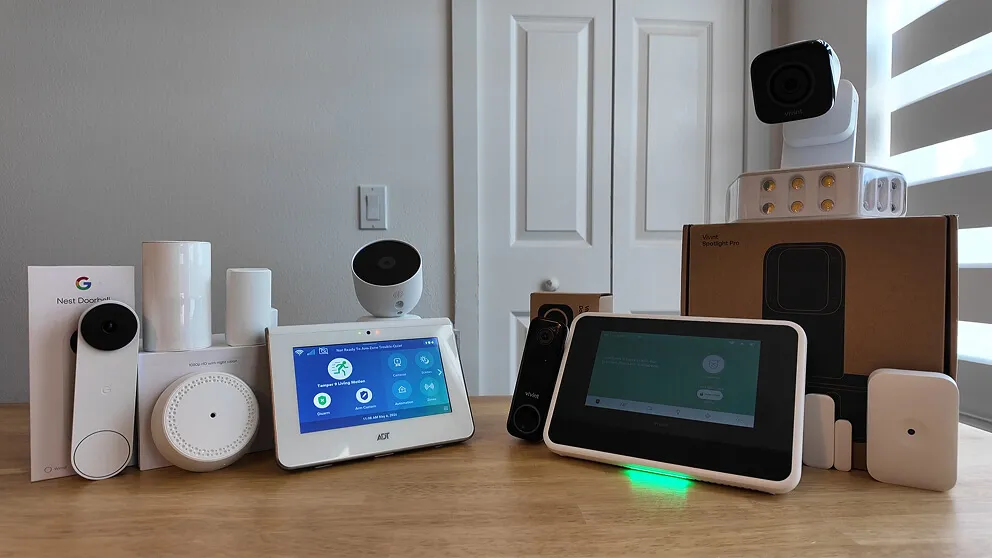
I've done full reviews on both the Vivint and ADT home security systems. Today I'm putting them side by side to help you figure out which one is the better fit.
Both are professionally installed home security systems with 24/7 monitoring, cameras, and smart home automation, and they go about it in different ways. ADT partners with Google Nest for cameras and offers shorter contracts with cheaper equipment. Vivint makes its own equipment, which is more advanced (especially the cameras and automation), and you'll pay more for it.
After living with both systems, I think most people will be happier with ADT. You get great security and solid smart home features for less money. If you want the best camera technology and the most refined smart home experience, though, Vivint is worth the extra cost.
Vivint vs ADT At A Glance
| Feature | ADT | Vivint |
|---|---|---|
| Monthly monitoring | $42.99 - $48.99/mo | $29.99 - $49.99/mo |
| Upfront equipment cost | $250 - $800 | $199 - $1,000+ |
| Installation | Professional | Professional |
| Contract length | 12 months (upfront) / 36 months (financed) | Month-to-month (upfront) / up to 60 months (financed) |
| Cameras | Google Nest | Proprietary Vivint |
| Cameras work after canceling? | Yes (via Google Home app) | No (app access lost) |
| Smart home automation | Yes (Z-Wave) | Yes (Z-Wave) |
| Touchscreen panel | Yes (keypad-style hub) | Yes (7-inch tablet) |
| Monitoring centers | 6 in the U.S. | 2 in the U.S. |
| Cellular backup | Yes | Yes |
| Two-way voice on panel | Yes | Yes |
What Both Home Security Systems Came With
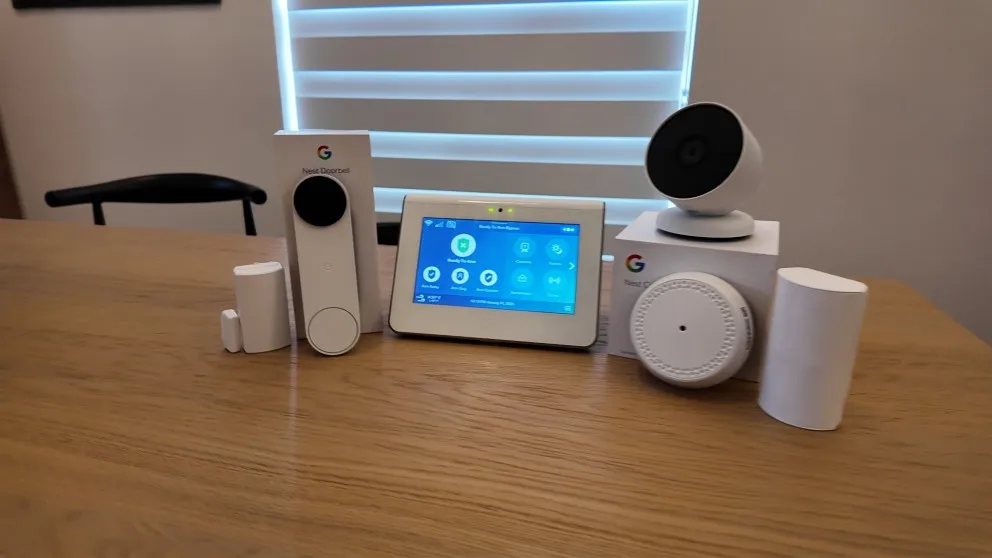
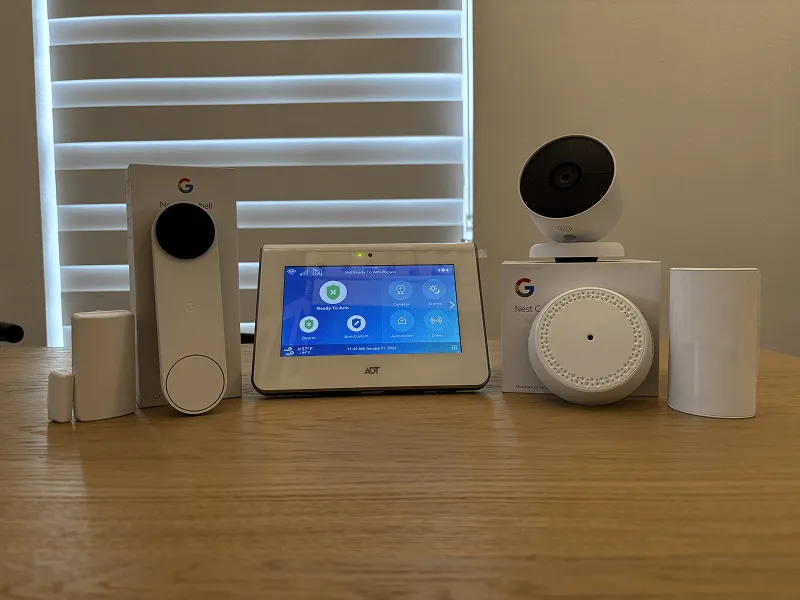
My ADT system came with a touchscreen panel (the newer keypad-style hub), sensors for doors and windows, a motion sensor, a glass break sensor, a Google Nest doorbell camera, and a Nest outdoor camera. I also got a key fob remote so I can arm and disarm without pulling out my phone.
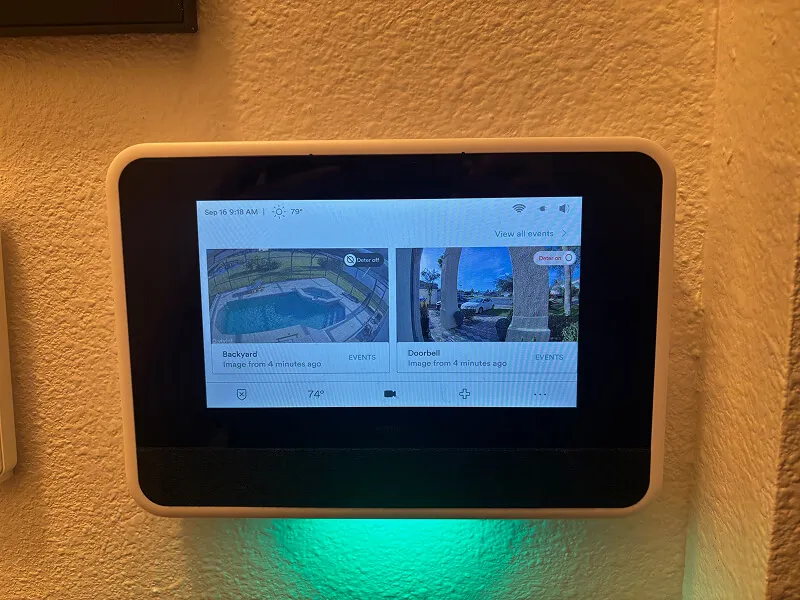
My Vivint system came with the 7-inch touchscreen panel, door and window sensors, a glass break sensor, a motion sensor, a doorbell camera, the outdoor camera with the floodlight attachment, an automatic door lock, and a Nest thermostat. I went all out with Vivint to really put it through its paces.
Both systems are professionally installed and monitored 24/7 for police, fire, and medical emergencies. They run on cellular connections, so the system stays connected to the monitoring center even if your power or internet goes down. The panels also have two-way voice, which lets a monitoring agent talk to you directly through the keypad during an emergency. If there's a break-in and you can't reach your phone, someone at the monitoring center can still hear what's going on and dispatch help.
Both ADT and Vivint can also take over existing hardwired sensors from other security companies. If you moved into a house that already has wired sensors from a previous system, the installer can often integrate those. That can save you a real chunk of money on equipment since you're not buying every sensor from scratch.
Both companies are running promotions right now. ADT is offering a free Nest doorbell camera with free installation, and Vivint has free installation plus a $100 Visa gift card. I'll link to both throughout this guide so you can grab those deals.
ADT vs Vivint Security Equipment Comparison
On paper, the equipment lineups are similar. Both come with door/window sensors, motion sensors, glass break sensors, smart locks, indoor and outdoor cameras, and video doorbells. Both systems also support smoke detectors, carbon monoxide detectors, flood sensors, and panic buttons as add-ons.
| Component | ADT | Vivint |
|---|---|---|
| Touchscreen panel | Yes (keypad built into hub) | Yes (7-inch tablet-style) |
| Door/window sensors | Yes | Yes |
| Motion sensor | Yes | Yes |
| Glass break sensor | Yes | Yes |
| Key fob remote | Yes | No |
| Smart lock | Yes | Yes |
| Indoor camera | Yes (Nest Cam) | Yes (Vivint Indoor) |
| Video doorbell | Yes (Nest Doorbell) | Yes (Vivint Doorbell) |
| Outdoor camera | Yes (Nest Cam Outdoor) | Yes (Vivint Outdoor Pro) |
| Smoke/CO monitor | Optional add-on | Optional add-on |
The big difference is where the equipment comes from. ADT partners with Google, so all cameras are Nest cameras. Vivint designs and manufactures their own proprietary equipment.
One thing I prefer about ADT's setup is the key fob remote. It sounds minor, but arming and disarming with a button on your keychain is really convenient. Vivint doesn't offer one, so you're either using the touchscreen panel or the app.
On the flip side, Vivint's touchscreen panel is more capable. It's a full 7-inch tablet that lets you view camera feeds, control smart home devices, and manage automations directly from the panel. ADT's newer hub has a built-in numeric keypad but no touchscreen display for viewing cameras. For camera feeds with ADT, you're using the ADT+ app on your phone.
ADT vs Vivint Camera Comparison
Both offer HD video, night vision, two-way talk, motion alerts, and clip-based recording out of the box, and you can pull up live feeds and get notifications from either app. Past that, the cameras are where these two systems differ most.
ADT Cameras (Google Nest)
ADT uses Google Nest cameras across the board. The Nest Doorbell, Nest Cam Indoor, and Nest Cam Outdoor are all solid cameras with clean video quality and reliable motion detection.
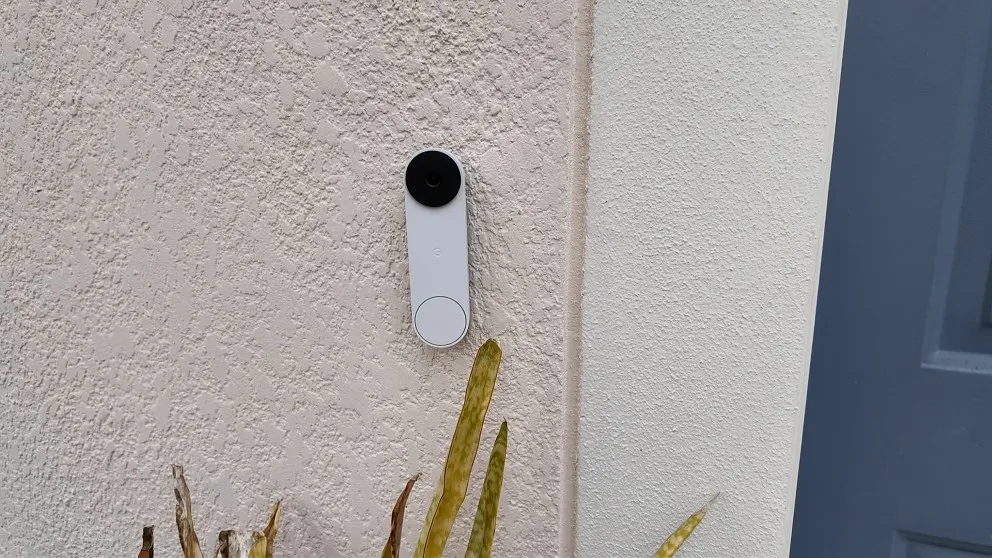
What I really like about the ADT cameras is that they're non-proprietary. Since they're Google Nest products, if you ever cancel ADT monitoring, you just download the Google Home app and keep using your cameras for free. That's a big deal if you're not sure whether you'll stick with ADT long term, or if you think you might move and want to take your cameras with you without paying for monitoring.
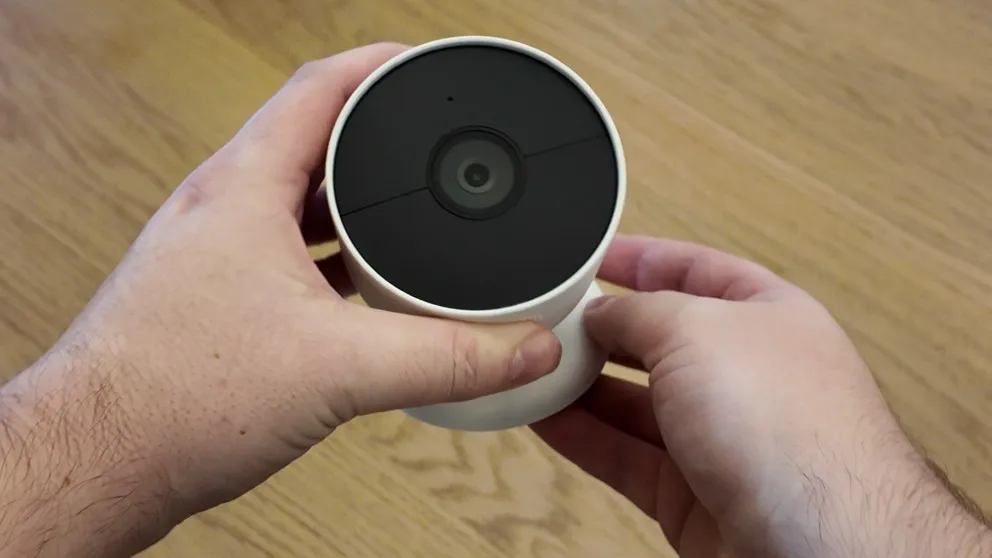
The Nest cameras also run on battery in addition to being plugged in. If you have a shed out back or a spot without a nearby outlet, you can charge up the camera and mount it there without running wires. Vivint's cameras can't do that because they need to be plugged in at all times.
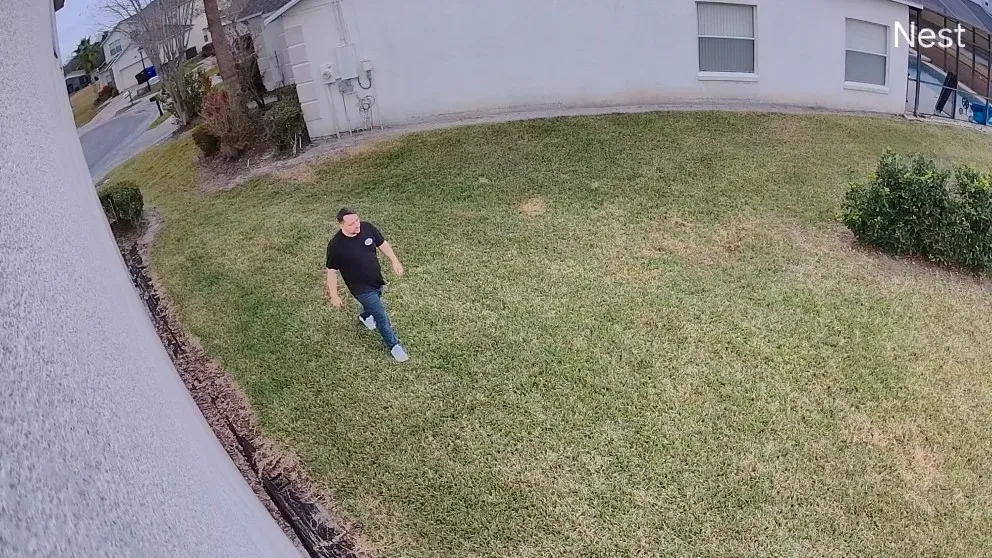
If you want 24/7 continuous recording with ADT, that's an extra $10 per month through the Google Home subscription. Otherwise, the cameras record motion-triggered clips.
The one downside I noticed: ADT uses two separate apps. The ADT+ app handles system arming, disarming, and smart home controls. But if you want to download recorded video or access Nest-specific features, you need the Google Home app. It's not a dealbreaker, but it's a little annoying. I'd expect a company as large as ADT to have everything under one app.
Another limitation: if your Wi-Fi goes down, the Nest cameras will only record up to one hour before they stop. That's something to keep in mind if you live in an area with unreliable internet.
Vivint Cameras
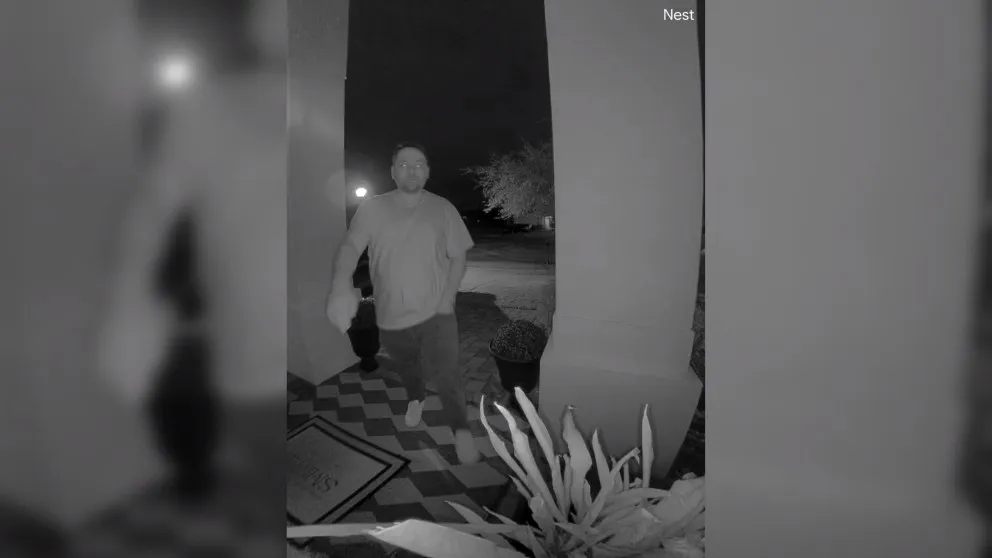
Vivint's cameras are on another level when it comes to features. The video is noticeably sharper, and the cameras use AI to tell people, animals, packages, and vehicles apart, so you get fewer false alerts. When someone walks up to your front door, the camera tells you it's a person. When a neighborhood cat wanders through, it doesn't blow up your phone.
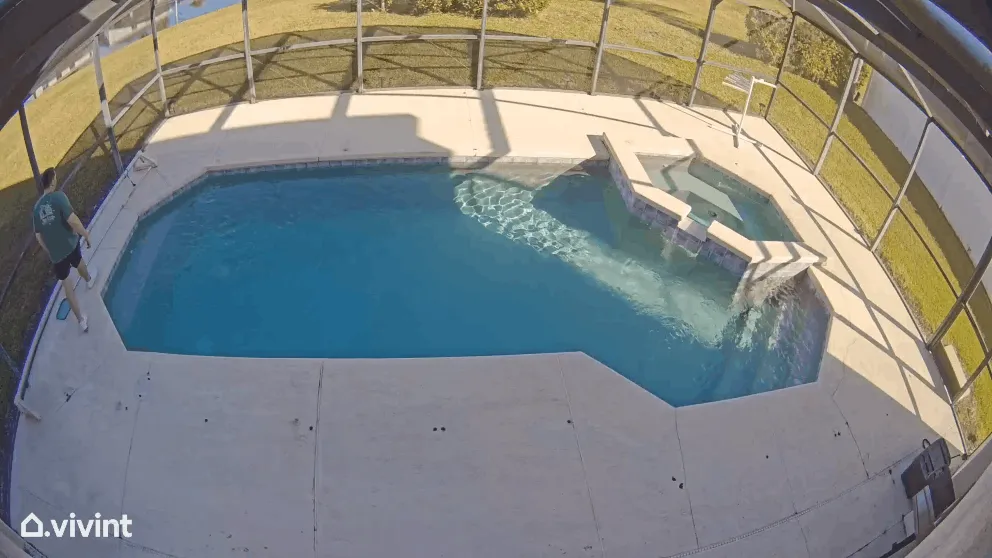
Vivint's cameras also support Power over Ethernet (PoE), which means you can plug them directly into your router for a more stable connection and better video quality. If you've dealt with wireless cameras that keep buffering or disconnecting, PoE fixes that.
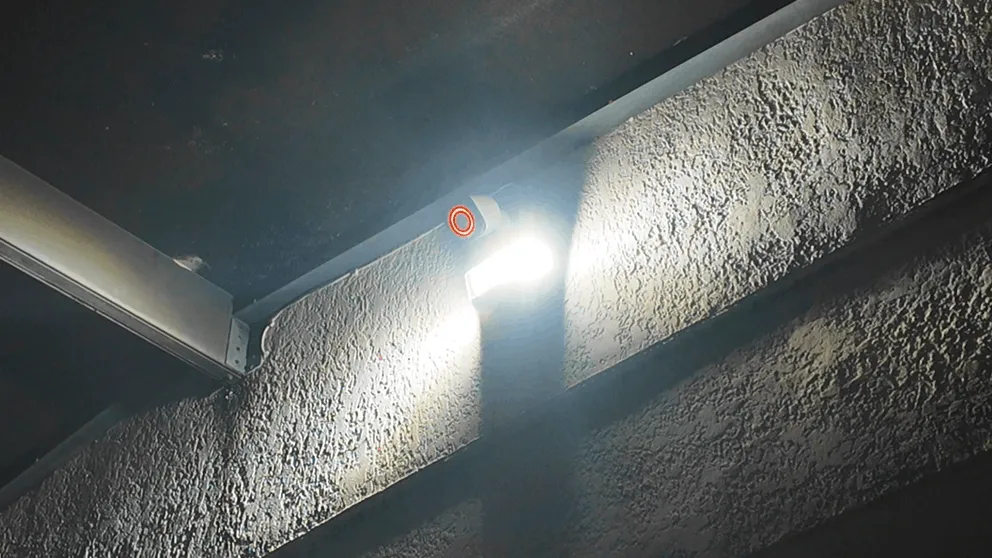
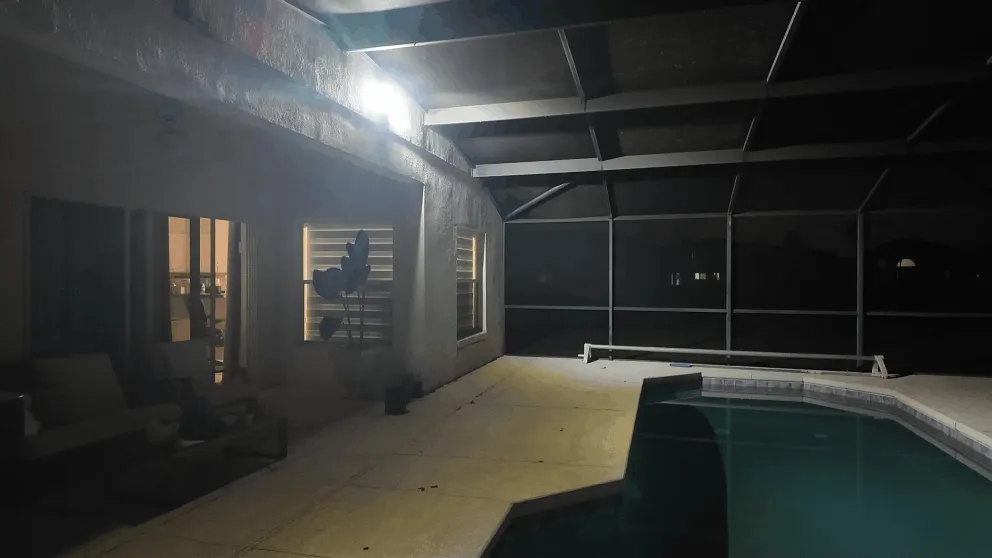
Then there's deter mode, which is probably my favorite camera feature on any system I've tested. When the camera detects motion, it plays a loud whistle, lights up the LED ring around the lens, and, if you have the floodlight attachment, floods your whole yard with light. The point is to let whoever's out there know they're on camera so they leave before anything happens, and in my experience it works. I haven't seen another company do this as well.
If your Wi-Fi goes down, Vivint's cameras keep recording and send the footage to your keypad. You won't have remote access through the app, but the cameras keep doing their job. That's a real advantage over the Nest cameras, which have that one-hour limitation without Wi-Fi.
Vivint offers 24/7 continuous recording as an add-on for $7 per month.
The major downside: Vivint's cameras are proprietary. If you cancel Vivint monitoring, you lose access to the Vivint app and can't view your cameras remotely anymore. You can still see feeds from the keypad in your house, and that's it. With ADT, your Nest cameras keep working through Google Home, which matters a lot if you're not sure you'll keep paying for monitoring.
Camera Verdict
If you want cameras that work independently of your security service and offer battery flexibility, ADT's Nest cameras are the smarter long-term investment. If you want the best video quality, AI detection, deter mode, and don't mind being locked into the Vivint ecosystem, Vivint's cameras are technically superior.
Vivint vs ADT Professional Installation
Both systems require professional installation, and both experiences were good. Costs typically start around $99 to $199, though both companies frequently waive the fee through promotions.
Installing ADT
ADT's installation was quick and efficient. I called to set up an appointment, the technician showed up on time, walked through my house room by room, and identified the best spots for each sensor and camera. They installed everything, ran the wiring for the outdoor cameras, tested the full system, and then walked me through the ADT+ app.
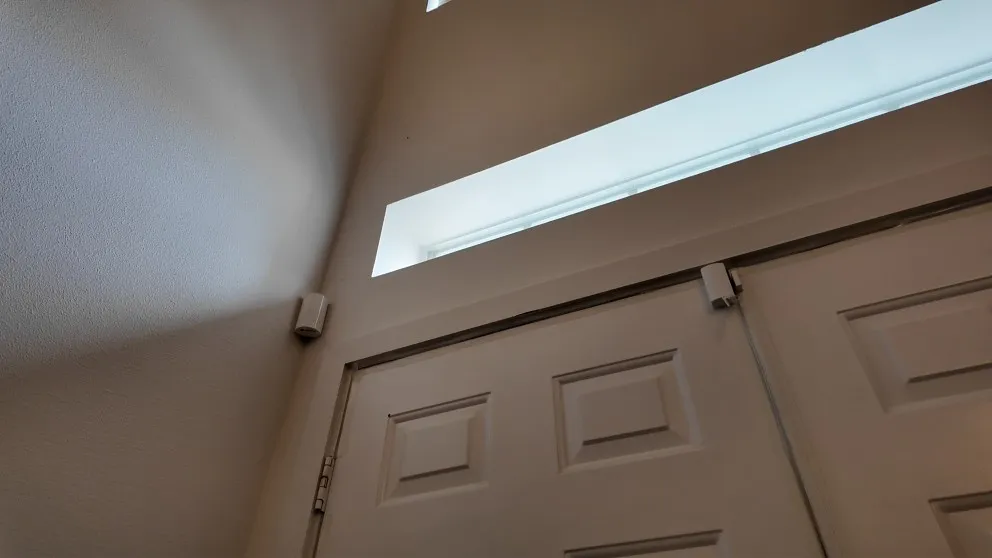
The whole process took about two hours. The technician was thorough and explained how to arm and disarm, set up automations, and access camera feeds. If you've never had a home security system before, having someone walk you through everything in person makes a real difference.
ADT's professional installation starts at $99, but they were running a free installation deal when I signed up. If you're interested, check ADT's current offers here.
ADT also offers a separate line of DIY equipment under the ADT Blu brand. It's self-installed, typically cheaper, and doesn't require a long-term contract. If you want ADT's monitoring without professional installation, that's worth looking into. I cover it in my full ADT review.
Installing Vivint
Vivint's process was similar but took a bit longer since I had more equipment. The technician started with a threat assessment, walking through the house and identifying vulnerabilities. Then they installed the panel, mounted all the cameras, ran wiring, set up the smart lock and thermostat, and integrated everything into the Vivint app.
Some of Vivint's equipment connects to internal wiring, which means drilling through exterior walls for the cameras. That's not something I'd want to tackle as a weekend DIY project, so professional installation makes sense here. The technician also showed me a quick walkthrough video, demonstrated the automation features, and gave me time to ask questions.
My installation took about three to four hours total. Like ADT, Vivint's standard installation starts at $199 but is often offered for free during promotional periods.
Installation Verdict
Both installations were professional and well-handled. I'm giving ADT a slight edge because of the cheaper standard installation fee and the option to go DIY through ADT Blu if you'd rather skip the appointment entirely.
ADT vs Vivint Monitoring And Safety
Both systems offer 24/7 professional monitoring that dispatches police, fire, and medical, with cellular connections and battery backup that keep them online during power outages. Both panels have two-way voice so the monitoring center can talk to you during an emergency.
ADT has the advantage here. It runs six monitoring centers spread across the U.S., so if one center has an outage, another takes over. Vivint has two. I haven't seen reports of service interruptions at Vivint, but six centers give you more redundancy than two, and that's what you're paying for when you need someone to call for help in a real emergency.
ADT also offers SMART monitoring, which sends you a text alert instantly when an alarm triggers. You can cancel a false alarm or confirm the emergency right from your phone. During my testing, I got text messages from both systems almost immediately after triggering an alarm. If I didn't respond, someone from the monitoring center called within about 30 seconds, which is on par with the industry average.
Both companies include cellular backup with every monitoring plan. That's table stakes for a modern home security system, but it's worth confirming since some budget systems charge extra for cellular.
Contracts
For professionally installed systems, ADT requires a minimum 12-month agreement if you purchase equipment upfront. If you finance the equipment, you're looking at a 36-month commitment (tied to your financing term). In California, contracts start at 24 months.
Vivint is month-to-month if you pay for everything upfront, so you can cancel whenever you want. But if you finance the equipment at 0% APR (which most people do), you're committed for up to 60 months. If you want to cancel early, you pay off the remaining equipment balance and you're done. There's no separate cancellation fee.
Vivint's contracts are longer, but the flexibility to cancel by paying off equipment is nice. ADT's contracts are shorter, but you're locked in regardless of how you pay. Neither approach is perfect, but I'd say ADT is more reasonable for most people since you're not looking at a potential five-year obligation.
Moving With Your System
Because both systems are professionally installed, you can't just pull everything off the walls and reinstall it yourself at a new address. You'll need to coordinate with the company.
ADT's moving process felt more streamlined. They offer discounts if you purchase a new system for your new home, and they'll send a technician to get you set up. Vivint charges a $129 moving fee, and you still need professional installation at the new location.
If you think there's any chance you'll move within the next few years, keep that in mind. Neither ADT nor Vivint is ideal for people who move frequently. In that case, a DIY system like SimpliSafe or ADT Blu might be a better fit.
Monitoring Verdict
ADT takes this one. Six monitoring centers vs. two, shorter contract terms, and a smoother moving process. The actual monitoring performance was comparable during testing, but ADT's infrastructure gives me more confidence.
Vivint vs ADT Smart Home Automation
This is a close category. Both ADT and Vivint support Z-Wave smart home devices, which means door locks, thermostats, light switches, and garage door openers all integrate into a single app alongside your security system and cameras.
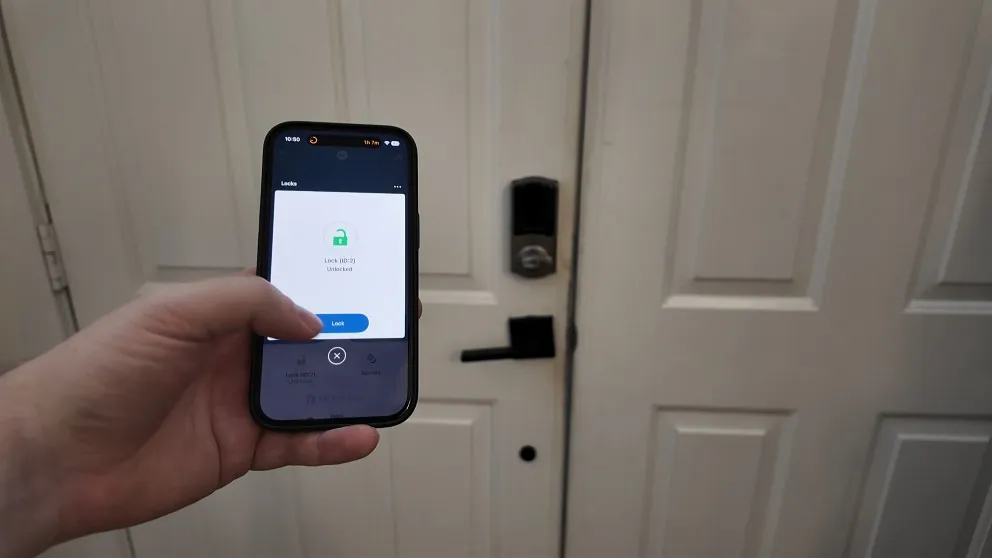
Both systems let you set up automations. For example: Monday through Friday at 9 PM, automatically arm the alarm, lock the front door, and turn off the lights. Or when the alarm is set to Away mode, lock all doors and lower the thermostat. Both ADT and Vivint can do this, and both work with Alexa and Google Assistant for voice commands.
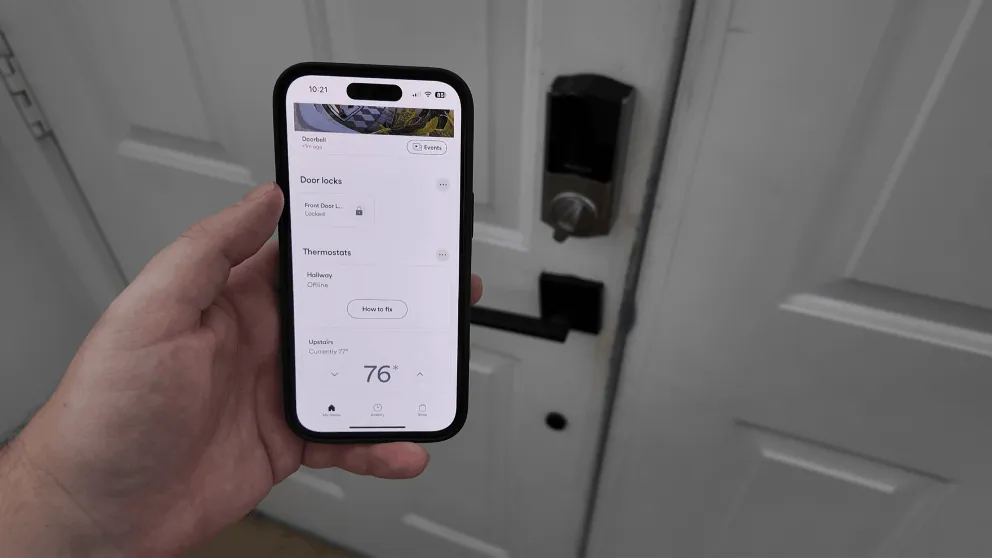
Where Vivint pulls ahead is the depth and polish of the automation features. The Vivint app makes it easier to set up custom rules. There are more triggers and actions per device, and the whole flow of creating an automation feels more thought-out. If you want a truly smart home where devices react to each other in complex ways, Vivint gives you more to work with.
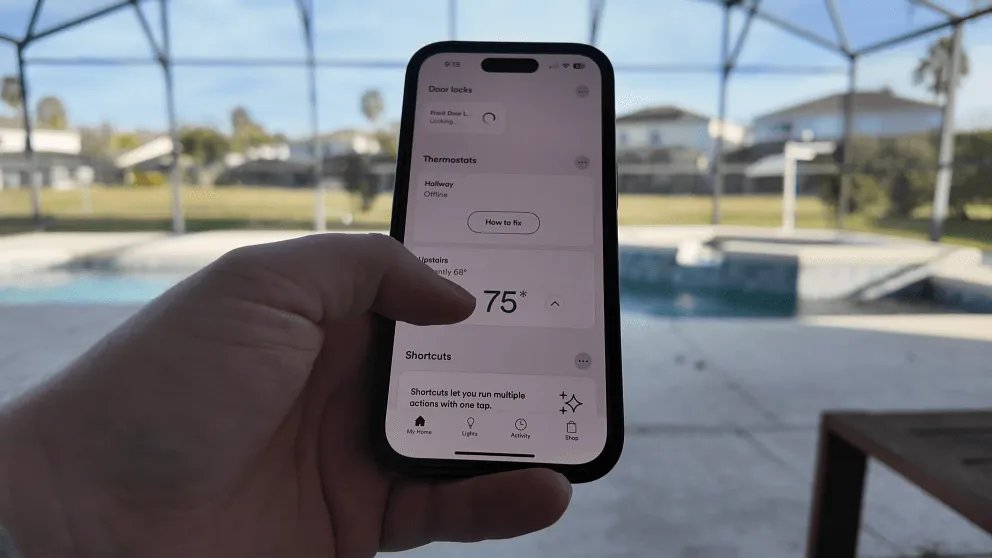
ADT's automations cover the basics well. You can create schedules, set up scenes, and control devices remotely. For most people, that's more than enough. But if you're someone who really wants to geek out on smart home automation and squeeze every drop of convenience out of your setup, Vivint is the better platform.
If you're already in the Google ecosystem (Nest speakers, Google Home, Chromecast), ADT's integration with Google Nest cameras and devices might feel more natural. Everything flows through Google Home, which you might already be using.
Smart Home Verdict
Vivint has the edge for power users who want the most advanced automation. ADT is the better fit if you want solid smart home features without needing to fine-tune every detail, especially if you already use Google devices.
The ADT+ App vs The Vivint Smart Home App
Both apps let you arm and disarm your security system, control smart home devices, view live camera feeds, get push notifications, and manage your settings remotely.
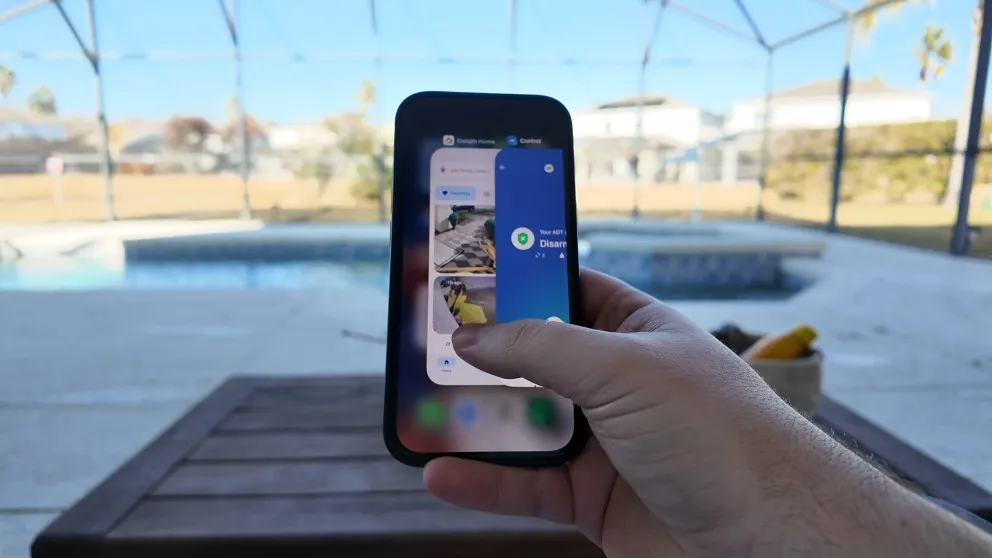
ADT's app (ADT+) has higher ratings: 4.7 on Google Play and 4.8 in the Apple Store. It's clean and reliable. I used it to arm my system, check camera feeds, and get alerts without any issues.
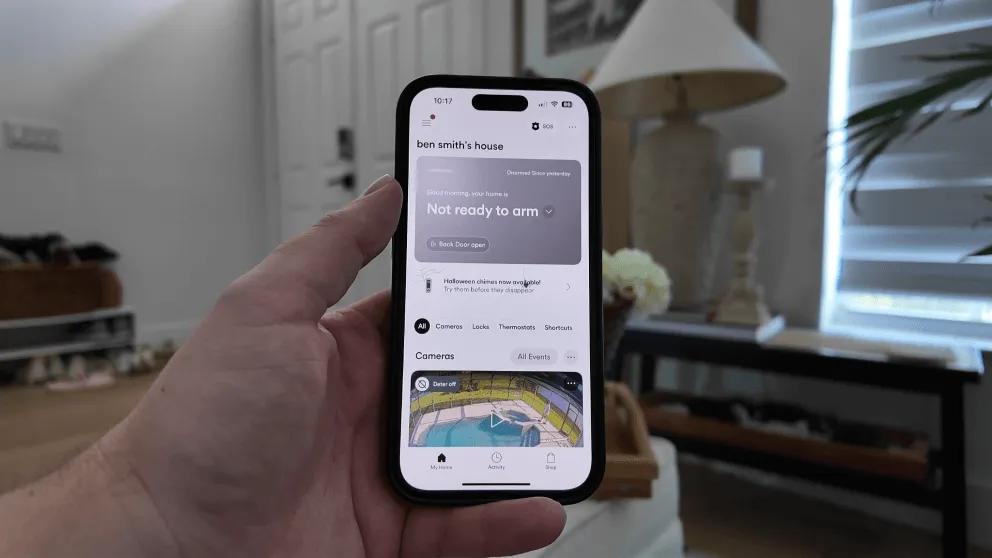
Vivint's app (3.8 on Google Play, 4.6 on the Apple Store) has lower ratings, but in my experience the app is really well designed. You can tell the Vivint team put a lot of thought into how things are laid out and how you interact with the different features. The flow of setting up automations, in particular, felt more intuitive on Vivint than on ADT.
The downside I mentioned earlier applies here: with ADT, you sometimes need to bounce between the ADT+ app and the Google Home app for certain camera features (like downloading recorded video). Vivint keeps everything under one app, which is more convenient day to day.
Both apps let you manage your system from anywhere with cell service. You don't need to be on your home Wi-Fi. Both support Alexa and Google voice commands.
App Verdict
ADT's app has better ratings and reliability. Vivint's app has better design and keeps everything in one place. Both are good. I found myself using the Vivint app more often because everything was centralized, but the ADT+ app never gave me problems either.
Vivint vs ADT Pricing And Costs
Upfront Equipment Costs
ADT's equipment costs less up front. My ADT system cost me around $600 for everything, and you can get a basic setup for as low as $250. If you want the full package with multiple cameras, smart locks, and extra sensors, expect to spend somewhere around $800.
Vivint's packages start around $199, but if you want the full smart home setup with all the cameras and devices, you're looking at over $1,000. I spent a little over $1,000 because I wanted everything Vivint offers. Most people will probably land in the $400-$600 range depending on how many cameras and devices they add.
Both companies offer financing. ADT lets you roll the equipment cost into your monthly bill over 36 months. Vivint offers 0% APR financing for 42 or 60 months. With either company, financing means you're locked into keeping the monitoring service until the balance is paid off.
Monthly Monitoring Costs
| Plan | ADT | Vivint |
|---|---|---|
| Core monitoring | $42.99/mo | $29.99/mo |
| Monitoring + smart home | $42.99/mo | $39/mo |
| Monitoring + cameras + smart home | $48.99/mo | $39/mo + $5/camera |
ADT advertises three tiers starting at $49.99 per month on their website, but in practice, your plan is customized based on your equipment. I ended up paying around $48.99 per month, which included monitoring, smart home features, and camera access. If your system includes Nest Cams, ADT bundles in a Google Home Premium subscription with your monitoring plan, which covers cloud storage and camera features.
Vivint starts at $29.99 per month for core monitoring (police, fire, medical plus the app). Smart home features bump that to $39 per month, and cameras are $5 per month each on top. With two cameras and smart home monitoring, I was paying $49 per month.
Vivint's base rate looks cheaper, but once you add cameras, the monthly cost climbs fast. If you plan on having five or six cameras, Vivint's per-camera pricing adds up. ADT charges a flat rate for camera monitoring regardless of how many cameras you have. So if you're someone who wants a lot of cameras, ADT is the more cost-effective option.
Pricing Verdict
ADT is more affordable on equipment and gives better value on monthly monitoring, especially if you have multiple cameras. Vivint's entry price is lower, but the total cost of ownership tends to be higher once you add devices. For most budgets, ADT is the better deal.
Which Home Security System Should You Get?
Pick ADT If You Want the Best Overall Value
Pros
- Top-of-line equipment
- Largest and longest running security company
- Cameras still work if you cancel service
- Excellent mobile app
- Touchscreen keypad
Cons
- Higher monthly cost
- Minimum 12 month agreement
- Equipment can be expensive upfront
ADT is the better choice for most people. The equipment costs less, the contracts are shorter, and you get six monitoring centers backing up your system. The Google Nest cameras are high quality, and the fact that they keep working even if you cancel ADT gives you long-term flexibility that Vivint can't match.
ADT's smart home features cover everything most homeowners need. You can automate your door locks, thermostat, lights, and garage door from the ADT+ app. And if you ever want a lot of cameras around the property, ADT's flat-rate camera monitoring saves you money compared to Vivint's per-camera pricing.
If you're a renter, ADT also offers the Blu line for DIY installation with no long-term contract. That's a nice fallback if professional installation doesn't work for your situation.
Check ADT's current offers here.
Pick Vivint If You Want the Best Technology
Pros
- Month-to-month contract option
- Professional Installation
- Advanced Equipment & Feature Set
- Excellent mobile app
- Touchscreen keypad
Cons
- Higher monthly cost
- Financing locks you into a service agreement
- Equipment can be expensive upfront
- Cameras are proprietary and stop working if you cancel
Vivint is the right choice if you want the most advanced equipment available. The cameras are sharper, deter mode tries to scare people off before anything happens, Power over Ethernet keeps the cameras from dropping their connection, and the automations go deeper than ADT's.
If you know you're staying put for the next several years and you want a properly integrated smart home, Vivint delivers. You can watch cameras and run your devices from the 7-inch panel, and the app keeps everything in one place. You pay more, and you get more for it.
The trade-off is cost and commitment. Equipment runs higher, monthly monitoring climbs with each camera you add, and financing locks you in for up to five years. But if top-of-the-line security with the best smart home automation is what you're after, pick Vivint.
Check Vivint's current offers here.
The Bottom Line
For most people, ADT is the move. You get great security, solid smart home features, and more flexibility at a lower total cost. The Nest cameras keep working even if you leave, which means your investment isn't trapped inside one ecosystem.
For people who want the absolute best equipment and don't mind paying for it, Vivint is worth the premium. Deter mode, PoE cameras, and a more polished automation experience make it the best option for anyone who treats their home security as a smart home centerpiece.
Both companies give you professional installation and 24/7 monitoring for police, fire, and medical, so you're making a solid choice either way. It comes down to how much you want to spend, how long you're willing to commit, and whether you care more about value or having the latest technology.
Is ADT or Vivint better?
ADT is the better choice for most people. It offers more affordable equipment, shorter contracts, six monitoring centers for redundancy, and Google Nest cameras that keep working even if you cancel. Vivint has more advanced cameras and better smart home automation, but you'll pay more for it and face longer contract terms if you finance.
How much does ADT cost per month?
ADT monitoring starts at $42.99 per month for core security and smart home access. If your system includes cameras, expect to pay around $48.99 per month, which includes a Google Home Premium subscription for cloud storage and camera features.
How much does Vivint cost per month?
Vivint monitoring starts at $29.99 per month for core security. Smart home features bring it to $39 per month, and each camera adds $5 per month. With two cameras and smart home monitoring, my monthly cost was $49.
Do ADT or Vivint work if the internet goes down?
Both systems use cellular backup, so they stay connected to the monitoring center even if your internet goes down. However, ADT's Nest cameras only record for up to one hour without Wi-Fi, while Vivint's cameras continue recording and send footage to the keypad even without an internet connection.
Can I install Vivint or ADT myself?
Both Vivint and ADT are professionally installed systems. ADT also offers a separate DIY product line called ADT Blu, which you can install yourself without professional help and without a long-term contract.
Do ADT and Vivint require contracts?
ADT requires a minimum 12-month agreement if you pay upfront, or 36 months if you finance equipment. Vivint is month-to-month if you pay upfront, but financing locks you in for up to 60 months. With both companies, you can cancel by paying off any remaining equipment balance.
What happens to my cameras if I cancel ADT or Vivint?
If you cancel ADT, your Google Nest cameras keep working through the Google Home app. If you cancel Vivint, you lose remote access to your cameras through the app, though you can still view feeds from the keypad.
Which system is better for renters?
ADT is better for renters because installation requires less drilling. Some of Vivint's equipment uses a hybrid wireless approach that involves drilling holes in exterior walls. Most apartments won't allow that. ADT also offers the ADT Blu DIY line, which uses adhesive-mounted sensors that come off cleanly when you move out.
Does ADT or Vivint have faster response times?
Both systems responded quickly during testing. I received text alerts almost immediately after triggering an alarm with both systems. A monitoring agent called within about 30 seconds if I didn't respond to the text, which is on par with the industry average.
Should I switch from ADT to Vivint?
Only if smart home automation and camera technology are your top priorities. Vivint's cameras and automation features are more advanced, but you'll pay more and potentially face a longer contract. If you're happy with ADT's monitoring and equipment, there's no strong reason to switch.
About the author
