
How to Replace Your ADT Alarm System Batteries
ADT panel beeping about a low battery? Here's how to replace the batteries in every ADT sensor.

If your ADT panel is beeping or showing a low battery warning, it's time to swap out some batteries. The good news is that every ADT sensor uses the same battery type, and replacing them takes about 30 seconds per device. You don't need to call anyone or schedule a tech visit for this.
I've done this on my own system and it's about as straightforward as home security maintenance gets. Here are the battery replacement instructions for each ADT sensor type, plus what to know about the panel backup battery.
What Battery Do ADT Sensors Use?
Every ADT sensor, whether it's a door/window sensor, motion sensor, or glass break sensor, uses a CR123A lithium battery. You can grab these at most hardware stores or order a multi-pack online for cheaper. They typically run about $3 to $5 per battery.
One battery per sensor. That's it. If you're planning to do all the sensors in the house at once, count how many devices you have and buy a pack accordingly. Doing them all at the same time saves you from dealing with alerts and helps prevent ADT false alarms.
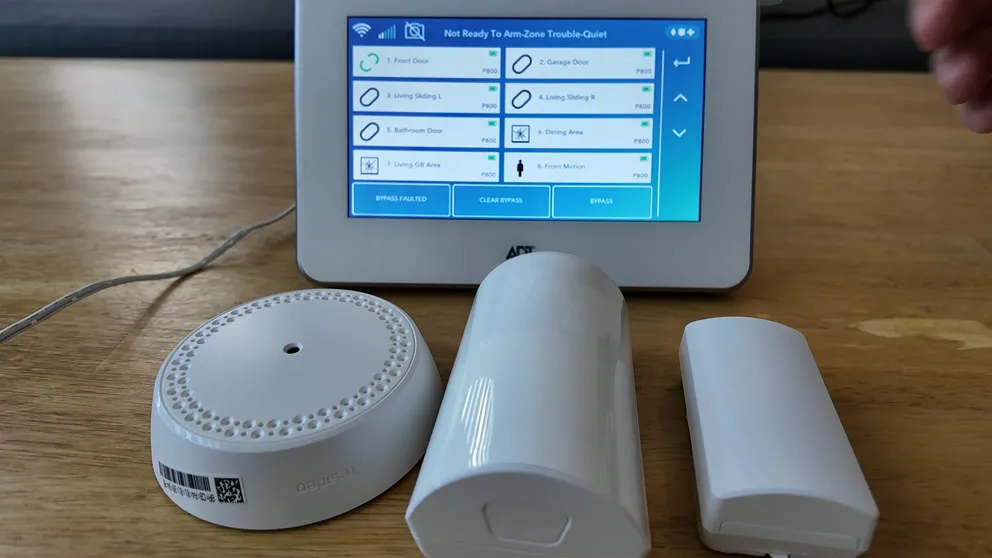
Every ADT sensor uses the same CR123A battery, making it easy to swap them all at once
Bypass the Sensors Before You Start
This is the step most people skip, and then they get a tamper alert blaring through the house. Before you open any sensor to swap the battery, you need to bypass those zones on your ADT panel. If you don't, the system thinks someone is tampering with the sensor and it triggers the alarm.
Here's the quick version:
- Disarm your alarm system
- Go to Zones on the panel
- Select each sensor you plan to work on
- Tap Bypass and enter your PIN
You'll see a Do Not Enter icon next to each bypassed sensor on the zones list. That's your green light to start opening them up.
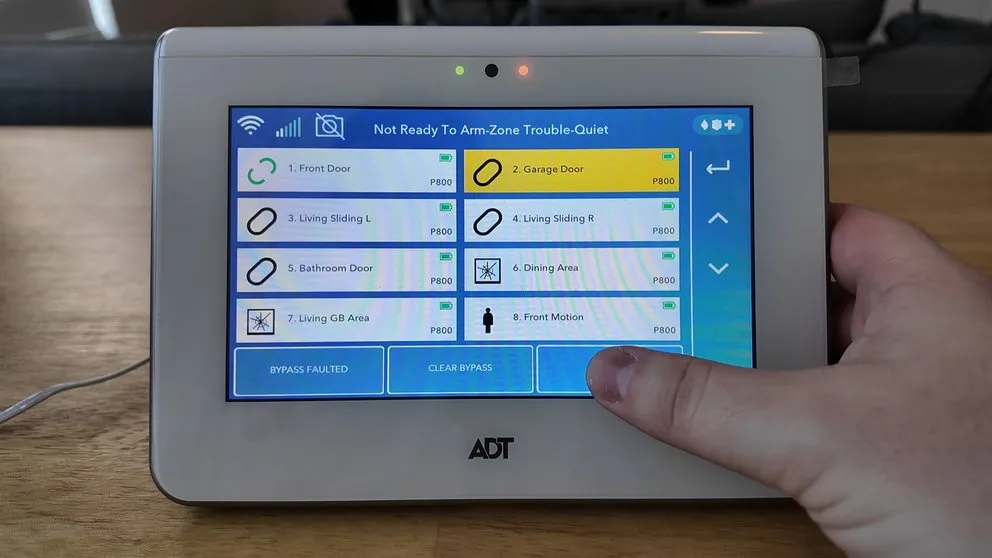
Select the sensor you want to bypass before opening it up
If you enter the wrong PIN when trying to bypass, the panel won't show an error. Nothing happens at all. The only way to tell it didn't work is that the Do Not Enter icon won't appear. If everything looks the same, try your PIN again.
Replacing the ADT Door Sensor Battery
The door sensor is the easiest one. Rotate the cover and push down to slide it off. The CR123A battery sits right inside. Pop the old one out and snap the new one in.
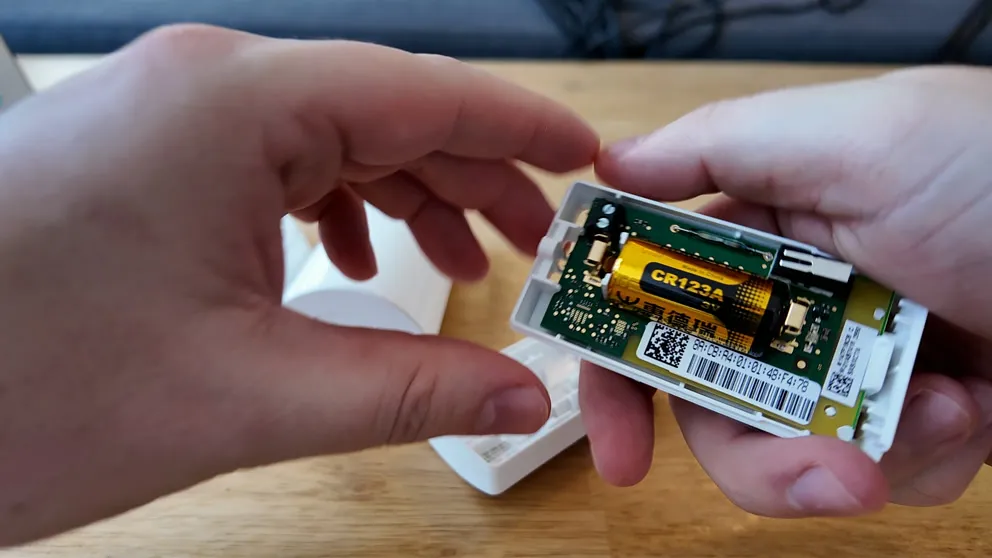
The CR123A battery sits right inside the door sensor housing
Sometimes the cover doesn't want to go back on smoothly. Just line up the tabs and give it a firm push. Don't force it sideways or you'll crack the plastic housing.
Replacing the ADT Glass Break Sensor Battery
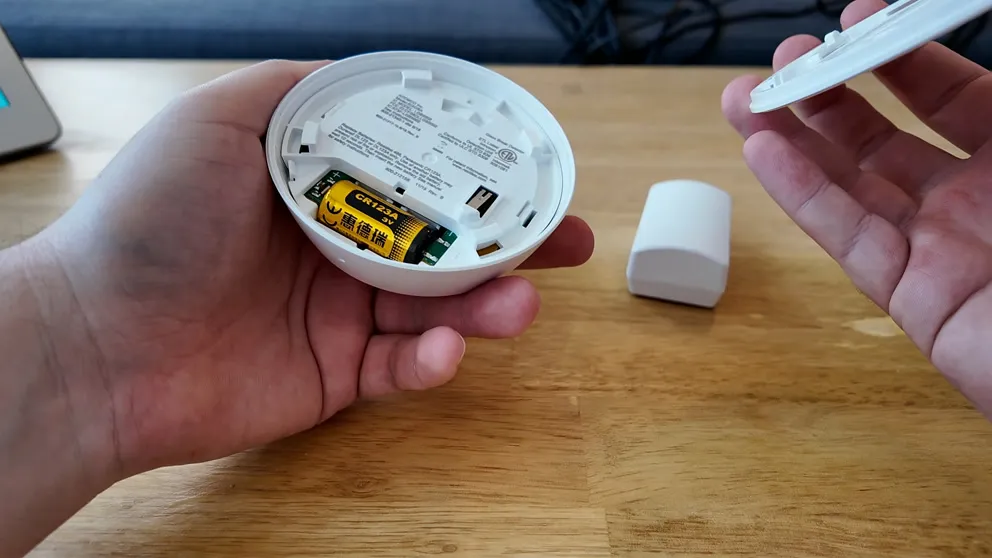
Every ADT sensor uses the same CR123A battery, making it easy to swap them all at once
For the glass break sensor, twist the cover counterclockwise to pop it off. The battery is right there. Swap it out and twist the cover back on clockwise until it's snug.
These are usually mounted higher up on walls near windows, so grab a step stool or ladder if yours is above a doorframe. Same CR123A battery as everything else.
Replacing the ADT Motion Sensor Battery
The motion sensor opens by pushing up on the front cover. It slides right off and the battery is exposed. Swap the CR123A and push the cover back down until it clicks into place.
Same deal as the other sensors. Takes about 30 seconds if you're not fumbling with the packaging on the new battery.
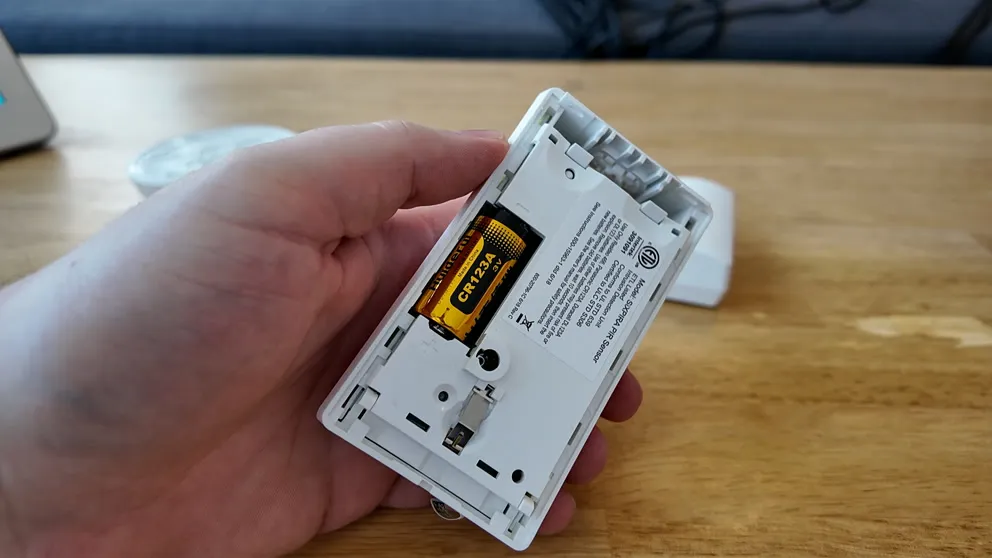
Push up on the motion sensor cover to access the CR123A battery
Clear the Bypass After the Battery Change
Once you've replaced all the batteries and put the sensor covers back on, clear the bypass so your system goes back to normal:
- Go to the Zones page on your panel
- Tap Clear Bypass
- Enter your PIN
The Do Not Enter icons disappear and your sensors start reporting again. I recommend testing a couple of them by opening a door or walking past the motion sensor to confirm everything is working. If a sensor doesn't respond after the battery change, pull the cover off and reseat the battery to make sure the contacts are lined up.
ADT Panel Backup Battery
The sensors aren't the only batteries in your ADT home security system. The panel itself has a backup battery inside that keeps it running during a power outage. This is a completely different battery than the CR123A used in the sensors. It's a rechargeable battery pack that sits behind or inside the panel.
If the panel keeps showing a battery warning after you've already replaced the sensor batteries, the panel backup battery is probably what it's complaining about. These typically need to be replaced every 3 to 5 years. You can order a replacement online by looking up your panel's model number, or call ADT to have a tech come out and handle it.
How Long Do ADT Batteries Last?
Sensor batteries generally last 3 to 5 years depending on how often the sensor is triggered. A front door sensor that gets opened 20 times a day will drain faster than a basement window sensor that never gets touched.
If you bought a house with ADT already installed, there's a good chance the batteries are original and overdue for a swap. You won't know exactly when they were last changed unless the previous owner told you, so it's worth replacing them all when you move in.
When a sensor battery gets low, the panel will alert you. That's your cue to replace it before it dies completely and leaves a gap in your home security coverage.
Does ADT Replace Batteries for Free?
It depends on your service plan. Some ADT home security monitoring plans include free battery replacement as part of the service agreement. If your plan covers it, you can call ADT at (800) 238-2727 and they'll either ship batteries to you or send a tech out.
If your plan doesn't include it, you're looking at buying CR123A batteries yourself or paying for a tech to come out. Either way, this is something you can handle yourself in under 15 minutes with no tools required. I'd save the service call for the panel backup battery if you're not comfortable pulling the panel apart.
What to Do If Your ADT System Still Shows Low Battery
If you swapped the battery and the warning won't clear, give it some time. The system sometimes needs a few hours to register the new battery and drop the alert on its own.
If it still shows the alert after 24 hours, try pulling the battery out and reinserting it. Make sure the contacts are clean and the battery is seated firmly. You can also try clearing the alert from the ADT keypad by entering your master code.
If nothing works, call ADT support at (800) 238-2727 and they can reset the alert on their end or walk you through additional troubleshooting instructions over the phone.
About the author
