
Which Cameras and Equipment Are Compatible With Vivint?
Learn which security equipment is compatible with Vivint Home Security

If you're looking at Vivint and wondering whether you can bring your own cameras or smart home devices, the answer depends on what type of equipment you're talking about.
I went through this whole process when I was setting up my system, and the compatibility rules aren't always obvious. Here's what actually works with Vivint and what doesn't.
Are Third-Party Cameras Compatible With Vivint?
This is the question most people start with, and the answer is straightforward: the only cameras compatible with Vivint are Vivint's own cameras. You cannot connect a Ring, Blink, Wyze, Arlo, or any other brand to the Vivint system.
Vivint's cameras are proprietary. They connect directly to the smart hub (Vivint's touchscreen panel) and are managed through the Vivint app. There's no way to integrate outside cameras into that ecosystem. If you want camera feeds on the panel and in the app alongside your alarm, sensors, and smart home controls, you have to use Vivint's hardware.
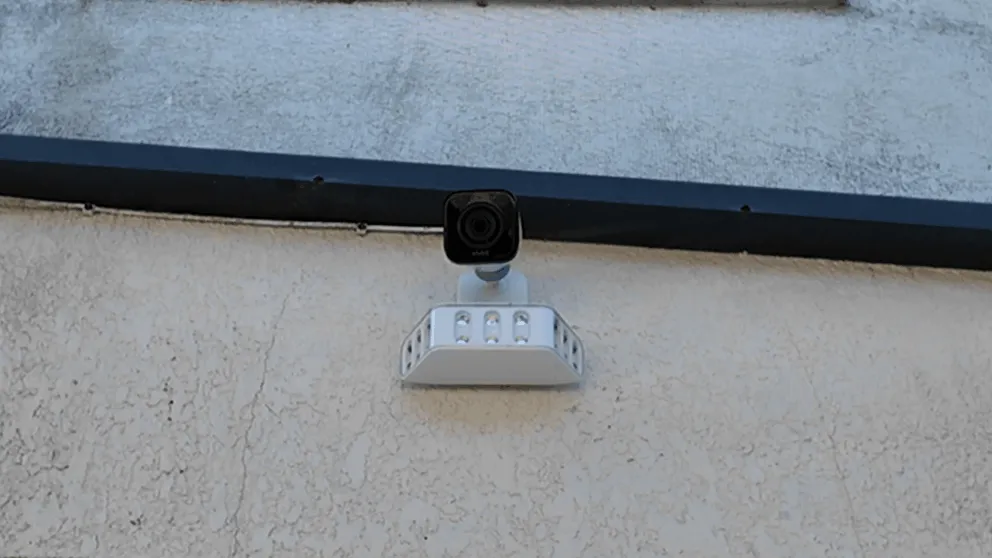
The cameras Vivint currently offers are:
- Outdoor Camera Pro with optional floodlight attachment
- Indoor Camera
- Doorbell Camera Pro
All three record in high resolution, have two-way talk, night vision, and smart detection features. The outdoor camera pro and doorbell camera pro also have Vivint's smart deter feature, which plays a whistle and lights up an LED ring when someone approaches.
If you already own Ring or Blink cameras and you're switching to Vivint, those cameras can still run on their own apps. They just won't show up in the Vivint app or on the panel. Most people who are happy with their existing cameras continue to use their own cameras, while letting Vivint handle the security and smart home features. One advantage Vivint's cameras have over WiFi-only options like Ring is that they keep recording to the panel even when your internet goes down.
What Makes a Device Compatible With Vivint?
Before I get into the specific equipment categories, it helps to understand why some devices work with Vivint and others don't.
Vivint's smart hub uses Z-Wave, which is a wireless protocol designed for smart home devices. It's different from WiFi or Bluetooth. Any Z-Wave device can potentially pair with the Vivint panel. This is why third-party smart locks, thermostats, and other Z-Wave devices can work with Vivint even though they aren't sold by Vivint.
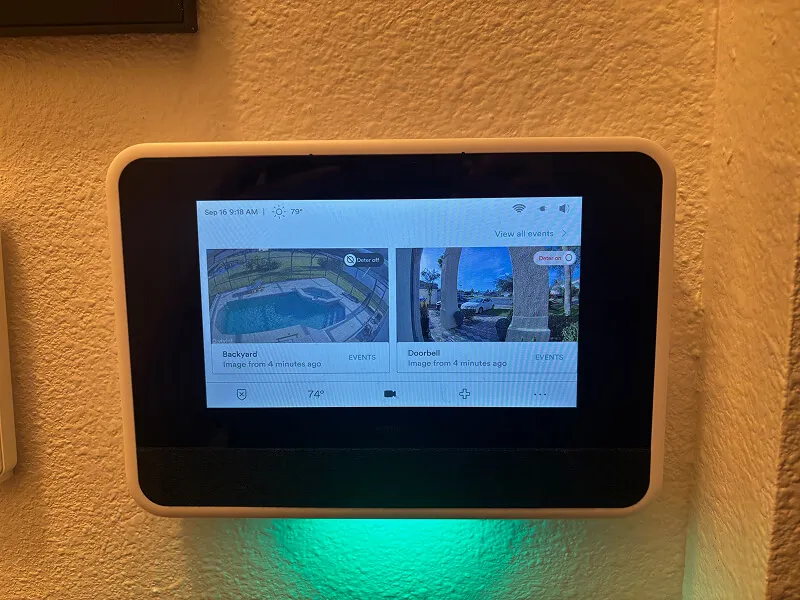
The Vivint smart hub. It communicates with Z-Wave devices and Vivint's proprietary cameras.
Cameras are the exception because they use a proprietary connection. They don't go through Z-Wave. That's why no third-party cameras work, but plenty of other devices do.
The other category where Vivint shows flexibility is sensors. The panel can work with hardwired sensors from older alarm systems and certain wireless sensors from companies like Honeywell and DSC. More on that below.
Smart Locks Compatible With Vivint
Smart locks are probably the most popular third-party addition to a Vivint system. Since Vivint's hub supports Z-Wave, any Z-Wave smart lock should pair with the panel.
The most common compatible smart locks are:
- Kwikset SmartCode locks (Z-Wave models). These are the ones I see recommended most often for Vivint. Kwikset has several Z-Wave models at different price points, and they pair reliably with the panel.
- Schlage Connect locks (Z-Wave models). Schlage is the other big name in Z-Wave locks. Their Connect series works with Vivint.
- Yale Assure locks (Z-Wave models). Yale also makes Z-Wave compatible door locks that pair with Vivint.
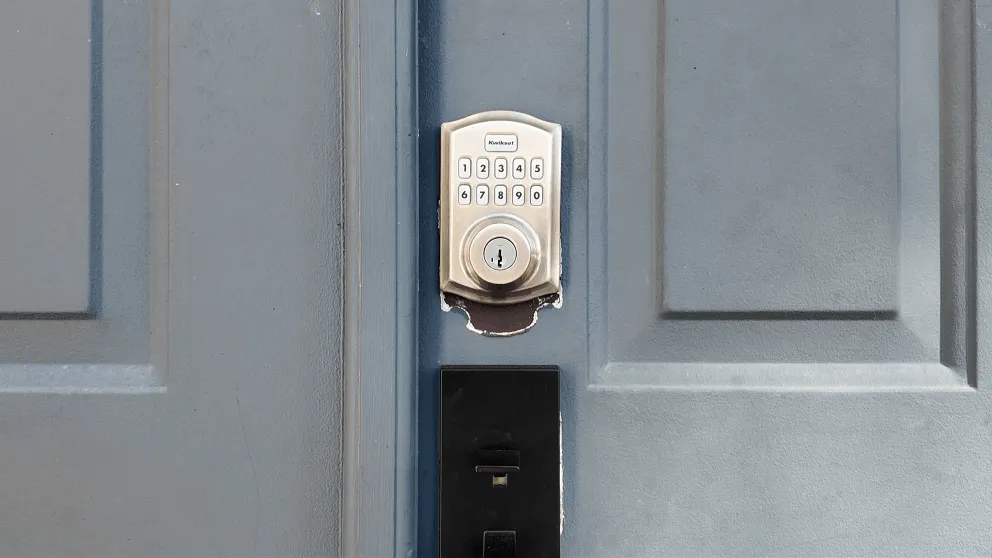
A smart lock paired with Vivint. You can lock and unlock from the panel or the app.
Once a smart lock is paired, you can lock and unlock it from the Vivint app, from the panel, or through automations. For example, you can set it so the door automatically locks when you arm the system. That's one of the things I like most about the Vivint setup. The automations between the lock and the alarm make the whole system feel connected.
The thing to watch for is making sure you buy the Z-Wave version of whatever lock you choose. A lot of smart locks come in multiple versions (WiFi, Bluetooth, Z-Wave, Zigbee). Only the Z-Wave version will work with Vivint. If you buy a WiFi or Bluetooth model, it won't pair with the panel.
Quick tip: If you're buying a Kwikset or Schlage lock specifically for Vivint, look for "Z-Wave Plus" on the packaging. Z-Wave Plus is the newer standard and has better range and battery life than the original Z-Wave.
Thermostats Compatible With Vivint
Vivint also works with Z-Wave thermostats. The two that come up most often are:
Nest Thermostat. Yes, Nest is compatible with Vivint. This surprises a lot of people because Nest is a Google product and Vivint is its own ecosystem. But the Nest thermostat uses Z-Wave (certain models) and can pair with the Vivint panel. Once connected, you can adjust the temperature from the Vivint app and build it into automations. For example, you could set the thermostat to drop to 65 degrees when you arm the system in "away" mode.
Ecobee Thermostat. Ecobee also makes Z-Wave compatible models that work with Vivint. The setup process is similar to Nest.
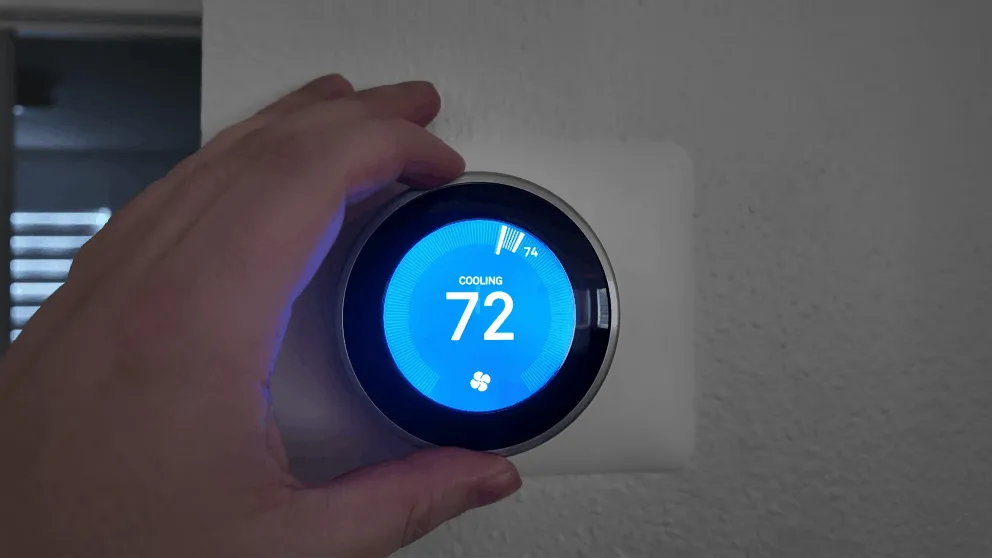
A Nest thermostat paired with the Vivint system. Controllable from the app and the panel.
If you already have a Nest or Ecobee installed, there's a good chance you can integrate it with Vivint instead of buying a separate thermostat. Ask the Vivint technician during installation, and they can usually pair it right there.
The Vivint-branded thermostat (the one they sell directly) is also Z-Wave, so it's functionally the same as any other compatible thermostat. The only difference is that Vivint's version is guaranteed to work since it's their own product.
Sensors Compatible With Vivint
This is where Vivint's compatibility gets more interesting. The panel can work with sensors beyond just what Vivint sells, but the rules depend on whether the sensors are hardwired or wireless.
Hardwired sensors: If you have an older alarm system with hardwired door and window sensors already installed in your home, Vivint can typically use them. The installer connects the existing wired sensors to the Vivint panel during setup. This is a big deal if you're upgrading from an older system because you don't have to rip out all the existing sensors and start over. The wiring is already in the walls, and Vivint just hooks into the control panel.
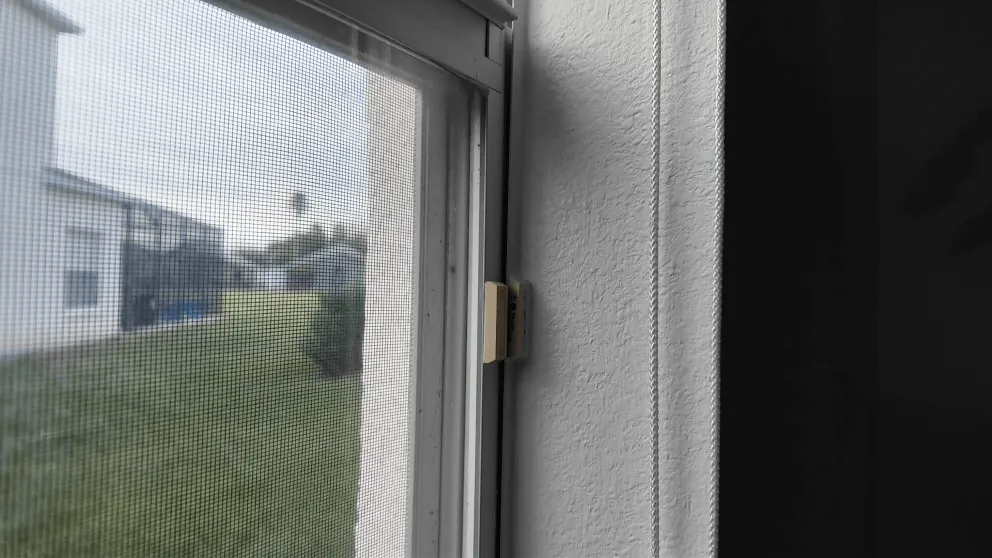
Hardwired sensors from older systems can often be reused with Vivint's panel.
Wireless sensors from Honeywell and DSC: Vivint can also use wireless sensors from Honeywell (now Resideo) and DSC. These are two of the biggest names in professional security equipment, and their wireless sensors operate on frequencies that Vivint's panel can receive. If you're coming from an older Honeywell or DSC system, your existing wireless door sensors, window sensors, and motion detectors may carry over.
Wireless sensors from DIY companies: This is where compatibility stops. Wireless sensors from SimpliSafe, Cove, Ring Alarm, or other DIY security brands are not compatible with Vivint. These companies use their own proprietary wireless protocols, so their sensors can't talk to Vivint's panel.
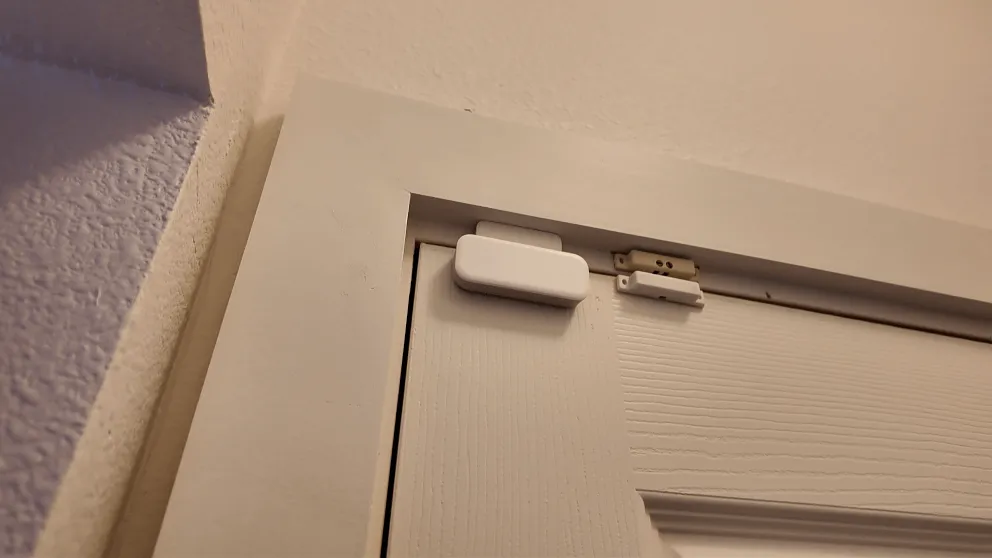
Vivint's own wireless sensors. If you're starting fresh, these are what the installer will set up.
The sensor types Vivint supports include:
- Door and window sensors (contact sensors)
- Motion detectors
- Glass break sensors
- Smoke and CO detectors
- Flood/water sensors
If you're getting a new Vivint installation, the technician will survey your home and install the appropriate sensors. But if you have existing hardwired or Honeywell/DSC wireless sensors, bring that up during the consultation. It could save you money on equipment.
Garage Door Openers Compatible With Vivint
Vivint can control your garage door through its app and panel, but you need a compatible garage door controller. The Vivint system works with Z-Wave garage door controllers that pair with the smart hub.
The most common approach is a Z-Wave relay module that connects to your existing garage door opener's wiring. Once installed, you can open and close the garage from the Vivint app, set up automations (like automatically closing the garage when you arm the system at night), and get notifications when the garage opens or closes.
Vivint also sells their own garage door controller that's designed to work with the panel. If you're already having a technician install the system, adding the garage controller during installation is the easiest route.
Is Vivint Compatible With Alexa, Google Home, or Apple Home?
Vivint works with Amazon Alexa and Google Home for voice control. You can arm and disarm the system, lock doors, adjust the thermostat, and control other connected devices using voice commands through Alexa or Google Assistant.
The integration isn't through Z-Wave. It uses Vivint's cloud connection to talk to Amazon's and Google's platforms. You link your Vivint account in the Alexa or Google Home app, and then voice commands become available.
Is Vivint Equipment Compatible With Other Systems?
This is the reverse question, and it's worth addressing. If you're thinking about leaving Vivint, can you take the equipment with you to another security provider?
For the most part, no. Vivint's cameras are proprietary and will stop working without an active Vivint service plan. The smart hub panel is also Vivint-specific and won't transfer to another provider.
However, any third-party Z-Wave devices you added (Kwikset lock, Nest thermostat, etc.) can be unpaired from Vivint and paired with a different Z-Wave controller. Those devices are yours and work independently of Vivint.
The sensors are a mixed bag. Hardwired sensors are universal and will work with whatever system you switch to. Vivint-branded wireless sensors probably won't transfer to a non-Vivint system since they use Vivint's specific wireless frequency.
Full Compatibility Breakdown
Here's a quick reference for what works with Vivint and what doesn't:
| Equipment Type | Compatible? | Notes |
|---|---|---|
| Vivint cameras | Yes | Only Vivint cameras work with the system |
| Ring/Blink/Wyze/Arlo cameras | No | Proprietary cameras only |
| Z-Wave smart locks (Kwikset, Schlage, Yale) | Yes | Must be Z-Wave version |
| Nest thermostat | Yes | Z-Wave models |
| Ecobee thermostat | Yes | Z-Wave models |
| Z-Wave garage door controllers | Yes | Pairs with the smart hub |
| Hardwired sensors (any brand) | Yes | From older alarm systems |
| Honeywell/DSC wireless sensors | Yes | Professional-grade wireless sensors |
| SimpliSafe/Cove/Ring sensors | No | DIY sensors use incompatible protocols |
| Amazon Alexa | Yes | Voice control via cloud integration |
| Google Home | Yes | Voice control via cloud integration |
| Apple HomeKit | No | Not supported |
What I Recommend
If you're setting up a new Vivint system, my advice is to use Vivint's cameras if you don't have any cameras already and then use third-party Z-Wave devices for locks and thermostats if you already own them.
If you're coming from an older Honeywell or DSC security system, tell the Vivint installer about your existing sensors. Reusing hardwired sensors or compatible wireless sensors saves you money on equipment costs, and those savings add up when you're looking at multiple entry points throughout the house.
And if you already have Ring or Blink cameras you like, know that they'll keep working on their own. They just won't be part of the Vivint ecosystem. You'll check one app for cameras and another for the alarm. It's not ideal, but it works.
For the full picture on Vivint's system, including pricing, monitoring plans, and my experience after months of daily use, check out my Vivint home security review.
> > Vivint Promo: $0 Activation with Professional Installation or call (833) 606-2573
What cameras are compatible with Vivint?
Only Vivint's own cameras are compatible with the Vivint system. This includes the outdoor camera pro, indoor camera, and doorbell camera pro. Third-party cameras from Ring, Blink, Wyze, Arlo, and other brands cannot connect to Vivint's panel or app.
What smart locks are compatible with Vivint?
Any Z-Wave smart lock is compatible with Vivint. The most popular options are Kwikset SmartCode, Schlage Connect, and Yale Assure locks. Make sure to buy the Z-Wave version, not WiFi or Bluetooth, as only Z-Wave devices pair with the Vivint panel.
Is Nest compatible with Vivint?
Yes, Nest thermostats with Z-Wave capability can be paired with the Vivint smart hub. Once connected, you can control the thermostat from the Vivint app and include it in automations like adjusting temperature when you arm the system.
Is Vivint compatible with Alexa?
Yes. Vivint integrates with Amazon Alexa for voice control. You can arm and disarm the system, lock doors, and adjust the thermostat using Alexa voice commands. The connection works through Vivint's cloud platform.
Can I use my old security sensors with Vivint?
It depends on the type. Hardwired sensors from any older alarm system can typically be connected to the Vivint panel. Wireless sensors from Honeywell and DSC are also compatible. However, wireless sensors from DIY companies like SimpliSafe or Cove will not work with Vivint.
Is Vivint equipment compatible with other security systems?
Mostly no. Vivint's cameras and panel are proprietary and won't work with other providers. However, any third-party Z-Wave devices you added (locks, thermostats) can be unpaired and used with a different Z-Wave controller. Hardwired sensors are also universal.
About the author
