
Does Vivint Work Without WiFi?
Does Vivint work without WiFi? Yes, but with limits. Find out what still works, what stops, and how Vivint cameras behave when your internet goes down.

If your internet goes out, does Vivint still protect your home? The short answer is yes. Your Vivint system will still work without WiFi because the alarm and monitoring run on a cellular connection, not your home internet. But there are a few things you'll lose access to until the WiFi comes back.
I've had my Vivint system lose internet a handful of times (thanks to my ISP), so I can speak from experience on what actually happens. Here's the full breakdown.
Quick answer: Vivint's alarm, sensors, monitoring, and smart home devices all continue to work without WiFi. The cameras still record locally to the panel. You just can't view the camera feeds remotely from the app until your internet is back.
How Vivint Works Without WiFi
Vivint uses a cellular connection as its primary communication path to the monitoring center. Your home WiFi is secondary. So when the internet drops, the panel keeps talking to Vivint's monitoring center over the cellular network. Police, fire, and medical dispatch all continue like normal.
This is different from how a lot of people assume it works. Most people think the whole system is running through their WiFi router. It's not. The cellular chip is built into the panel itself, and it's always active. WiFi going down doesn't affect it.
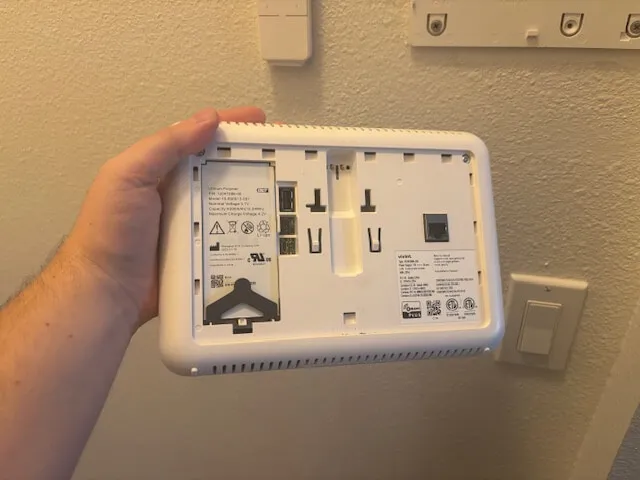
The panel has a built-in cellular chip that communicates with the monitoring center independently of your WiFi.
Here's a quick summary of what still works and what doesn't:
| Feature | Without WiFi? |
|---|---|
| Alarm monitoring (police, fire, medical) | Yes |
| Sensors (doors, windows, glass break) | Yes |
| Smart panel (arm/disarm, view cameras locally) | Yes |
| Smart home devices (locks, thermostat) | Yes |
| Camera recording (stored on panel) | Yes |
| Mobile app (arm/disarm, lock doors) | Partially |
| Viewing camera feeds from the app | No |
| Viewing recorded clips from the app | No |
Do Vivint Cameras Work Without WiFi?
This is the part that trips people up, so I want to be specific. Vivint cameras will still record video without WiFi. The footage saves directly to the panel, which acts as a local DVR. You can walk up to the panel and watch the recordings right there on the touchscreen. Deter mode will also still work as expected.
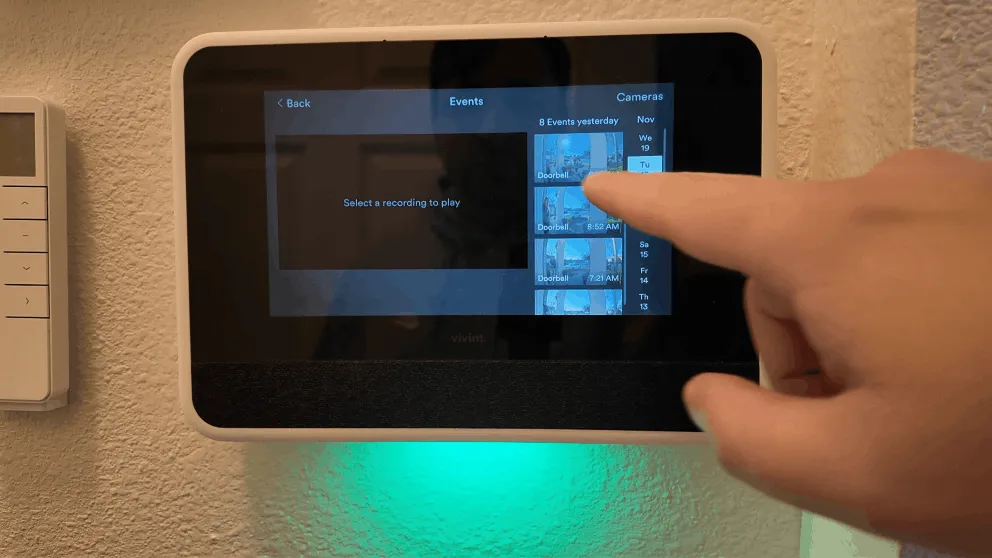
You can view camera recordings directly on the panel even when WiFi is down.
What you can't do is pull up the camera feeds or recordings from the Vivint app on your phone. The app needs an internet connection to stream footage from the cameras. So if you're at work and the WiFi goes out at home, you won't be able to check the cameras remotely until the internet comes back.
This is actually a big advantage Vivint has over most camera systems. A lot of WiFi-only cameras (like Ring or Wyze) stop recording entirely when the internet drops. With Vivint, the cameras keep doing their job. You just have to check the panel in person instead of through the app.
What Still Works on the Vivint App Without WiFi
The Vivint app doesn't become completely useless when your home WiFi goes out. Because the panel communicates over cellular, you can still do a few things from the app using that cellular link:
- Arm and disarm the alarm
- Lock and unlock doors
- Check sensor status (which doors/windows are open)
- Adjust the thermostat
- Receive alarm alerts
The only thing you lose on the app side is the camera access. Live video, recorded clips, and motion notifications from the cameras all require WiFi to transmit. Everything else runs through the cellular connection and keeps working.
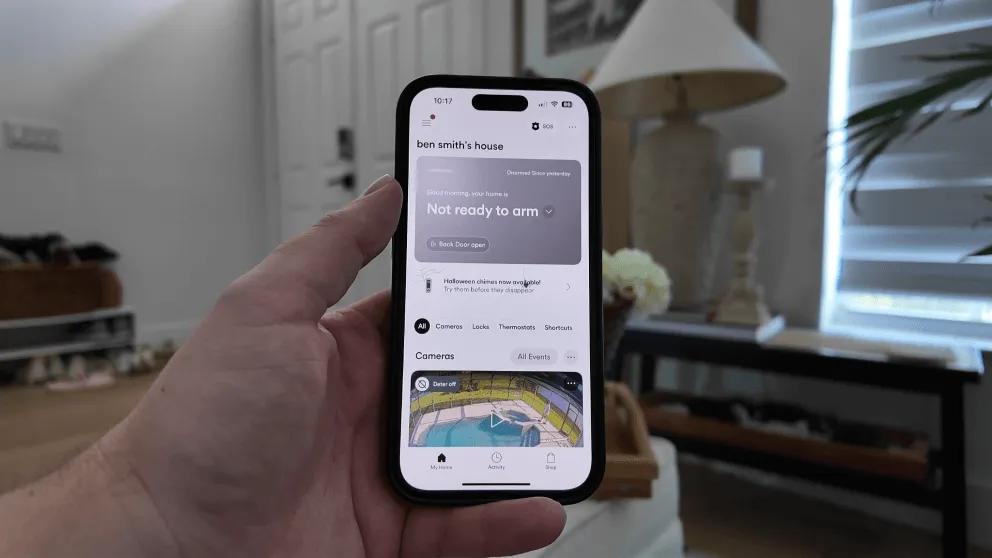
You can still arm, disarm, and control smart home devices from the app. Just no camera access without WiFi.
Do Smart Home Devices Still Work?
Yes. Your smart locks, thermostat, and any other Z-Wave devices connected to the Vivint system keep working without WiFi. These devices communicate with the panel over Z-Wave, which is a separate wireless protocol that doesn't use your internet connection at all.
So if the WiFi drops, you can still:
- Lock and unlock your smart lock from the panel or the app
- Adjust the thermostat
- Run any shortcuts or automations you've set up
- Use the keypad on your smart lock with your PIN
The Z-Wave connection between these devices and the panel is completely independent of your router.
Why Your Vivint Camera Might Show as Offline
If your cameras are showing an offline status, it's not always because the internet is down. A few other things can cause it:
- Your router is too far from the cameras. WiFi signal strength matters. If a camera is on the far side of the house from the router, it might drop the connection. Consider using the power over ethernet option.
- Power loss. The cameras need power to work. If the outlet they're plugged into loses power, they go offline regardless of WiFi status.
- The Vivint app needs an update. An outdated app can sometimes fail to connect to the cameras even when everything else is fine.
A quick way to figure out if the problem is your WiFi or the camera: check if your other devices (phone, laptop) can still connect to the internet. If they can, the issue is between the camera and the router. If they can't, the internet is down and the camera is behaving exactly as expected.
Tip: If your cameras keep dropping offline due to WiFi range, consider adding a mesh WiFi system or a WiFi extender closer to the cameras. It made a noticeable difference for my outdoor camera.
How to Get Your Cameras Back Online
Once your WiFi comes back, the cameras should reconnect automatically. In most cases, you don't have to do anything. Give it a few minutes and check the app.
If they don't reconnect on their own, try these steps:
- Restart your router. Unplug it for 30 seconds, plug it back in, and wait for it to fully boot up.
- Check the camera's power. Make sure it's still plugged in and the outlet is working.
- Restart the camera from the panel. Go to the camera settings on the smart panel and select restart.
- Update the Vivint app. Check the App Store or Google Play for updates.
- Call Vivint support. If nothing else works, call (800) 216 5232 and they can troubleshoot remotely.
Cellular Backup vs WiFi: How Vivint Stays Connected
One thing I appreciate about Vivint's setup is the redundancy. The system doesn't rely on a single connection. Here's how it works:
The panel has a built-in cellular radio that maintains a constant connection to Vivint's monitoring center. This is the primary communication path for alarm signals. WiFi is used as a secondary path and is mainly there for the cameras and for faster data transfer.
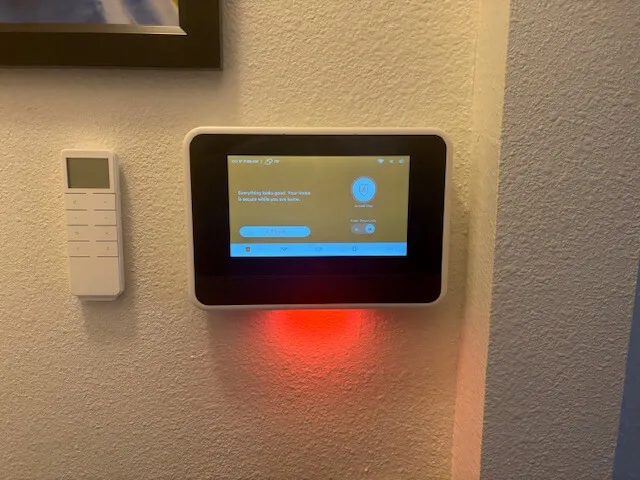
The panel stays connected to the monitoring center via cellular even without WiFi.
The panel also has a backup battery. So even if you lose both power and WiFi at the same time (like during a storm), the alarm system keeps running on battery power and stays in contact with the monitoring center over cellular. That's a level of reliability you don't get from a purely WiFi-based system.
Should You Worry About WiFi Outages?
Not really. The security side of Vivint (the part that actually protects your home) doesn't depend on WiFi. Your alarm is monitored, your sensors work, your smart lock works, and your cameras keep recording locally.
The only thing you miss during a WiFi outage is the convenience of checking cameras from your phone. And honestly, if your internet is down, checking camera feeds is probably not the most pressing thing on your mind.
If you're on the fence about Vivint because you have unreliable internet, I'd say don't let that stop you. The core security features work independently of your WiFi. The cameras are a bonus that require internet for remote access, but they're not the backbone of the system.
If you want to learn more about the full system, check out my review where I cover the cameras, equipment, pricing, and everything else after 6+ months of daily use.
> > Vivint Promo: $0 Activation with Professional Installation or call (833) 606-2573
Does Vivint work without WiFi?
Yes. Vivint's alarm system, sensors, and smart home devices all work without WiFi because they use a cellular connection and Z-Wave protocol. The cameras continue to record locally to the panel, but you can't view them remotely from the app until WiFi is restored.
Do Vivint cameras work without WiFi?
Vivint cameras will still record video without WiFi. The footage is stored locally on the panel and can be viewed on the touchscreen. However, you won't be able to view live feeds or recordings through the Vivint mobile app without an internet connection.
Will Vivint still call the police if my internet is down?
Yes. Vivint's monitoring uses a cellular connection, not your home internet. If the alarm triggers, the monitoring center is notified over the cellular network and will dispatch police, fire, or medical as needed, even without WiFi.
Can I arm and disarm Vivint without WiFi?
Yes. You can arm and disarm from the panel directly, and you can also do it from the app since those commands travel over the cellular connection. Camera access is the only app feature that requires WiFi.
Why is my Vivint camera showing offline?
Common causes include a weak WiFi signal, too many devices on the network, a power outage at the outlet, an outdated Vivint app, or a hardware issue with the camera or router. Check your other devices to determine if the issue is your internet or the camera itself.
About the author
