
What Is Deter Mode on Vivint? Here's What It Actually Does
Wondering what Vivint Deter Mode is? Learn how this smart camera feature uses lights and sounds to alert visitors that they've been detected.

If you've been poking around the Vivint app and noticed the word "deter" on the app when viewing your cameras, you're probably wondering what it does. I had the same thought when I first set up my system. Turns out, it's one of Vivint's more interesting and unique features.
Here's the short version: Deter mode is a setting on the outside camera and doorbell camera that discourages unwanted visitors by automatically triggering a warning light and whistling sound from the camera. The idea is that if someone knows they are being recorded it will "deter" them from committing a crime and hopefully just run off.
I've had this enabled on my camera for months now, and I have some thoughts on when it's useful and when you might want to disable it.
Smart Deter on Vivint Explained
Smart deter is a feature built into two products: the outdoor camera pro and the doorbell. When enabled, the hardware actively responds to people who approach it.
Instead of just passively recording, it does two things:
- It plays a whistling sound. Loud enough to catch someone's attention but not so loud that it's going to wake up the neighborhood. Think of it as a warning tone.
- An LED ring around the lens lights up red. This is the visual signal. When someone sees that red glow, they know they're being watched.
Note: You can adjust the zones and senstivity of the cameras in the settings so it is only triggered when humans walk in front of it. Newer cameras enable AI to have better detection.
The combination is surprisingly effective. The whistle makes the person look up, and the LED makes it clear they're on film. Most people who are up to no good are going to think twice about sticking around after that.
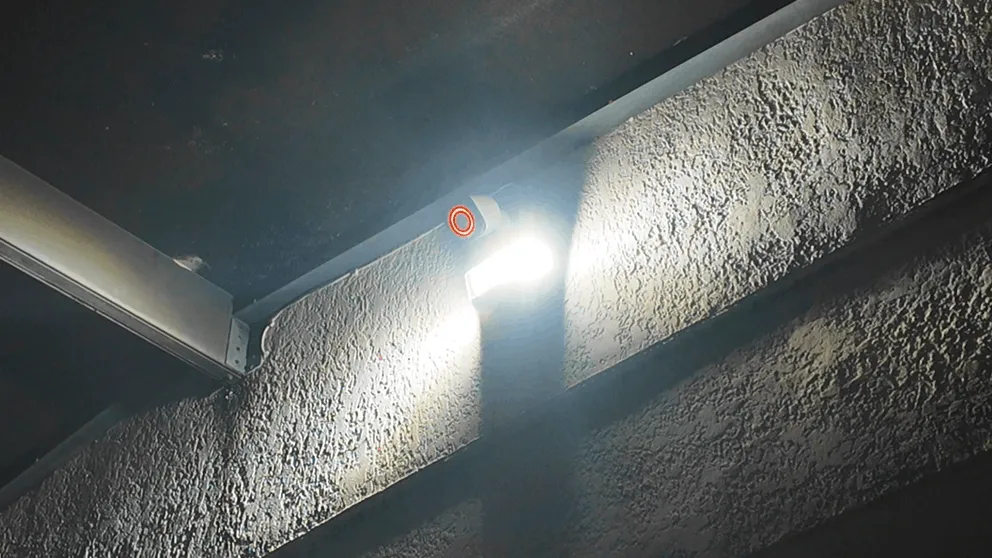
The camera in deter mode at night. The red LED around the lens is clearly visible.
This is also different from a traditional siren or alarm. It's not trying to blast someone with noise. It's a more calculated approach. The whistle is distinct enough that someone will instinctively look toward the source, which points them straight at the lens. Even if they don't leave immediately, you've now captured a clear, well-lit image of their face.
This is a standout feature that separates it from most competitors. ADT doesn't have anything like this. Ring has a siren you can trigger manually, but it doesn't have the same automatic, attention-directing effect.
How the Floodlight Works on the Camera Pro
This is where the feature really shines, especially if you've added the floodlight attachment like I did.
When it's active and someone walks into the detection zone, here's the sequence:
- Motion is detected
- The whistling sound plays from the speaker
- The red LED illuminates around the lens
- If you have the floodlight add-on, it also switches on
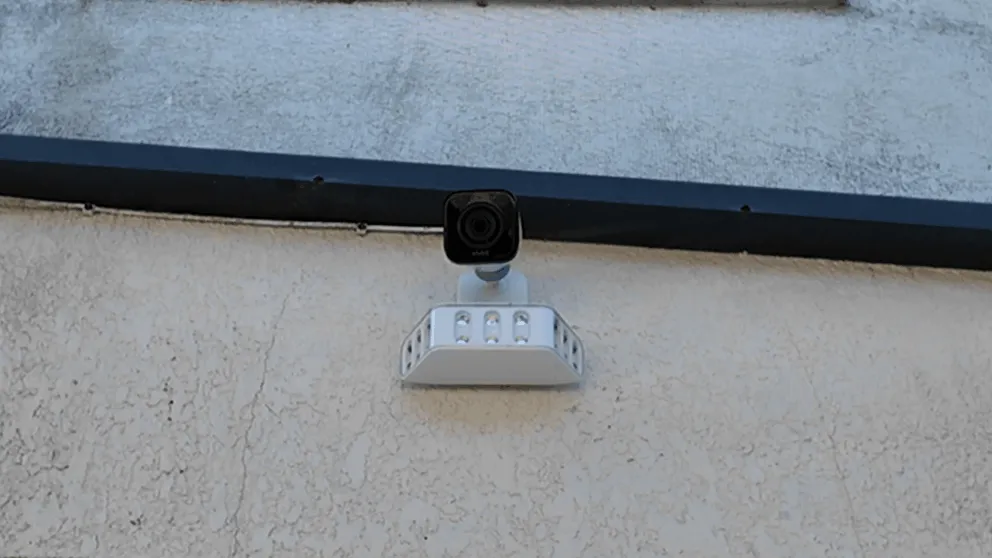
With the floodlight add-on attached. When smart deter activates, the whistle, LED, and floodlight all fire at once.
That last part is what really takes things to another level. The floodlight is bright. It'll light up your entire backyard or front yard depending on where you have it pointed. So now the person approaching your house is getting hit with a whistle, a glowing red lens, and a flood of light all at the same time.
That's a lot of stimulus at once. I know if I were someone snooping around a house and that thing went off, I wouldn't be hanging around.
It records in 4K, so even in the few seconds before the person reacts and looks away, you're getting high-resolution footage. The feature essentially forces them to look at the lens before they have a chance to hide their face, which gives you much better footage than equipment that just silently records.
Worth noting: The floodlight add-on is sold separately. It's worth the extra cost if you're putting the camera in a dark area like a backyard or side yard. The combination of smart deter plus floodlight is the most effective setup available.The floodlight can work independently of deter mode.
How It Works on the Doorbell
It also has smart deter built in, and it works the same way. When someone approaches your front door, it plays the whistle and the LED lights up.
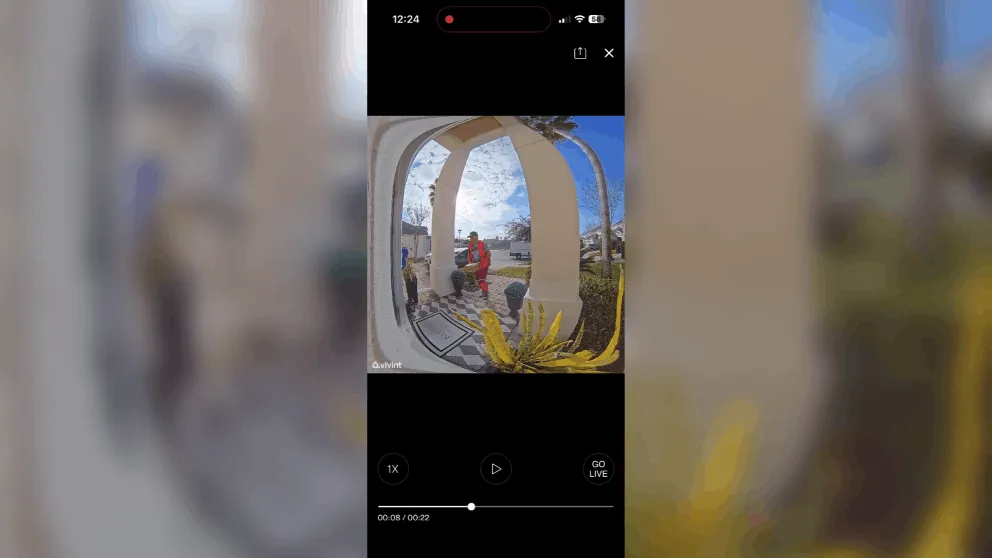
The main difference is that there's no floodlight option. You just get the whistle and the LED. Still, it's effective for a front door where there's usually some ambient light from a porch light or street lighting.
One thing I've noticed is that the feature can get triggered by delivery drivers and mail carriers. If the detection zone covers the walkway, anyone who approaches will set it off. That's fine for nighttime when you don't expect visitors, but during the day it can be a bit much. I'll cover how to adjust this in the settings section below.
How to Enable or Disable Deter Mode
You can control the feature through the app or from the smart panel. Here's how to do it from the app:
- Open the app on your phone
- Tap on the device you want to adjust
- Look for the smart deter toggle in the settings
- Switch it on or off
From the panel, navigate to settings and you'll find the same toggle there.
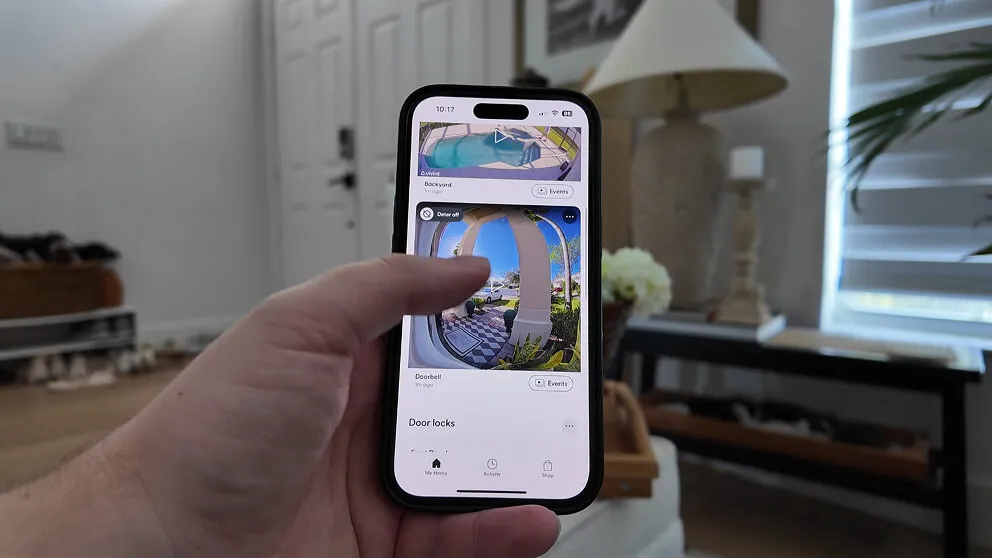
You can manage deter mode for each camera directly from the Vivint app.
You can also set it to run on a schedule if you don't want it active 24/7. For example, you might want it enabled from 9 PM to 6 AM when you're less likely to have expected visitors, but disabled during the day when delivery people and neighbors are coming and going.
If you're having trouble finding the setting or the toggle isn't appearing, make sure your app is updated to the latest version. Older versions sometimes don't show newer features. You can also call Vivint support at (800) 216-5232 and they can walk you through it or enable it remotely.
Should You Keep It On or Off?
This is the question everyone asks, and the honest answer is: it depends on where the equipment is and what time of day it is.
When to keep it on:
- At night. This is when the feature is most useful. The LED is highly visible in the dark, and the whistle is more jarring when it's quiet outside. Anyone approaching your house at 2 AM is going to have a bad time.
- When you're away from home. If you're on vacation or at work, having the hardware actively confront visitors adds a real layer of protection beyond just recording.
- In areas with low foot traffic. If your equipment faces a backyard or side yard where nobody should be, leave it on all the time. Anyone triggering it back there is probably up to no good.
When to disable it:
- During the day in high-traffic areas. If it faces a busy sidewalk or overlooks a shared driveway, it's going to go off constantly. That's annoying for you and your neighbors.
- When you're expecting guests. Nothing kills the vibe of a barbecue like your equipment whistling at everyone who walks up to the house.
- If your neighbors complain about the whistle. It's not deafening, but if the hardware is close to a property line, the sound could carry. Be a good neighbor about it.
My personal setup: I keep it on 24/7 on the backyard camera because nobody should be back there. On the front door, I use the scheduling feature to enable it at 9 PM and disable it at 7 AM. During the day, it just records normally without the whistle and light.
What "Deter Off" Means
If you see "deter off" on your status screen, it just means the feature is currently disabled. The hardware is still recording and detecting motion like normal. You're still getting notifications when someone approaches. The only difference is that it won't play the whistle or light up the LED.
Some people disable it and forget about it, then wonder why their equipment isn't "whistling anymore." If that's you, just go back into settings and toggle it back on.
Switching the feature off doesn't affect your monitoring services or recording capabilities at all. It only controls the whistle and LED response. Your 24/7 professional monitoring, motion alerts, and video recording all continue regardless of the setting—and they keep working even without WiFi.
Troubleshooting Common Issues
A few common issues people run into:
It won't switch off. If you've toggled it off in the app but the hardware is still whistling, try restarting it from the panel settings. If that doesn't work, call Vivint support at (800) 216-5232. There's occasionally a sync issue between the app and the device that support can resolve remotely.
It isn't activating. Make sure the feature is toggled on in the app. Also check your detection zone settings. If the zone is too narrow or the sensitivity is too low, motion might not be detected until someone is very close. Widening the detection zone usually fixes this.
The whistle is too quiet or too loud. You may be able to adjust the volume through the app. Check the settings to see if a volume slider is available.
It goes off too often. This usually means the detection zone is picking up movement from cars, animals, or people passing by on the sidewalk. Adjust the zone in the app to focus on the area directly in front of or around the device. I had this problem with my unit until I tightened up the zone to just cover my yard and not the street behind it.
Is It Worth Using?
If you already have the right Vivint hardware, the feature is included at no extra cost. There's no reason not to use it, at least in some capacity. The downside (occasional false triggers) is minor compared to the upside (actively confronting someone who shouldn't be on your property).
The combination of the whistle and the LED is genuinely clever. Most home security equipment is passive. It sits there, it records, and you review the footage after something happens. Smart deter flips that by making the hardware an active participant. It's trying to prevent the incident, not just document it.
And if you pair it with the floodlight add-on, you've got what I think is the most effective deterrent setup available from any of the major providers. The whistle grabs attention, the red glow says "you're being watched," and the floodlight eliminates any shadow they might try to hide in. All of that happens automatically, without you having to do anything.
How This Fits Into Vivint's Security Services
It's worth understanding how this feature fits into the bigger picture. Smart deter is just one piece of the home security setup. It works alongside the 24/7 professional monitoring services, sensor network, and mobile app to create a layered approach to protecting your home.
When the feature activates, the system is also recording footage, logging the event, and sending you a notification.
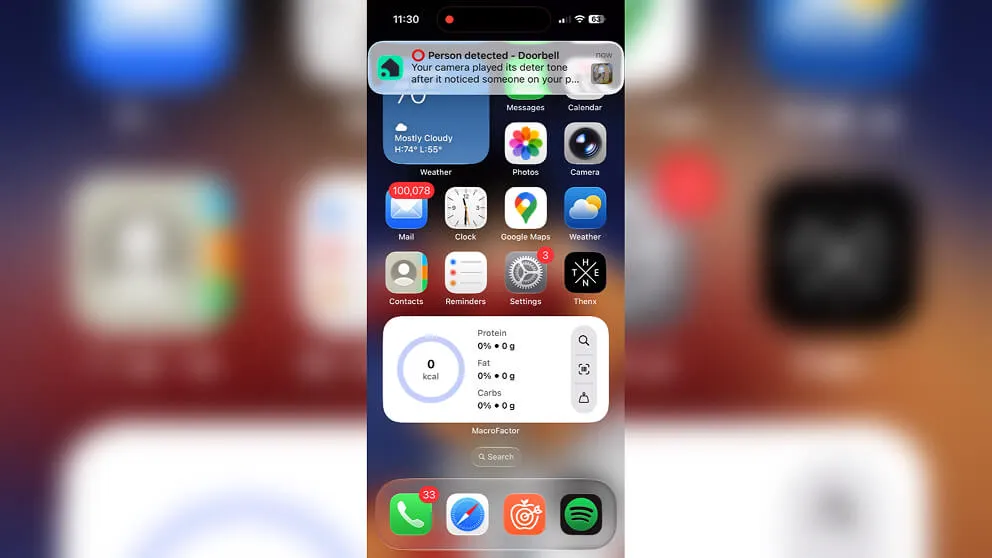
When smart deter triggers, you get a notification in the app so you can review the footage immediately.
If you have monitoring services active (which most customers do), the footage is stored and accessible through the app. If the person actually breaks in and triggers the alarm, the monitoring center dispatches police.
So the way I think about it is: this is the first line of defense. It tries to scare the person off before anything happens. If that fails, you still have the alarm, the monitoring services, and clear 4K footage of whoever was there. It's layers, and each layer catches what the previous one missed.
This is also why I recommend Vivint over a standalone camera if home security is your actual goal. A Ring or Wyze unit can record someone breaking in, but it's not going to do anything to stop them in the moment. The approach of combining active deterrence, professional monitoring, and connected sensors gives you both prevention and response.
If you want to learn more about Vivint you can checkout my full review of the system.
> > Vivint Promo: $0 Activation with Professional Installation or call (833) 606-2573
What does it mean to turn deter on?
Enabling it activates the whistling sound and red LED on your camera. When someone approaches, the whistle plays and the LED lights up to alert the person that they're being recorded. If you have the floodlight add-on, that activates too.
What does it mean for a camera to deter?
Equipment with this feature actively tries to discourage intruders rather than just passively recording. Vivint does this with a whistle sound and LED that activate when motion is detected, making the person aware they're being watched.
How do I turn off deter mode on Vivint?
Open the app, tap on the device you want to adjust, go to settings, and toggle it off. You can also do this from the panel. Disabling it stops the whistle and LED, but the camera keeps recording normally.
Does Vivint only record when motion is detected?
By default, the camera records clips when motion is detected. However, you can add continuous 24/7 recording for an extra $7 per month per device. With continuous recording, it records all the time and you can scrub through a timeline of the last 10 days.
Which Vivint products have smart deter?
The camera pro and the doorbell both have it. The indoor model does not, since it's designed for inside the home where you wouldn't want it whistling at your family.
Does the feature cost extra?
No. It's included with both models at no additional cost. The floodlight add-on is a separate purchase, but the whistle and LED come standard.
About the author
